How to remove an account from W10

Andrea Vironda 816 Reputation points
2021-03-17T20:50:04.11+00:00

Hi,
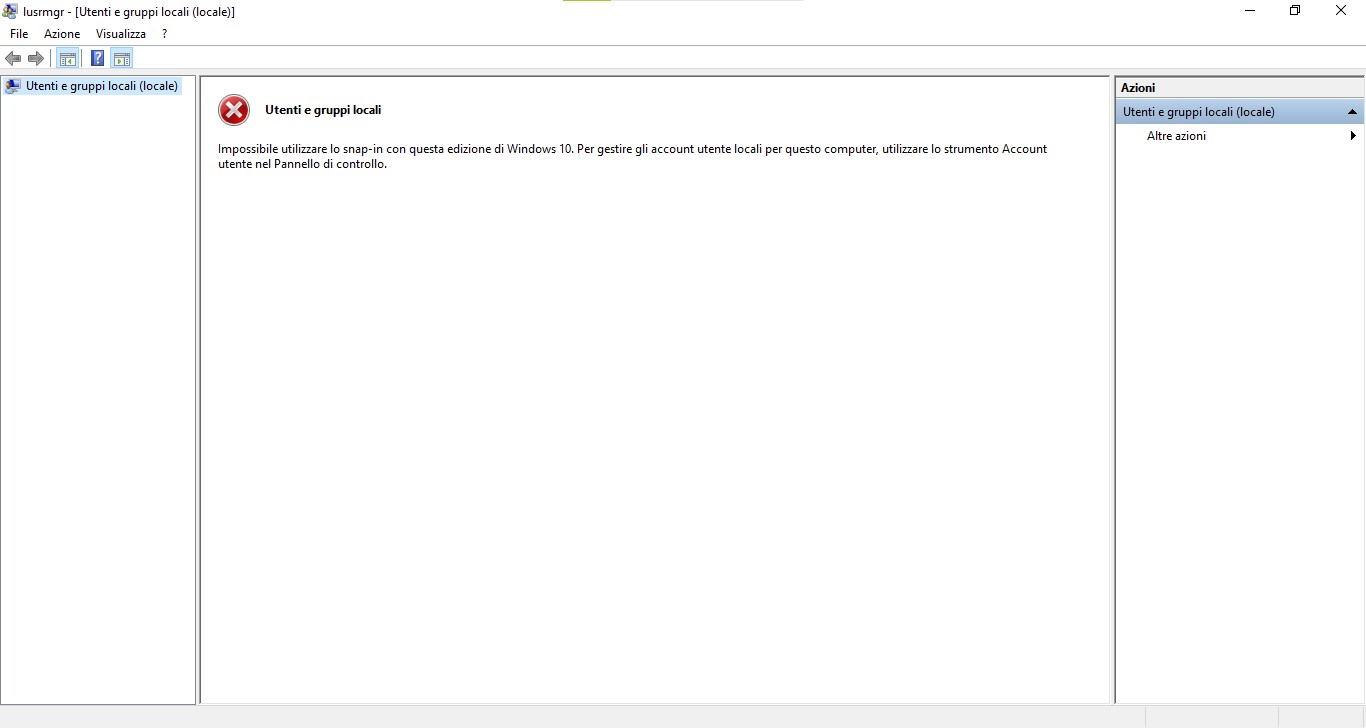
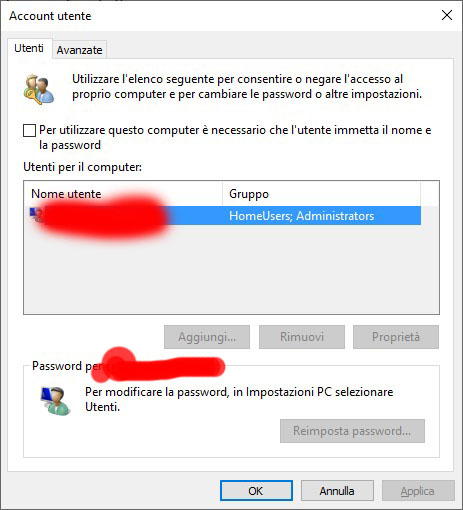
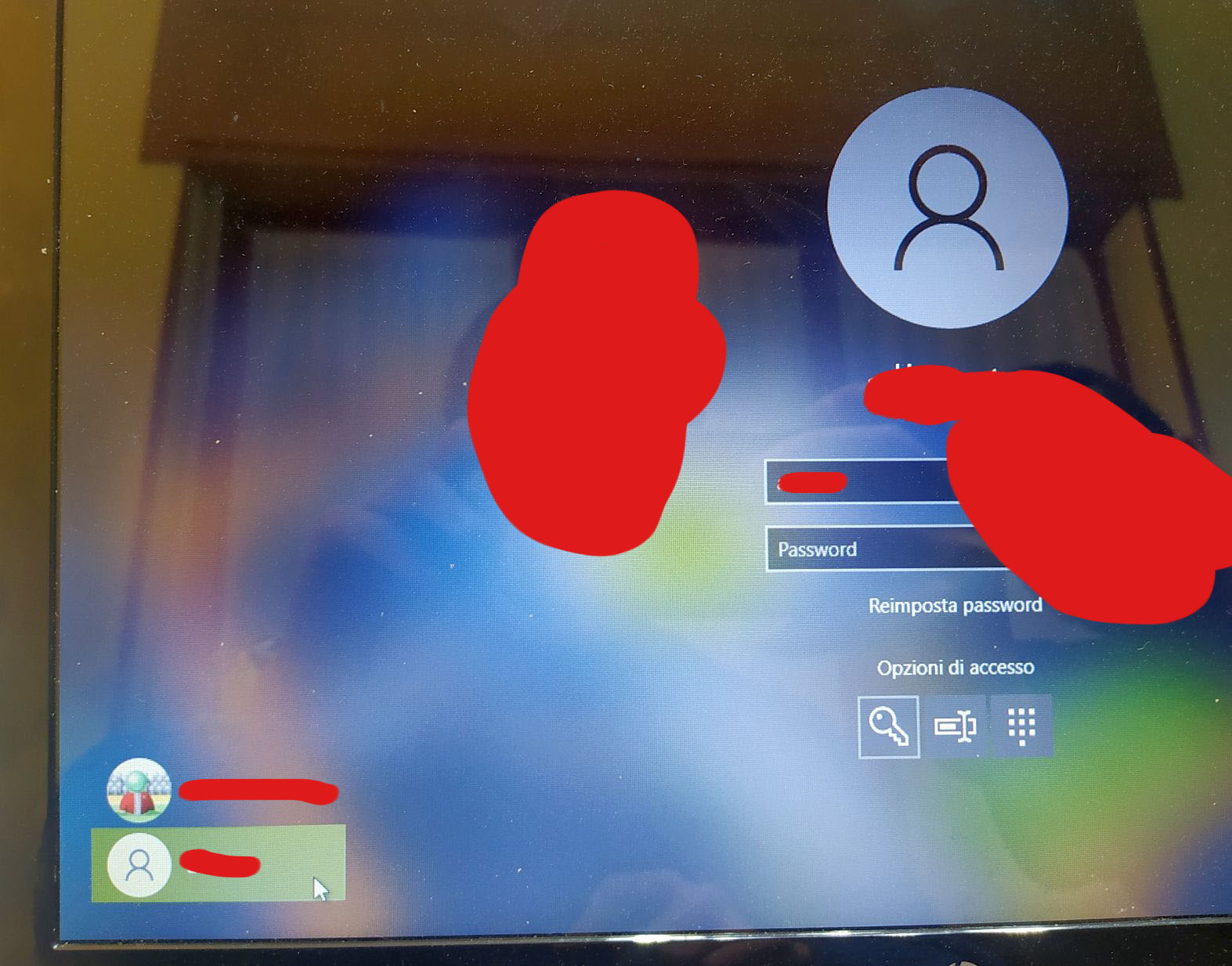
In my W10 home 10.0.19041 I have a problem: in the picture you can see 2 accounts are listed. I'd like to remove the one at the bottom.
78941-1616013855376.jpg
Since i forgot the password and I also don't remember why I configured it, I don't have the way to access it.
How can I deal with it?

Windows for business | Windows Client for IT Pros | Networking | Network connectivity and file sharing
{count} votes

Answer accepted by question author
  1. Anonymous
    2021-04-28T20:13:35.603+00:00

    Another option is from an elevated cmd.exe session
    net user and press Enter to view user accounts on your computer
    then
    net user username /delete
    where "username" is the problematic account

    --please don't forget to Accept as answer if the reply is helpful--

    0 comments No comments

2 additional answers

Sort by: Most helpful
  1. Anonymous
    2021-03-17T20:55:37.347+00:00

    You can follow along here.
    https://support.microsoft.com/en-us/windows/add-or-remove-accounts-on-your-pc-104dc19f-6430-4b49-6a2b-e4dbd1dcdf32

    --please don't forget to Accept as answer if the reply is helpful--


  2. Teemo Tang 11,496 Reputation points
    2021-03-18T02:21:58.313+00:00

    The simplest method for removing is using Computer Management, you could have a try:

    1. right-click start menu button and select Computer Management
    2. navigate to Local users and Groups-> Users, account to the name find the user which you want to remove
    3. right-click the user and select Delete
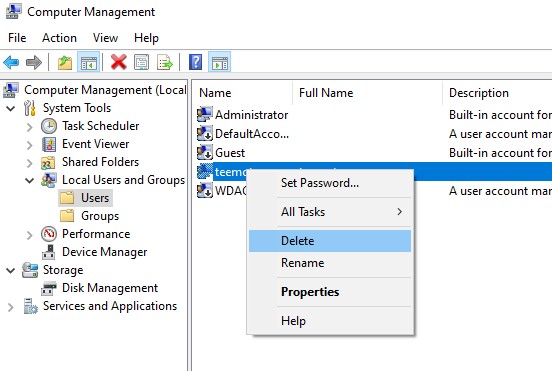
      79011-u.jpg

    That’s all, restart computer and you will see the unnecessary user has disappeared.

    -------------------------------------------------------------------------------------

    If the Answer is helpful, please click "Accept Answer" and upvote it.
    Information posted in the given link is hosted by a third party. Microsoft does not guarantee the accuracy and effectiveness of information.
    Note: Please follow the steps in our documentation to enable e-mail notifications if you want to receive the related email notification for this thread.

Your answer

Answers can be marked as 'Accepted' by the question author and 'Recommended' by moderators, which helps users know the answer solved the author's problem.