Alright, so this is my first post and it is in regards to an annoyance and how Windows 10 Pro 1903 update is ignoring my Path variables.
I have installed Python3 from the python.org site because I like having control over my applications and the Windows 10 Store is not something I like to use for that. Prior to the 1903 update I was able to use my Python install just fine. I have uninstalled
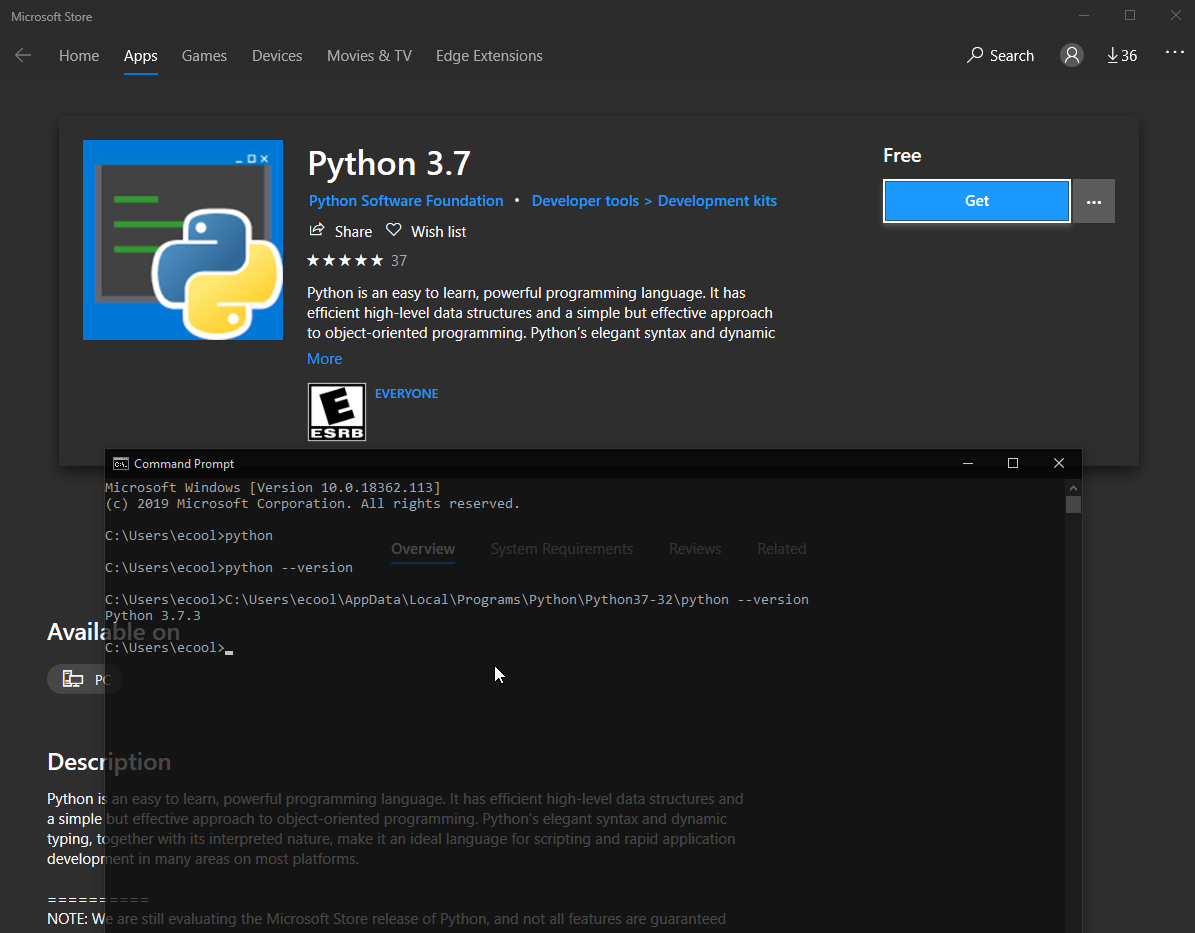
python completely and reinstalled. Rebooted multiple times. Manually edited the PATH variables. Windows 10 still opens up the Windows Store when I try to run python/python.exe. This is getting really annoying because I don't want to install the Windows
Store version.
If anyone knows how to get this working right, please let me know. Thanks
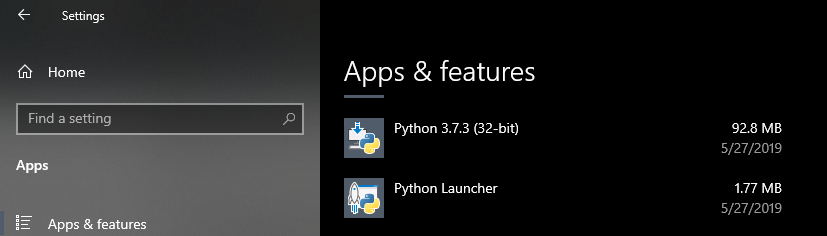
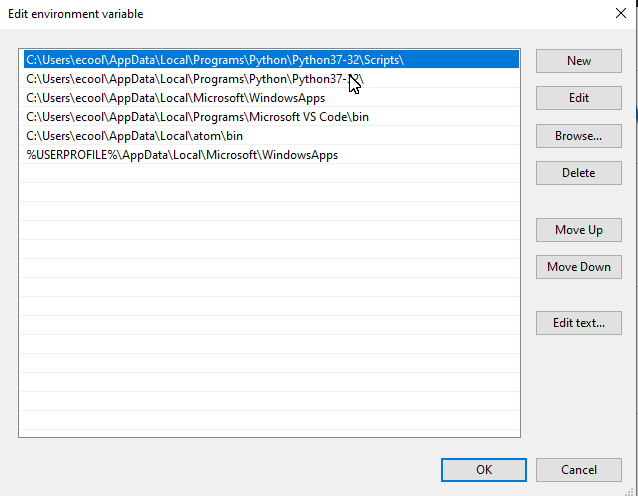
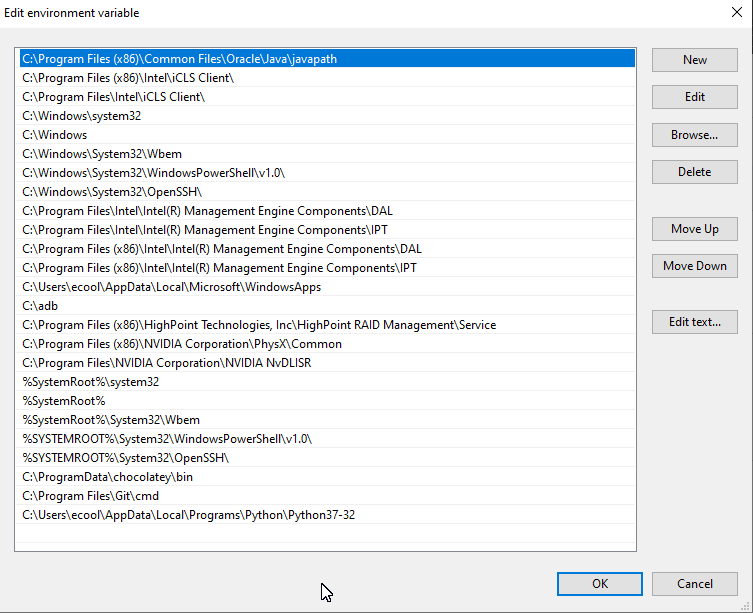
Here are some screenshots.
User Env:
System Env:
And an example of the annoyance.
If there is more information that might help please let me know.
-ecool
' cx='32' cy='32' r='32' /%3E%3Ctext x='50%25' y='55%25' dominant-baseline='middle' text-anchor='middle' fill='%23FFF' %3EA%3C/text%3E%3C/svg%3E)
