Change user name in Windows 10 home

Anonymous
2019-06-23T18:19:41+00:00

Good day

I am using Windows 10 Home, pre-installed on my new Laptop, I want to change the user name from Bakhetwa Civil Lab to my own name...

How do I do this when I do not have the option?

Windows for home | Windows 10 | Settings

Locked Question. This question was migrated from the Microsoft Support Community. You can vote on whether it's helpful, but you can't add comments or replies or follow the question.

0 comments No comments
{count} votes

3 answers

Sort by: Most helpful
  1. DaveM121 816.9K Reputation points Independent Advisor
    2019-06-23T18:22:45+00:00

    Hi JanoTheron

    Do you want to rename that user profile folder?

    If so, it is not easy to do that in Windows 10, here are the steps to safely do that:

    https://www.tenforums.com/tutorials/89060-chang...

    ________________________________________________________

    Standard Disclaimer: This is a non-Microsoft website. The page appears to be providing accurate, safe information. Watch out for ads on the site that may advertise products frequently classified as a PUP (Potentially Unwanted Products). Thoroughly research any product advertised on the site before you decide to download and install it.

    .

    0 comments No comments
  2. Vijay A. Verma 104.7K Reputation points Volunteer Moderator
    2019-06-23T18:23:23+00:00

    Hi JanoTheron

    Greetings! I am Vijay, an Independent Advisor. I am here to work with you on this problem.

    Follow the below guide (you can't change folder name)

    How to Change User Name of an Account in Windows 10 - https://www.tenforums.com/tutorials/89021-chang...

    Do let me know if you have any more question or require further help.

    Disclaimer - This is a non-Microsoft website. The page appears to be providing accurate, safe information. Watch out for ads on the site that may advertise products frequently classified as a PUP (Potentially Unwanted Products). Thoroughly research any product advertised on the site before you decide to download and install it.

    0 comments No comments
  3. Anonymous
    2019-06-24T02:56:05+00:00

    Hi there.

    While its possible to change your Microsoft account USER NAME, 

    I HIGHLY advice against that!

    A lot of settings, games, files etc, has your user connected to it and WILL cause issues when you change your CORE Windows Account name.

    However, there is a simple way how you can change your Windows account "name" that you use and is visual to others.

    There is something called "Aliases", which does exactly what you want. BUT, your PC has your "real" account name. You have the same password/code to all your aliases!

    https://support.microsoft.com/en-gb/help/12407/microsoft-account-change-email-phone-number

    You can add any email, number or name, that you wish to use as your Microsoft Account Name. The name will be what gets shows in Xbox, forums, Microsoft Account info, etc.

    If you only want the Microsoft Account name to be your name, you can do so very easy, in Microsofts Account webpage.

    You will still have your current Account name as user name on your computer, ONLY.

    Hope this helps =)

    Here is how my Microsoft Account looks like, and the name I use. (My windows user folder is something else).
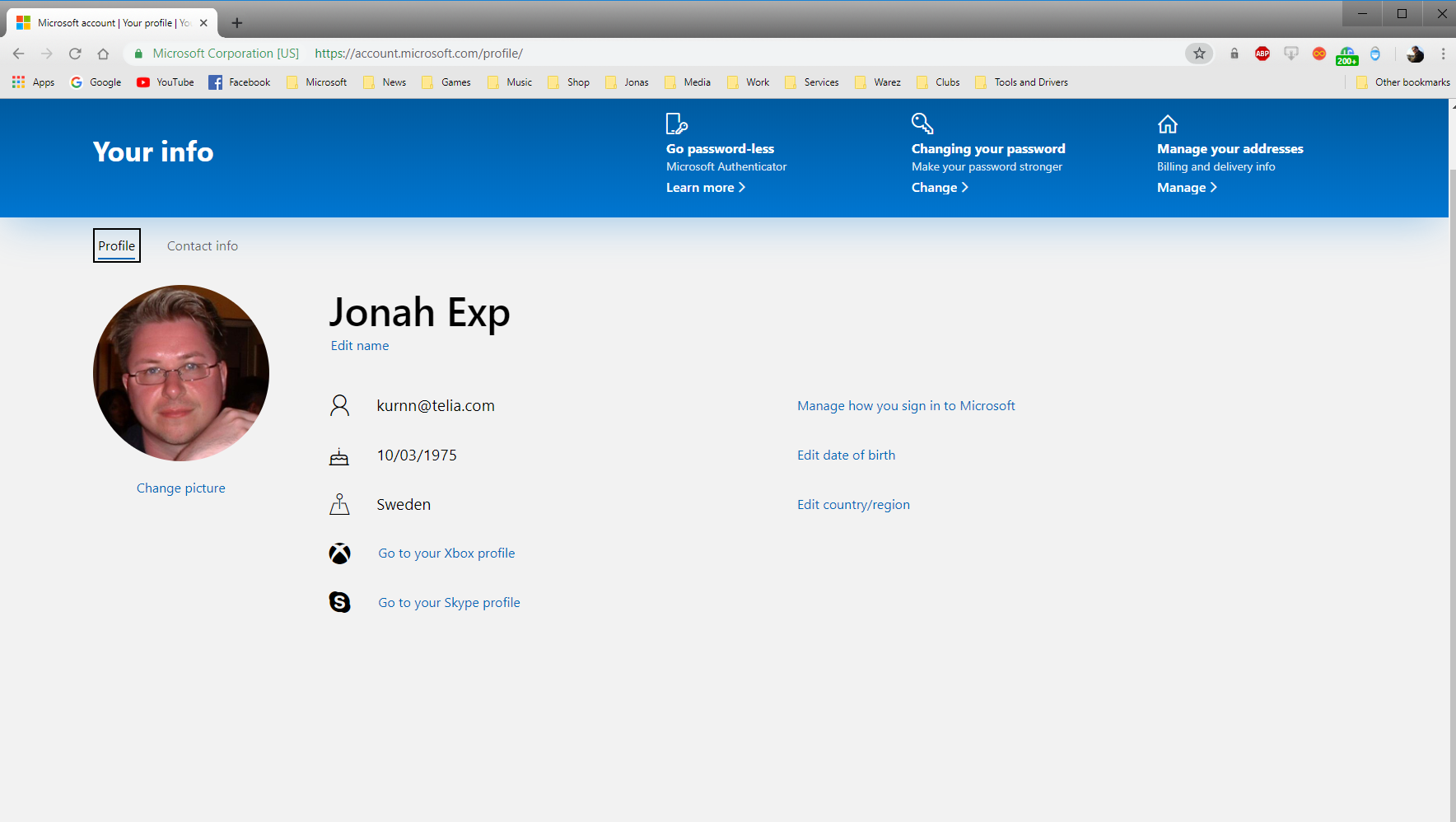
    Everything, except your user folder in Win 10, will have the ALIAS you choose. 

    The ALIAS is meant to add security, since knowing your real Microsoft Account User name, is a very common part for hackers and viruses to use to in attacks. Your Alias completely breaks that possibility.

    0 comments No comments


