Developer technologies | .NET | Xamarin
A Microsoft framework for building cross-platform mobile apps using .NET and C# with native performance and user interfaces.
This browser is no longer supported.
Upgrade to Microsoft Edge to take advantage of the latest features, security updates, and technical support.
' cx='32' cy='32' r='32' /%3E%3Ctext x='50%25' y='55%25' dominant-baseline='middle' text-anchor='middle' fill='%23FFF' %3EVM%3C/text%3E%3C/svg%3E)
Dear Techie,
I'm new to Xamarin forums, How to send an image to server in Xamarin forums . I tried out but i could not able to solve this .
Thanks,
Vasanth
' cx='32' cy='32' r='32' /%3E%3Ctext x='50%25' y='55%25' dominant-baseline='middle' text-anchor='middle' fill='%23FFF' %3EA%3C/text%3E%3C/svg%3E)
Hello,
Welcome to our Microsoft Q&A platform!
If you want to upload a file from Xamarin Forms app to ASP.NET web application.Here is a simple code.
   private MediaFile _mediaFile;

       private async void UploadFile_Clicked(object sender, EventArgs e)
       {
           var content = new MultipartFormDataContent();

           content.Add(new StreamContent(_mediaFile.GetStream()),
               "\"file\"",
               $"\"{_mediaFile.Path}\"");

           var httpClient = new HttpClient();

           var uploadServiceBaseAddress = "http://uploadtoserver.azurewebsites.net/api/Files/Upload";
           //"http://localhost:12214/api/Files/Upload";

           var httpResponseMessage = await httpClient.PostAsync(uploadServiceBaseAddress, content);

           RemotePathLabel.Text = await httpResponseMessage.Content.ReadAsStringAsync();
       }
And shows to get and save that file with an ASP.NET application:
   public class UploadsController : ApiController
   {
       [Route("api/Files/Upload")]
       public async Task<string> Post()
       {
           try
           {
               var httpRequest = HttpContext.Current.Request;

               if (httpRequest.Files.Count > 0)
               {
                   foreach (string file in httpRequest.Files)
                   {
                       var postedFile = httpRequest.Files[file];

                       var fileName = postedFile.FileName.Split('\\').LastOrDefault().Split('/').LastOrDefault();

                       var filePath = HttpContext.Current.Server.MapPath("~/Uploads/" + fileName);

                       postedFile.SaveAs(filePath);

                       return "/Uploads/" + fileName;
                   }
               }
           }
           catch (Exception exception)
           {
               return exception.Message;
           }

           return "no files";
       }
   }
Best Regards,
Leon Lu
If the response is helpful, please click "Accept Answer" and upvote it.
Note: Please follow the steps in our documentation to enable e-mail notifications if you want to receive the related email notification for this thread.
Hi @Anonymous ,
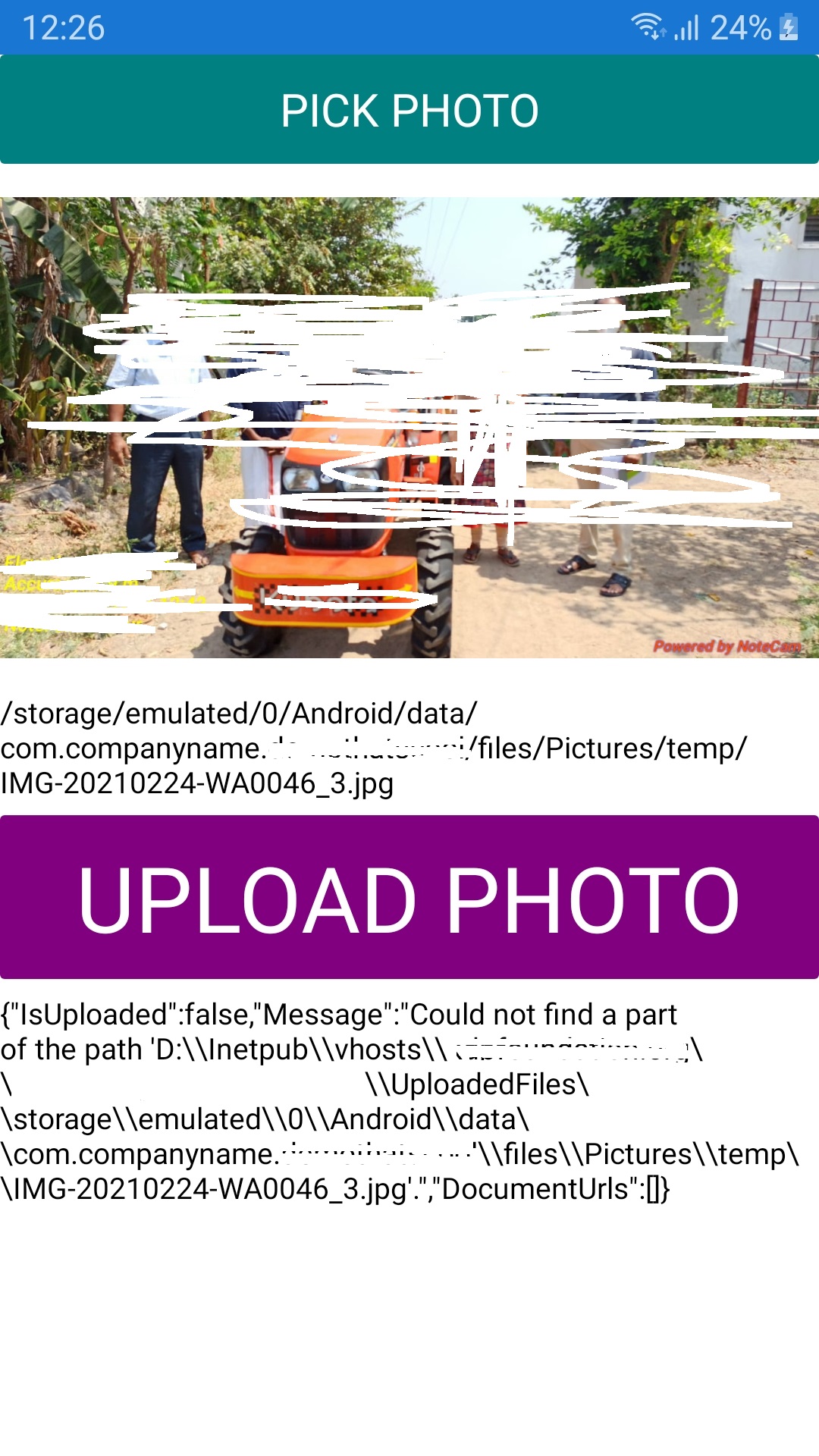
I used same code, but i got an issue like this .
Can you figured it out ?
I will attached the image of the error .
' cx='32' cy='32' r='32' /%3E%3Ctext x='50%25' y='55%25' dominant-baseline='middle' text-anchor='middle' fill='%23FFF' %3EPM%3C/text%3E%3C/svg%3E)
        try
        {
            var httpRequest = HttpContext.Current.Request;
            if (httpRequest.Files.Count > 0)
            {
                foreach (string file in httpRequest.Files)
                {
                    var postedFile = httpRequest.Files[file];
                    var fileName = postedFile.FileName.Split('\\').LastOrDefault().Split('/').LastOrDefault();
                    if (!Directory.Exists(HttpContext.Current.Server.MapPath("~/Uploads/")))
                    {
                        System.IO.Directory.CreateDirectory(HttpContext.Current.Server.MapPath("~/Uploads/"));
                    }
                    var filePath = HttpContext.Current.Server.MapPath("~/Uploads/" + fileName);
                    postedFile.SaveAs(filePath);

                }
                return "Uploads " + httpRequest.Files.Count + " file";
            }
        }
        catch (Exception exception)
        {
            return exception.Message;
        }
        return "no files";
Because directory not found, create if not exist.