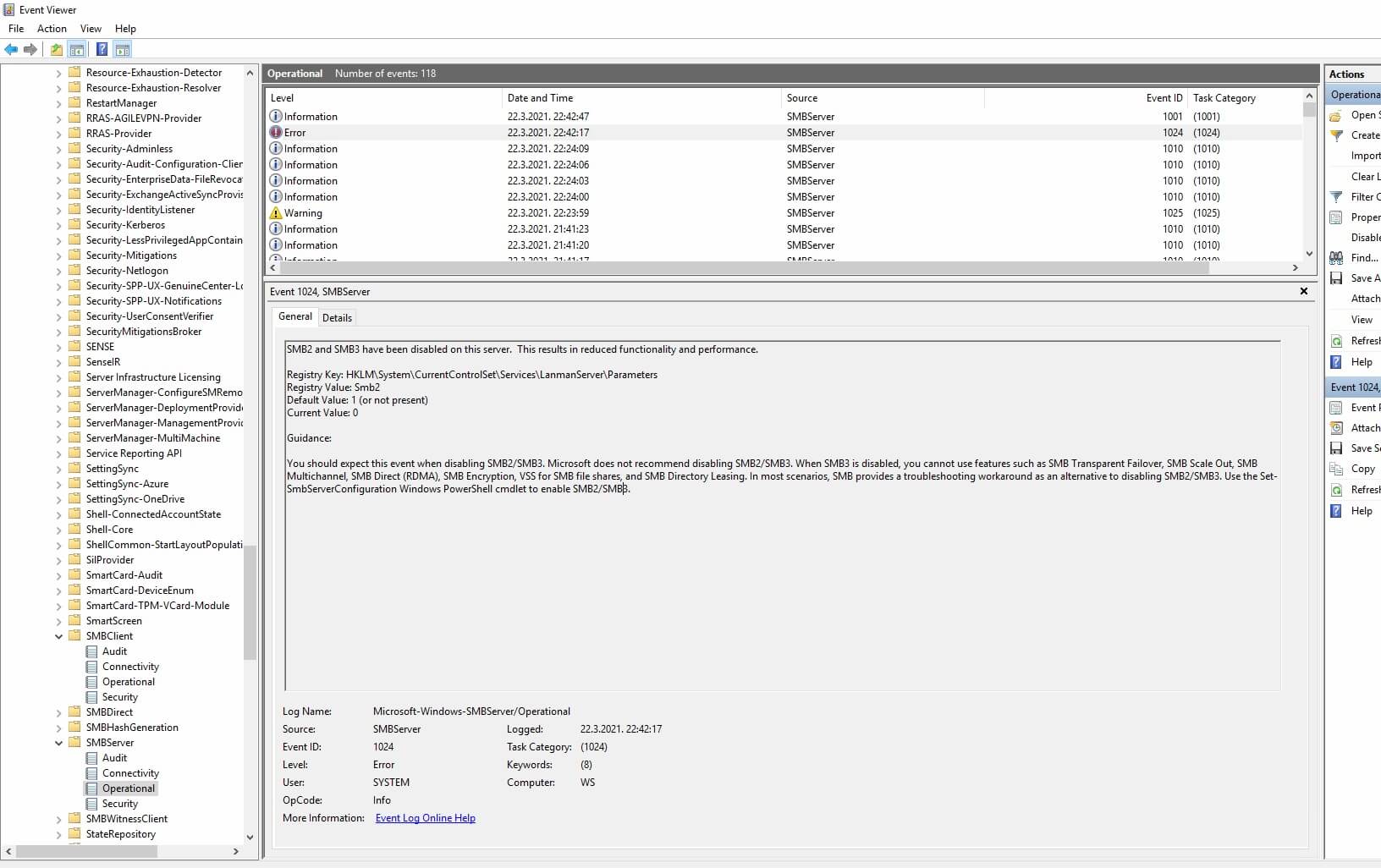
Windows Server 2019 Essentials automatically disables SMB2 service when installing apps

9800pro 1 Reputation point
2021-03-23T14:12:54.743+00:00

Hi all,

We have an issue with Server 2019 Essentials and SMB2 service.

Anytime we install any application or program SMB2 gets disabled automatically by OS.

The other day i installed Acrobat Reader and puff, SMB2 was disabled.

As we use Server for network shares they all stop working and we need to restart SMB2.

We tried reinstalling several times, didn’t help.

We don’t use any special roles, only network share.
Drivers are all installed from Microsoft Update and the Update itself is the latest one.

Any idea why this would be happening?

Thank you

80626-smb2.jpg

Windows for business | Windows Server | User experience | Other
0 comments No comments
{count} votes

1 answer

Sort by: Most helpful
  1. Anonymous
    2021-03-24T07:51:48.153+00:00

    Hello @9800pro

    I would suggest to use Process Monitor to capture process details , and identify which process has caused such issue.

    Best Regards
    Karlie

    ----------

    If the Answer is helpful, please click "Accept Answer" and upvote it.
    Note: Please follow the steps in our documentation to enable e-mail notifications if you want to receive the related email notification for this thread.

    0 comments No comments

Your answer

Answers can be marked as 'Accepted' by the question author and 'Recommended' by moderators, which helps users know the answer solved the author's problem.