Developer technologies | Windows Forms
A set of .NET Framework managed libraries for developing graphical user interfaces.
This browser is no longer supported.
Upgrade to Microsoft Edge to take advantage of the latest features, security updates, and technical support.
' cx='32' cy='32' r='32' /%3E%3Ctext x='50%25' y='55%25' dominant-baseline='middle' text-anchor='middle' fill='%23FFF' %3EMS%3C/text%3E%3C/svg%3E)
In one of my WinForms application, Looks the designer files are not updated. Suppose in design View I delete some controls, it is not reflecting in designer.cs.
Note: If i do any resizing action to the form, it wil updated properly .
Any suggestion?

If this is with VS2019, Windows form project done with .NET Core the designer can be quirky at times. When this happens save the form, optionally close and re-open (which I've never needed). At this time Window Forms are consider in preview mode so this behavior should pass once out of preview.
' cx='32' cy='32' r='32' /%3E%3Ctext x='50%25' y='55%25' dominant-baseline='middle' text-anchor='middle' fill='%23FFF' %3EDZ%3C/text%3E%3C/svg%3E)
Hi MageshSankar-9134,
>> Suppose in design View I delete some controls, it is not reflecting in designer.cs.
After you delete controls from design View, you need to save the form and it will be reflected in designer.cs.
And I made a test in VS2019 Windows Forms App(.NET Framework).
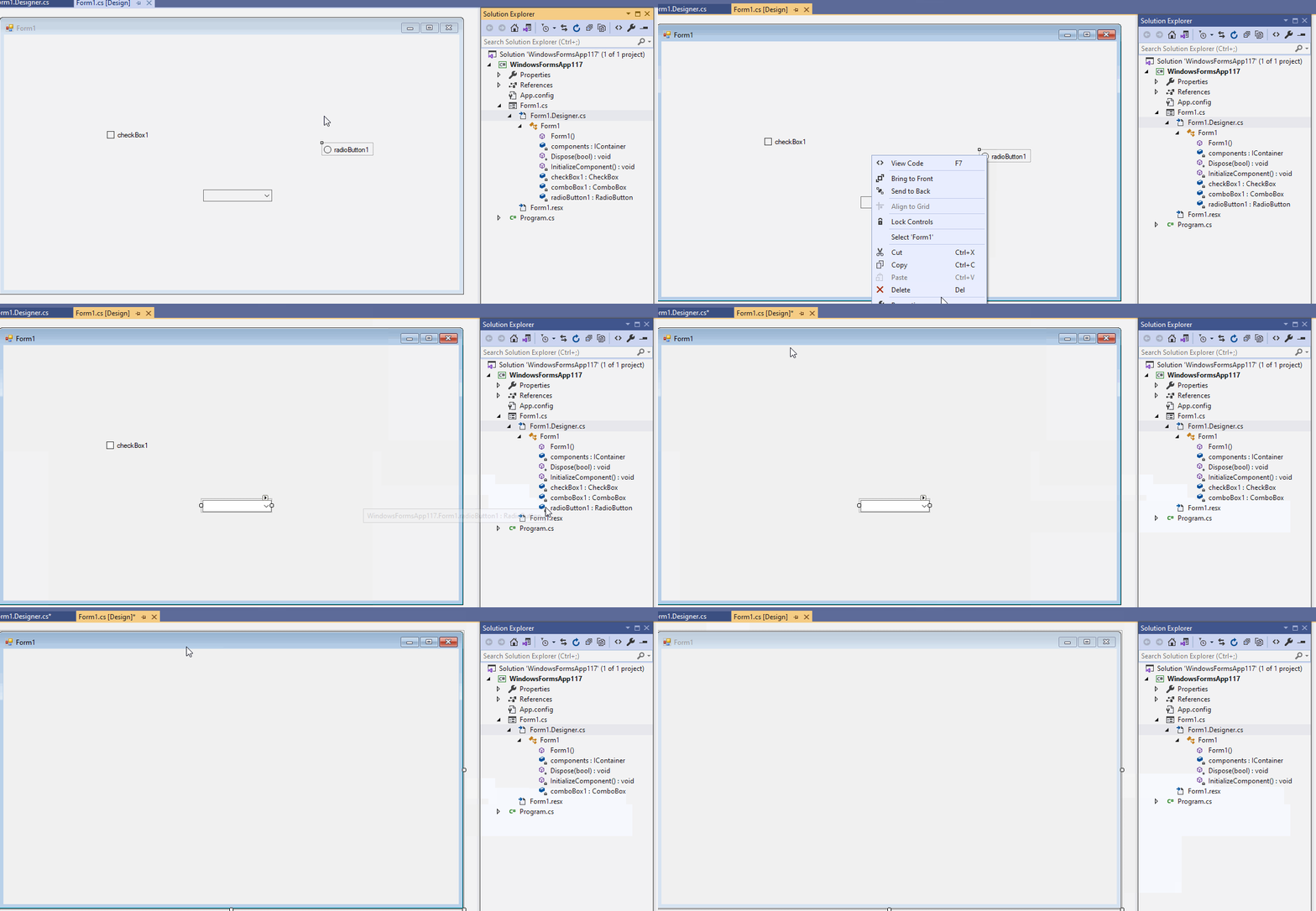
You can also refresh the Form1.Desinger.cs manually by following steps:
Right click Form1.Designer.cs and choose Refresh menu.
Best Regards,
Daniel Zhang
If the response is helpful, please click "Accept Answer" and upvote it.
Note: Please follow the steps in our documentation to enable e-mail notifications if you want to receive the related email notification for this thread.