An unexpected error has occurred when booting with status 0xc000000f

Anonymous
2020-05-30T10:04:52+00:00

Yesterday, I installed Windows 10 Professional 64 bit into my new M.2 SSD. I can normally boot my desktop and use it without any problems. However, if I restart the desktop, the following screen will pop up.
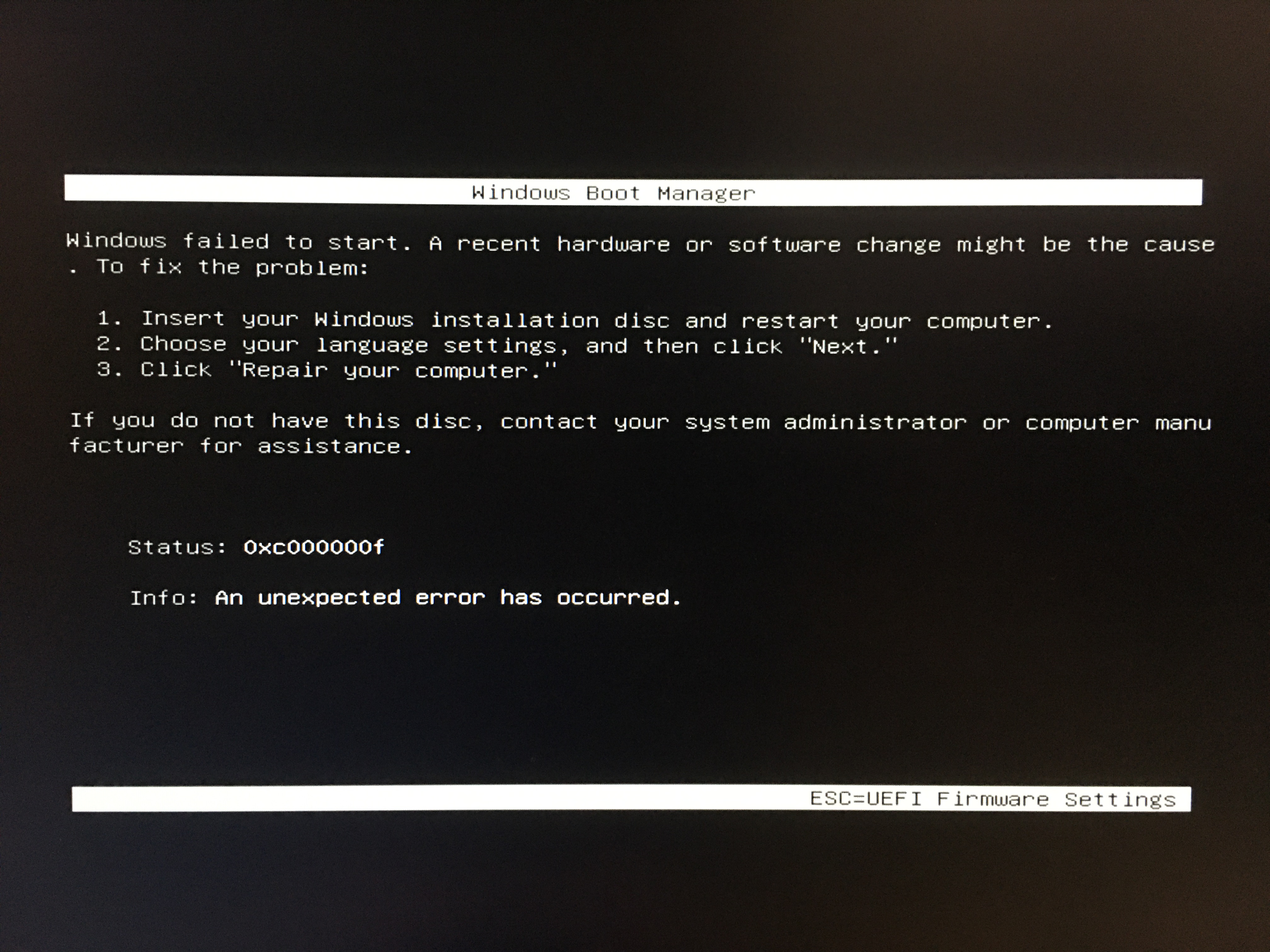
It has no response whenever I press ESC. What I can do is just shutting down the desktop by pressing the power button or waiting it to roboot again. After rebooting, the desktop will automatically go to the BIOS. But after I leave the BIOS, the desktop will run the Windows successfully and I can use it without any problems again. However, what is strange is that if I choose to shut down instead of restart my deaktop, it will not have the aforementioned issue when I boot my desktop next time. I would be pleased if anyone could help. Thanks!

Windows for home | Windows 10 | Performance and system failures

Locked Question. This question was migrated from the Microsoft Support Community. You can vote on whether it's helpful, but you can't add comments or replies or follow the question.

0 comments No comments
{count} votes

22 answers

Sort by: Most helpful
  1. Anonymous
    2020-05-30T10:14:08+00:00

    Hi ansonngg,

    Good day! I am Independent Advisor Louie S.. and a Microsoft/Windows user just like you. I am glad to be able to provide assistance for you today.

    Have you tied checking the boot order in your BIOS? it may resolve the issue if you try booting the M.2 SSD first.

    Sincerely,

    Louie S.

    0 comments No comments
  2. Anonymous
    2020-05-30T10:31:49+00:00

    Hi ansonngg,

    Good day! I am Independent Advisor Louie S.. and a Microsoft/Windows user just like you. I am glad to be able to provide assistance for you today.

    Have you tied checking the boot order in your BIOS? it may resolve the issue if you try booting the M.2 SSD first.

    Sincerely,

    Louie S.

    Yes, I have. But there is only one boot option “Windows Boot Manager (‘the name of the SSD’)”. Is it normal that there are the words “Windows Boot Manager” before the name of SSD? Since before using the M.2 SSD, I kept using a SATA SSD and the boot option did not have such words before the name of SSD.

    0 comments No comments
  3. Anonymous
    2020-05-30T10:34:46+00:00

    Mabe you could try reformatting the SSD first before inserting it in the PC itself.

    0 comments No comments
  4. Anonymous
    2020-05-30T11:10:54+00:00

    You mean reformat the new SSD in other pc and then install Windows again?

    0 comments No comments
  5. Anonymous
    2020-05-30T11:16:22+00:00

    You can do it just fine during the installation of Windows just like this:

    0 comments No comments
