Developer technologies | .NET | Xamarin
A Microsoft framework for building cross-platform mobile apps using .NET and C# with native performance and user interfaces.
This browser is no longer supported.
Upgrade to Microsoft Edge to take advantage of the latest features, security updates, and technical support.
' cx='32' cy='32' r='32' /%3E%3Ctext x='50%25' y='55%25' dominant-baseline='middle' text-anchor='middle' fill='%23FFF' %3EAN%3C/text%3E%3C/svg%3E)
Hi Everyone I have an issue where I insert the correct DateTime in the database. But it won't come out as the same DateTime when I Bind it to a Label. The DateTime that's in the database is: 2021-03-26 09:51:57.887 However, when I Bind that same column within my Xamarin Forms Application, it comes out as: 26/03/2021 19:03 This is the xaml code I used: <Label Text="{Binding QuoteDate, StringFormat='{0:dd/MM/yyyy HH:MM}'}" /> Just wondering if it's because I haven't set my emulator device correctly or a setting within the Azure Database. Thanks for help!
A Microsoft framework for building cross-platform mobile apps using .NET and C# with native performance and user interfaces.
' cx='32' cy='32' r='32' /%3E%3Ctext x='50%25' y='55%25' dominant-baseline='middle' text-anchor='middle' fill='%23FFF' %3EA%3C/text%3E%3C/svg%3E)
Which time is correct? If the time of 26/03/2021 19:03 comes from your emulator device is correct, this issue is related to the Azure DB settings, I found we can set the time zone in Azure DB:https://learn.microsoft.com/en-us/azure/azure-sql/managed-instance/timezones-overview. If the Azure DB time 2021-03-26 09:51:57.887 is correct, this issue is related to your emulator. Please open the emulator's settings to find the Date & time selection. Then change it.

Thanks for the reply @Anonymous !
I couldn't find the settings to change the Time Zone for the SQL Database however, reading through some docs I found I couldn't??
https://techcommunity.microsoft.com/t5/azure-database-support-blog/lesson-learned-4-modifying-the-default-time-zone-for-your-local/ba-p/368798
On the other hand, the time that is being written into the database is correct. I've configured the application to write the DateTime as AEST using TimeZoneInfo and that works great.
But when the emulator is reading it. It returns as a completely different Time.
The configuration on my emulator is set to use AEST as well. So I'm not 100% sure where and why it's changing the DateTime when I view the object within my app.
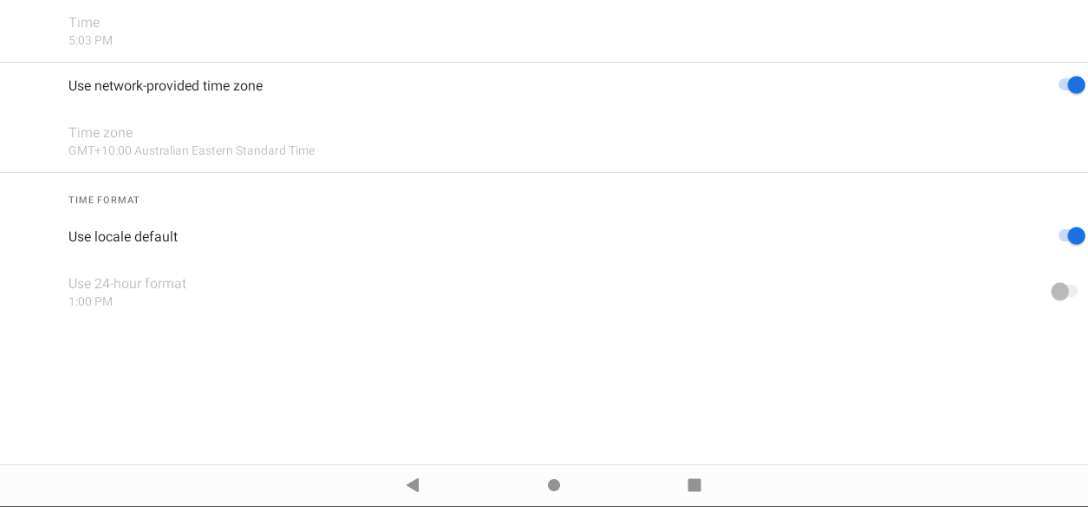
When you get the data from Azure Database, you can set it to a string directly, do not change DateTime, if it worked as normal?
Hi @Anonymous .
I do set the data from the Azure Database directly into a string by using the Binding, however, it doesn't display the correct time that is within the database. I did investigate further and found out that my device already does the conversion to AEST time automatically without me having to do anything.
Overall, I have to insert a DateTime into the database as DateTime.UtcNow, and when the application reads it, depending on the device settings, it will automatically convert it into the TimeZone it needs to be in.
I do set the data from the Azure Database directly into a string by using the Binding, however, it doesn't display the correct time that is within the database
So, is this issue Azure database not show the data correctly? If so, you can w add azure-database tag, Azure support will provide more effective advice. If the Azure database display data correctly, then we can focus this issue in Xamarin side.