Azure Monitor
An Azure service that is used to collect, analyze, and act on telemetry data from Azure and on-premises environments.
This browser is no longer supported.
Upgrade to Microsoft Edge to take advantage of the latest features, security updates, and technical support.
' cx='32' cy='32' r='32' /%3E%3Ctext x='50%25' y='55%25' dominant-baseline='middle' text-anchor='middle' fill='%23FFF' %3EKW%3C/text%3E%3C/svg%3E)
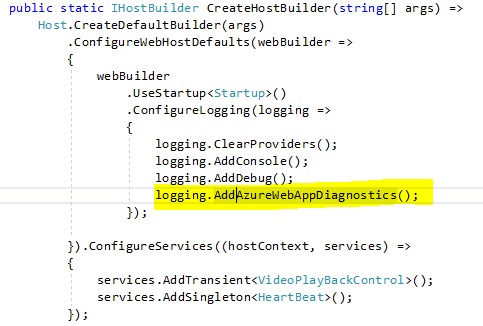
I'm trying to find log entries from my application in the portal. This is a .net core 3 web application. Below is the setup in my code:
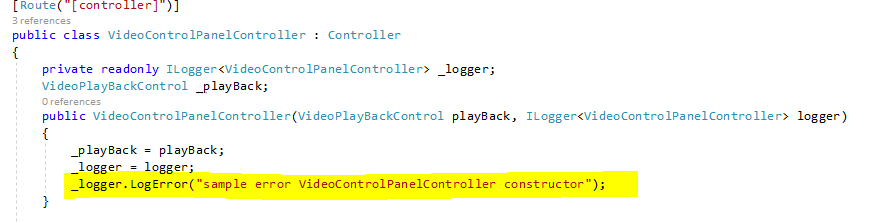
This is how I am calling the logging:
I see the logging appear in the Log Stream:

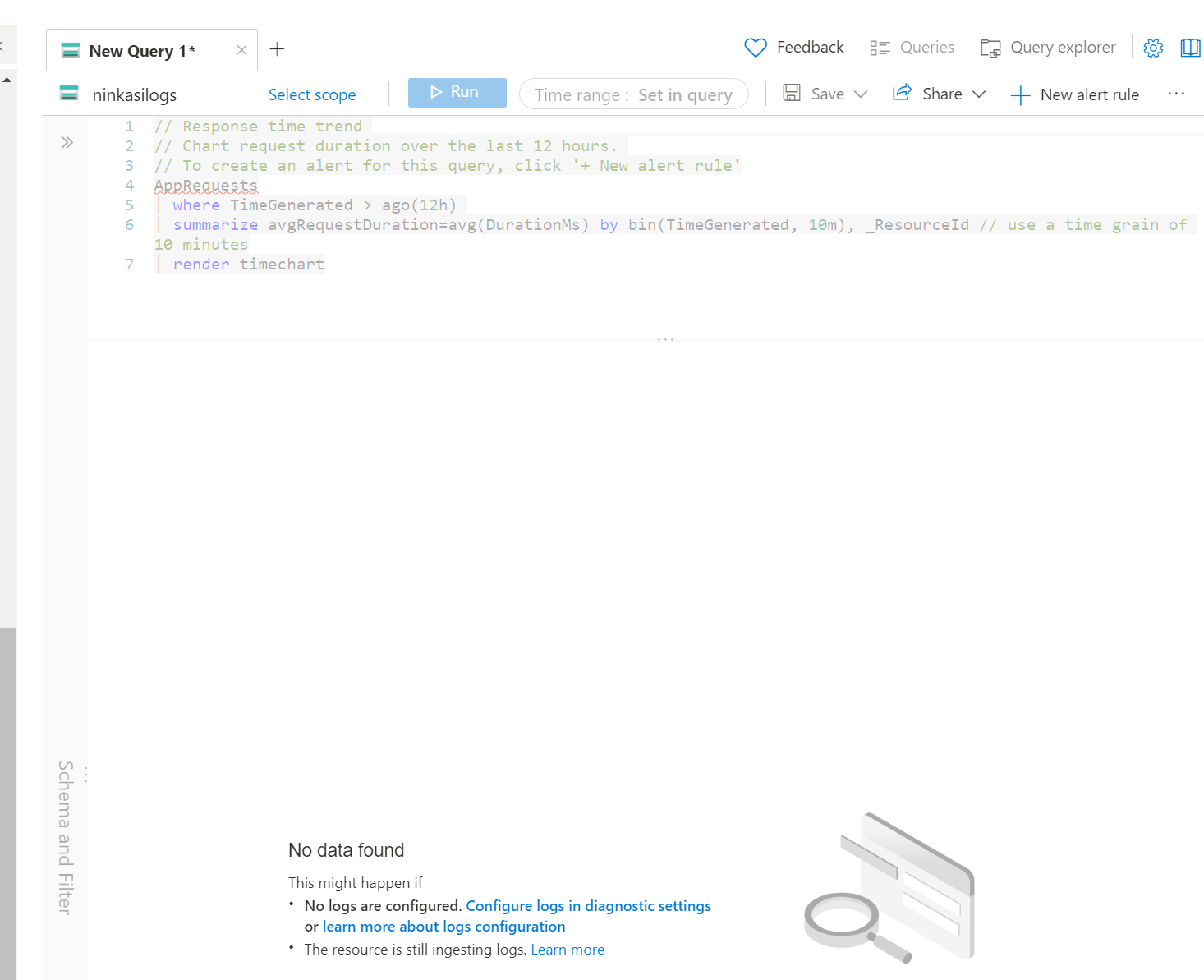
I need to view this information in the Logs using a query. I've set up Diagnostic settings:
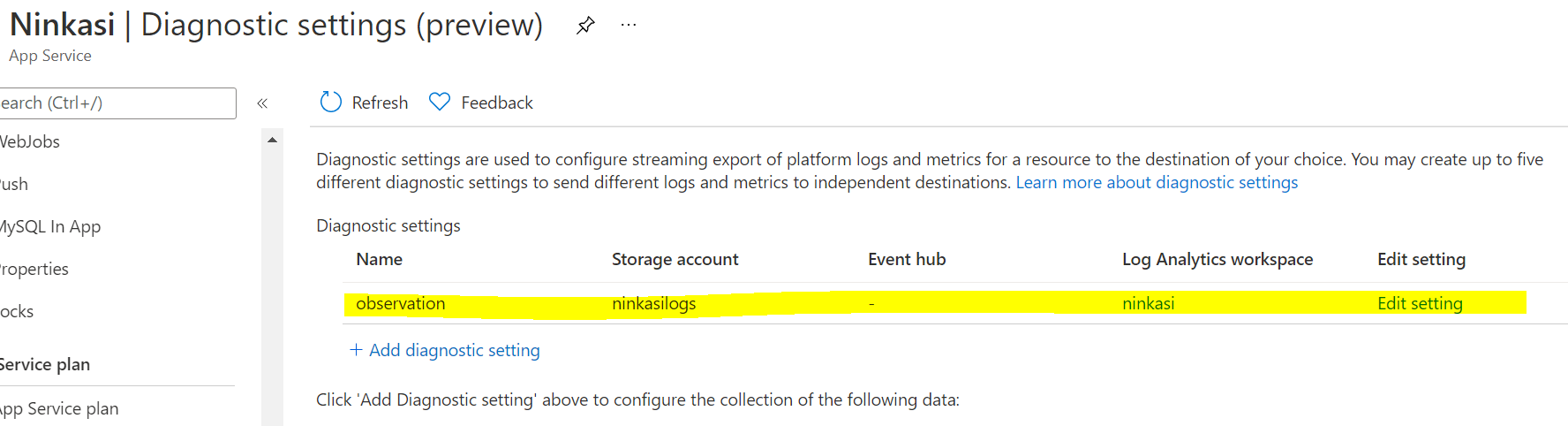
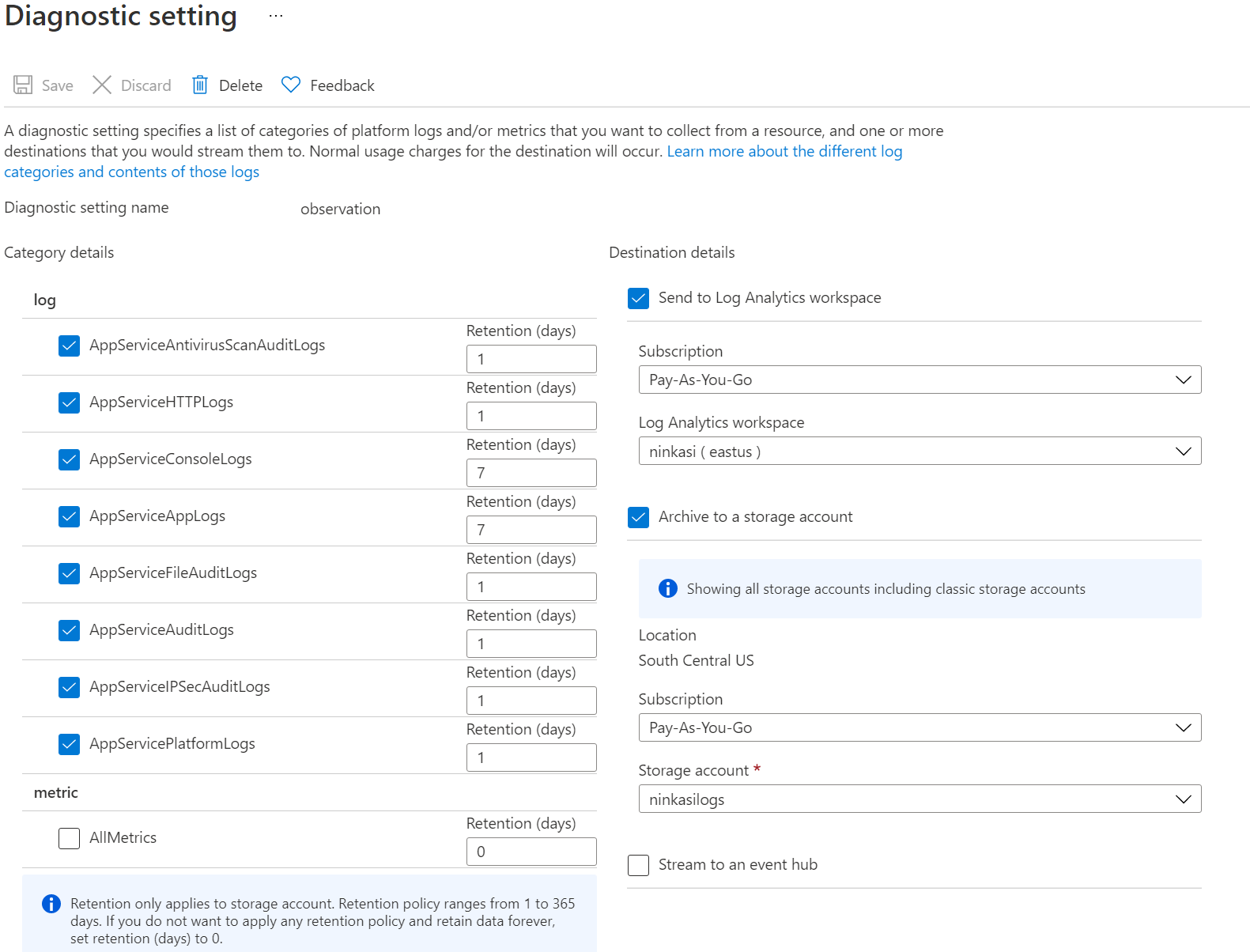
Looking in the logs I've changed the scope to the application, the blob storage, and the log analytics work space I set up. I'm not able to find the message that appears in the Log Stream anywhere.
Does anyone have any ideas about what I'm missing?

Hi @Kyrian Willis ,
I do want to make the distinction that AzureWebAppDiagnostics doesn't gain you Azure Monitor logs support. It, depending on configuration, writes to either a text file or blob storage; see https://learn.microsoft.com/en-US/dotnet/core/extensions/logging-providers#azure-app-service. You can configure AzureFileLoggerOptions or AzureBlobLoggerOptions but by default, configs are pulled from your app.settings.json, see https://github.com/dotnet/aspnetcore/blob/c925f99cddac0df90ed0bc4a07ecda6b054a0b02/src/Logging.AzureAppServices/src/AzureAppServicesLoggerFactoryExtensions.cs#L32.
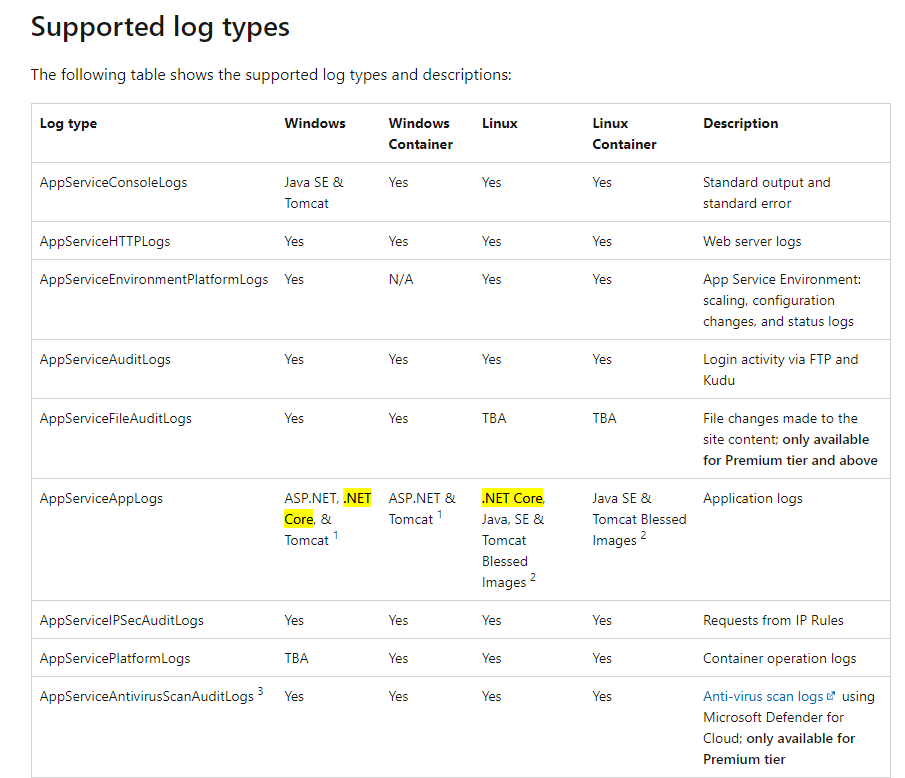
Having said that, unfortunately, AppServiceAppLogs doesn't yet support .NET Core, here are the currently supported types. I do know AppServiceConsoleLogs support for .NET Core is currently being worked on.
Regards,
Ryan
' cx='32' cy='32' r='32' /%3E%3Ctext x='50%25' y='55%25' dominant-baseline='middle' text-anchor='middle' fill='%23FFF' %3ED%3C/text%3E%3C/svg%3E)
per https://learn.microsoft.com/en-us/azure/app-service/troubleshoot-diagnostic-logs#supported-log-types .net core is supported, yet still no logs appear :(