Microsoft 365 and Office | SharePoint Server | For business
A family of Microsoft on-premises document management and storage systems.

This browser is no longer supported.
Upgrade to Microsoft Edge to take advantage of the latest features, security updates, and technical support.

Hello,
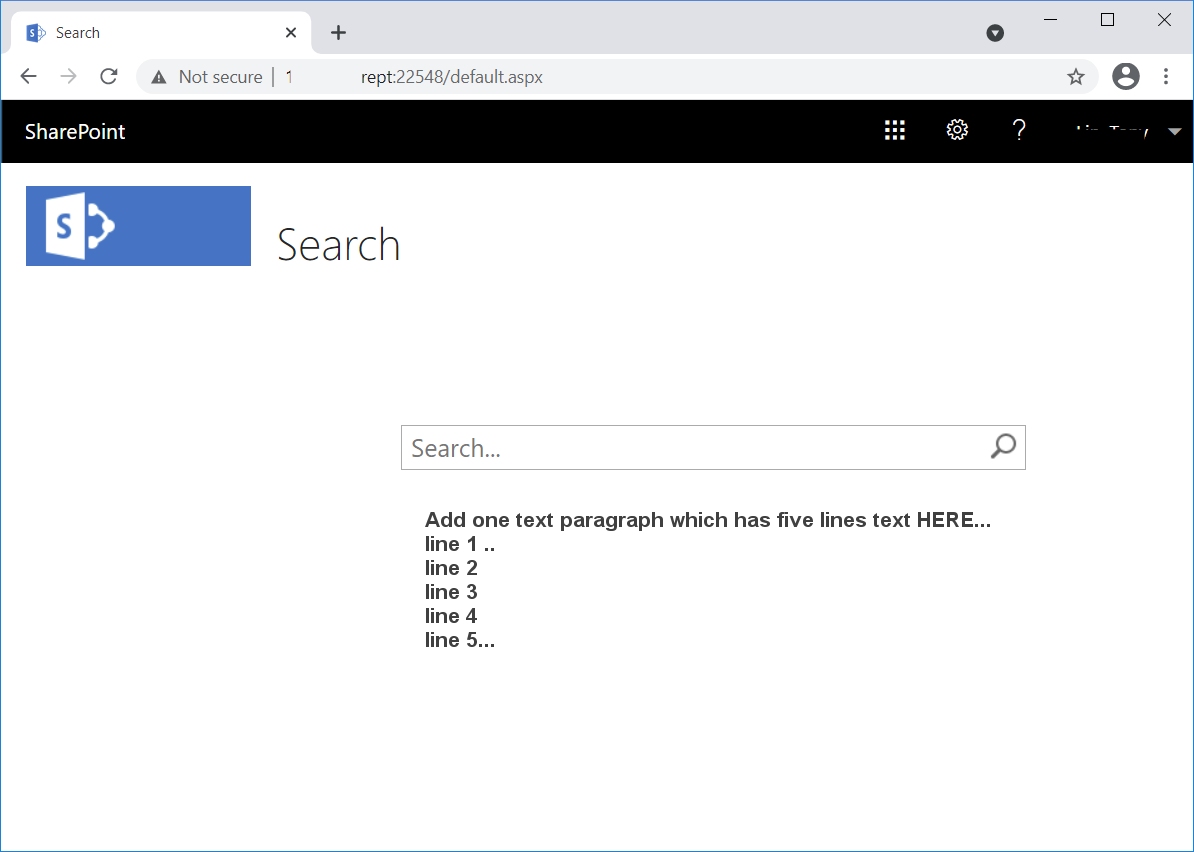
I wanted to add one text paragraph which has five lines text HERE below the "search box" in the search page. See the screenshot below.
line 1 ..
line 2
line 3
line 4
line 5...
Thanks,
Andy

Hi, anonymous userKingWeb-1472 ,
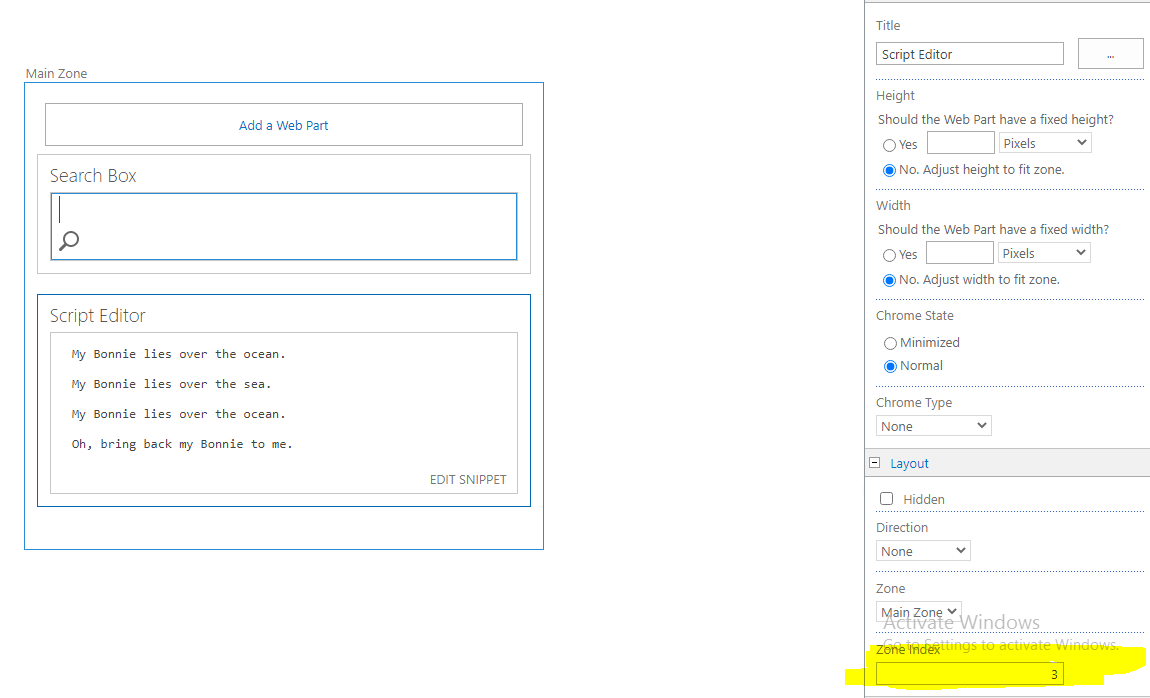
It seems to be the classic search center page. You can directly edit page , add a script editor to hold HTML like below to display the fine line paragraph.
<!DOCTYPE html>
<html>
<body>

<pre>
   Line1

   Line2

   Line3

   Line4
</pre>

</body>
</html>
Change content inside <pre></pre> to what you want. And edit web part to change zone index to 1 (if not working, set it to be a bigger number).
If an Answer is helpful, please click "Accept Answer" and upvote it.
Note: Please follow the steps in our documentation to enable e-mail notifications if you want to receive the related email notification for this thread.
The script editor works fine. I can add the text now. Thanks so much, Jerry!!