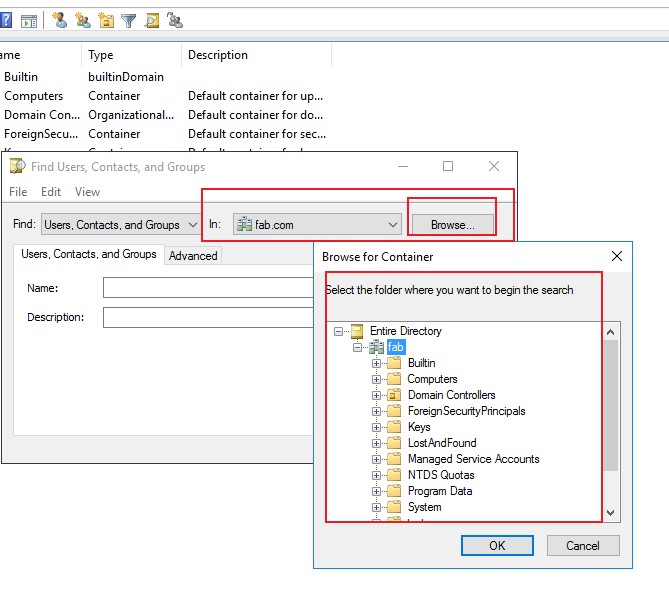
Default location for search in active directory

Goran Poposki 21 Reputation points
2021-03-31T05:08:57.073+00:00

Is there a way to change the default location that is opened when searching the Active directory?

By default it is set to search the whole domain.
(when you search users and computers etc, from this location)

Instead, I want the default search to be limited to a OU within that domain.

Is this even possible?

The reason I'm asking is because I want to prevent disabled users from showing in search suggestions, by moving them to a separate OU.

Thanx in advance for all the answers...

Windows for business | Windows Client for IT Pros | Directory services | Active Directory
{count} votes

2 answers

Sort by: Most helpful
  1. Anonymous
    2021-03-31T06:40:03.313+00:00

    Hi,
    Do you mean you want to search in active directory through the following way:
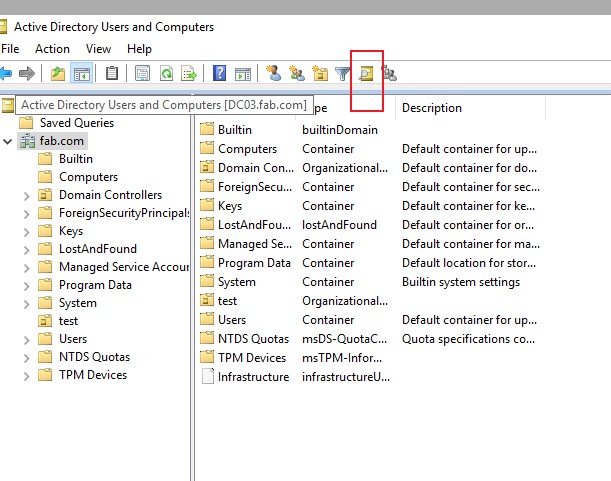
    83157-3315.jpg

    If so , you can customer the location
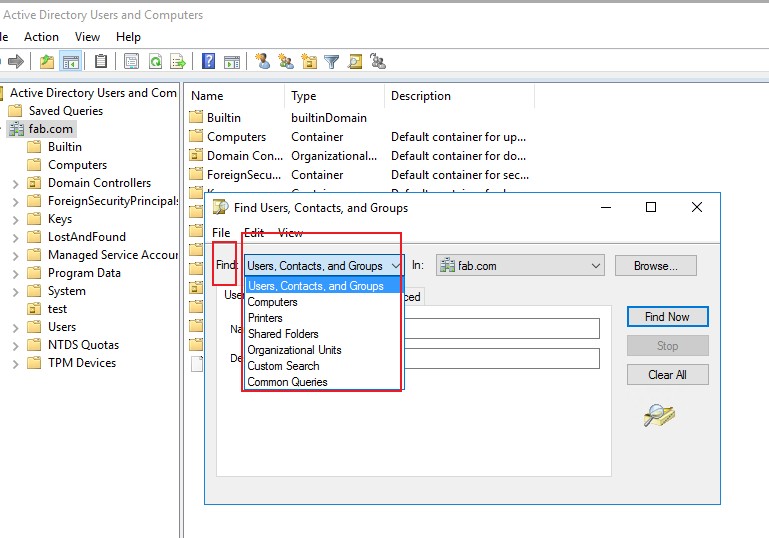
    83158-3313.jpg
    83161-3314.jpg
    If you do the research use the command , you can modify the command to limit the location.

    Best Regards,
    0 comments No comments

  2. Goran Poposki 21 Reputation points
    2021-03-31T12:56:13.037+00:00

    83323-default-location.jpg

    My question is: IS it possible to be able to change this location to a specific OU, as a DEFAULT, and not to search the whole domain?

    The default location is the whole domain :(


Your answer

Answers can be marked as 'Accepted' by the question author and 'Recommended' by moderators, which helps users know the answer solved the author's problem.