Azure IoT Hub
An Azure service that enables bidirectional communication between internet of things (IoT) devices and applications.
This browser is no longer supported.
Upgrade to Microsoft Edge to take advantage of the latest features, security updates, and technical support.
' cx='32' cy='32' r='32' /%3E%3Ctext x='50%25' y='55%25' dominant-baseline='middle' text-anchor='middle' fill='%23FFF' %3EMS%3C/text%3E%3C/svg%3E)
I want to create a device group in my IoT Hub to deploy an update to theme. But I get can't create one because no ungrouped devices are listed. I met all Prerequisites mentioned in this guide but still, there is no way for me to create a group.
I posted a much more detailed explanation on Stack Overflow.

Hi again, it would be super valuable to specify that your question is about Azure Device Update, as it only just hit preview.

Regarding Azure Device Update, it seems you can experience some downtime:

Perhaps this is related to your experience.
The Azure portal warnings are gone. Please check if the issue still exists
Unfortunately nothing changed. But I got some suggestions of what might be wrong.
OK, please share your experience once it works.
Log story short, I simply forgot to add the update-agend. I somehow missed the part where this was mentioned while following the guides regarding the Hub setup.
Im now able to create groups by adding tags as mentioned by @Sander van de Velde | MVP
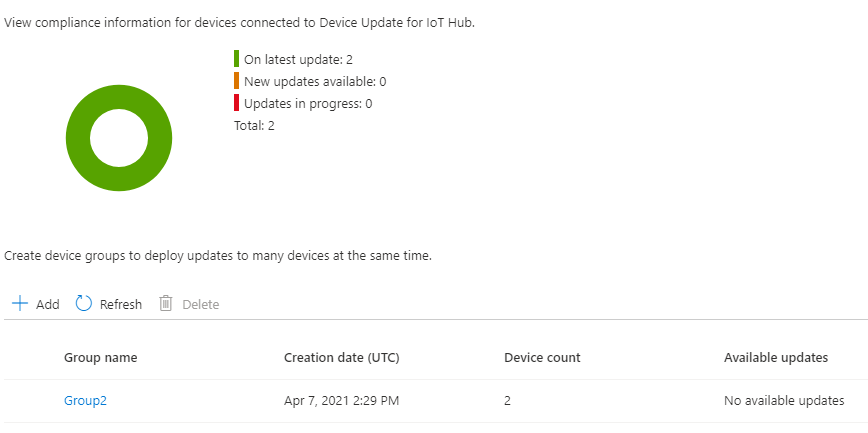
Hello @MatthiasSchneider-0238 ,
The IoT Hub can ingest the data of many devices. Each device has its own registration which is called a DeviceTwin.
In this Device twin, device-related information is stored. The part of interest to you is the Tags.
You can apply zero, one, or more tags to devices. You can tag devices using a make, model, customerid, region, functionality, version, etc.
These tag values are NOT available on the device, only for other cloud resources:
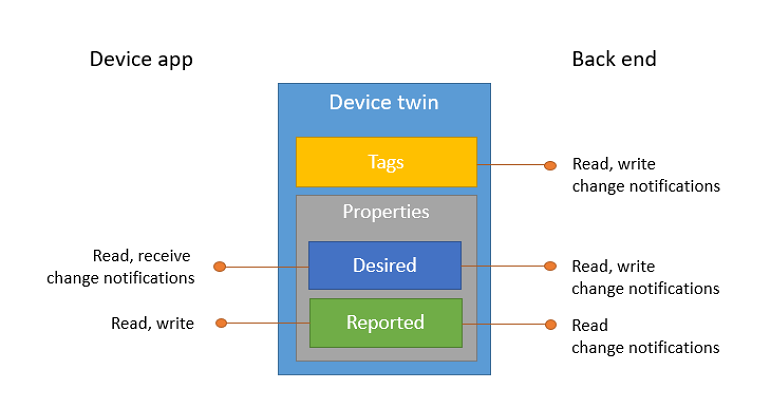
And there is where we will see the grouping of devices.
The tags can be used as part of the filter so only certain devices get a certain loT device configuration:
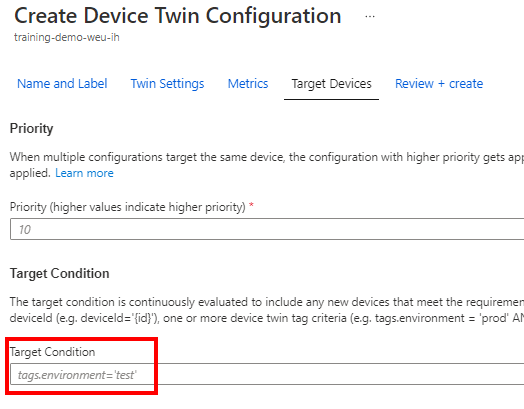
If you enrich incoming messages with tags, you can take decisions later on, in other Azure services too (like Azure Stream Analytics).
So, grouping devices is done inside the device twin and brings great flexibility later on.
Pro tip: If a device is enrolled using a Azure IoT Device Provisioning service it can automatically get some initial tags.
Thanks for the Answer, but I think this part should be already configured right. I don't know if you looked at my Stackoverflow post, so Ii will post the things mentioned there here as well.
Edit:
I just noticed that I forgot to add a link to my Stackoverflow post. I added it now.
This is a part of my DT
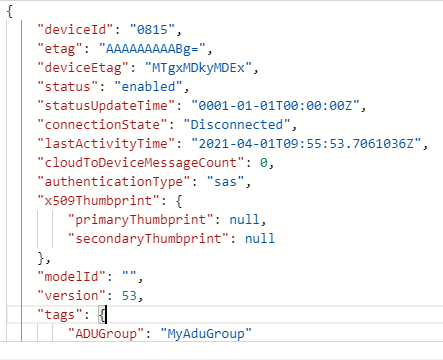
And when configuring it the tag is found.
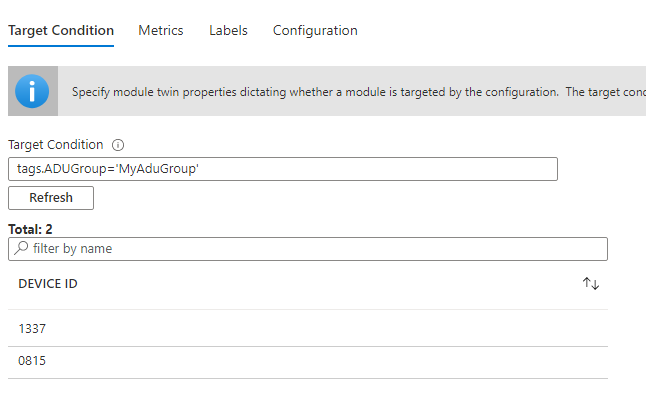
But I am still not able to assign them to a group