Microsoft 365 and Office | Excel | For business | Windows
A family of Microsoft spreadsheet software with tools for analyzing, charting, and communicating data

This browser is no longer supported.
Upgrade to Microsoft Edge to take advantage of the latest features, security updates, and technical support.
' cx='32' cy='32' r='32' /%3E%3Ctext x='50%25' y='55%25' dominant-baseline='middle' text-anchor='middle' fill='%23FFF' %3EB%3C/text%3E%3C/svg%3E)
Hello,
I created an excel workbook that has a query. I can run it from my computer just fine. Another colleague can run it from their computer just fine, but a different colleague can't. It gives them an error: [Expression.Error] The column 'TIME_SPENT
I tried deleting the transformation, but then the next one also gave the same error, just for a different column.
Not sure why this is happening.
Thanks for the help.
A family of Microsoft spreadsheet software with tools for analyzing, charting, and communicating data

Hi @bob247 ,
Did all users have the same version of Excel? Did you use 32-bit or 64-bit version of Excel?
I suggest you check if the problem computer have the same version of Excel, you can go to File- Account and check the version information:
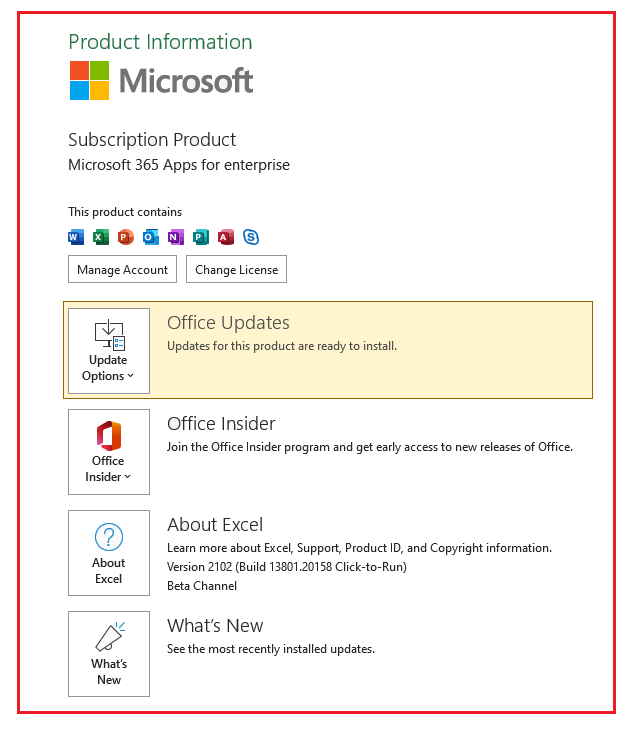
And also make sure the problem computer using the same bit version of Excel.
If the response is helpful, please click "Accept Answer" and upvote it.
Note: Please follow the steps in our documentation to enable e-mail notifications if you want to receive the related email notification for this thread.
Hello @Emi Zhang-MSFT
We are running the latest version of office 365, and the same bit version of excel.
Did the query need to permission to create the connection?
Try to login the problem user computer with administrator account and check the result.
@Emi Zhang-MSFT The user was already an adminstator account when they ran the query
Did you also check if the problem user account login in other PC and test? Then login other users account in the problem PC. And you can narrow down if the problem related to user account or PC permission.