Developer technologies | .NET | Xamarin
A Microsoft framework for building cross-platform mobile apps using .NET and C# with native performance and user interfaces.
This browser is no longer supported.
Upgrade to Microsoft Edge to take advantage of the latest features, security updates, and technical support.
' cx='32' cy='32' r='32' /%3E%3Ctext x='50%25' y='55%25' dominant-baseline='middle' text-anchor='middle' fill='%23FFF' %3EHT%3C/text%3E%3C/svg%3E)
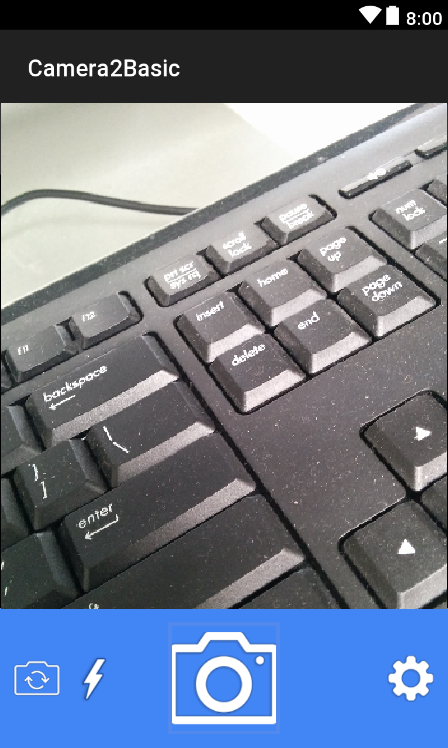
I useing Camera2basic.
when I use rear camera it capture a picture correctly, but when I switch on front camera capture picture not working.
button switch camera code :
this code working correctly show front camera view.
public void OnClick(View v)
        {
            if (v.Id == Resource.Id.picture)
            {
                string CAMERA_FRONT = "1";
                string CAMERA_BACK = "0";
                if (WhatCameraIsOn.Equals(CAMERA_FRONT))
                {
                    WhatCameraIsOn = CAMERA_BACK;
                    CloseCamera();
                    OpenCamera(mTextureView.Width, mTextureView.Height);
                }
                else if (WhatCameraIsOn.Equals(CAMERA_BACK))
                {
                    WhatCameraIsOn = CAMERA_FRONT;
                    CloseCamera();
                    OpenCameraFront(mTextureView.Width, mTextureView.Height);
                }
             }
         }
Button Picture Click code:
this code take picture only by rear camera.
        public void OnClick(View v)
        {
            if (v.Id == Resource.Id.picture)
            {
                    TakePicture();
             }
         }
How can I take picture by front camera
A Microsoft framework for building cross-platform mobile apps using .NET and C# with native performance and user interfaces.
Answer accepted by question author
' cx='32' cy='32' r='32' /%3E%3Ctext x='50%25' y='55%25' dominant-baseline='middle' text-anchor='middle' fill='%23FFF' %3EJ%3C/text%3E%3C/svg%3E)
Hello,
Welcome to our Microsoft Q&A platform!
Hi, hosseintavakoli. To take picture with front camera, try to replace the mCaptureSession.Capture(..) command with CaptureStillPicture() method.
   private void LockFocus()
   {
       try
       {
           // This is how to tell the camera to lock focus.
           mPreviewRequestBuilder.Set(CaptureRequest.ControlAfTrigger, (int)ControlAFTrigger.Start);
           // Tell #mCaptureCallback to wait for the lock.
           mState = STATE_WAITING_LOCK;
           //mCaptureSession.Capture(mPreviewRequestBuilder.Build(), mCaptureCallback,mBackgroundHandler);
           CaptureStillPicture();
       }
       catch (CameraAccessException e)
       {
           e.PrintStackTrace();
       }
   }
Best Regards,
Jarvan Zhang
If the response is helpful, please click "Accept Answer" and upvote it.
Note: Please follow the steps in our documentation to enable e-mail notifications if you want to receive the related email notification for this thread.