Microsoft 365 and Office | SharePoint Server | For business
A family of Microsoft on-premises document management and storage systems.

This browser is no longer supported.
Upgrade to Microsoft Edge to take advantage of the latest features, security updates, and technical support.
' cx='32' cy='32' r='32' /%3E%3Ctext x='50%25' y='55%25' dominant-baseline='middle' text-anchor='middle' fill='%23FFF' %3ES%3C/text%3E%3C/svg%3E)
When we tried to search coming up with below error.
attached respective ULS logs pertaining to above correlation id
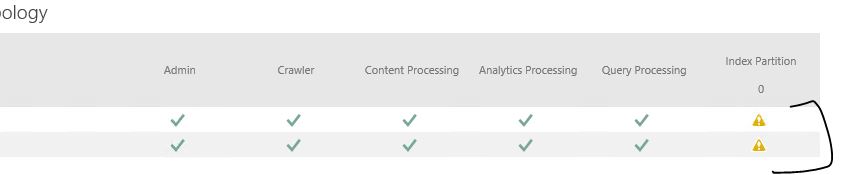
and I see search topology index partition shows 0 with warning symbol.
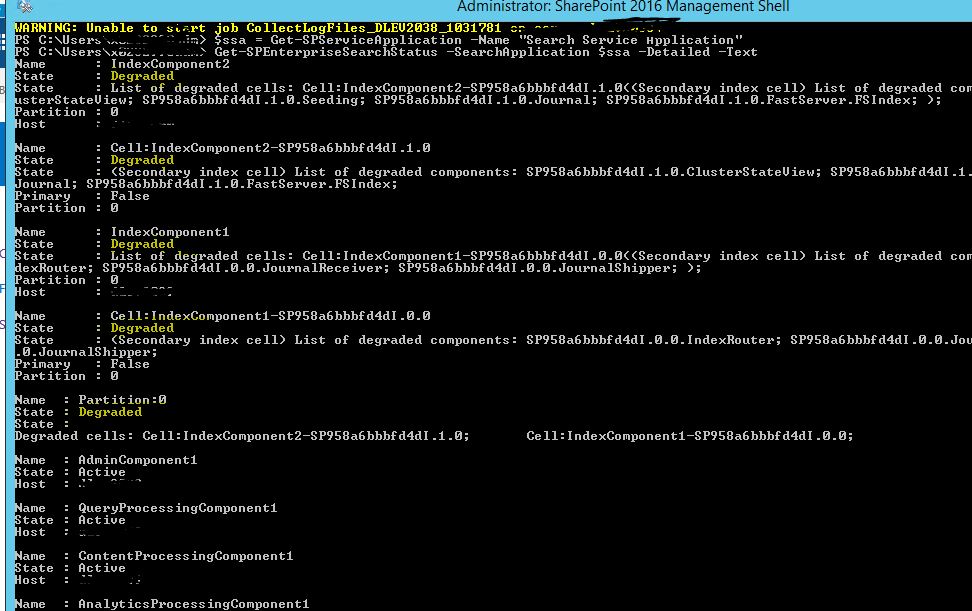
I have googled , below is the status (degrade status) of index partition
we have rebooted app servers, config cache clear and restarted the serach host controller service nothing fixed.
please let me know what can be done other than running full crawl and index reset, because full crawl takes 4 days to completed. index reset not good option.

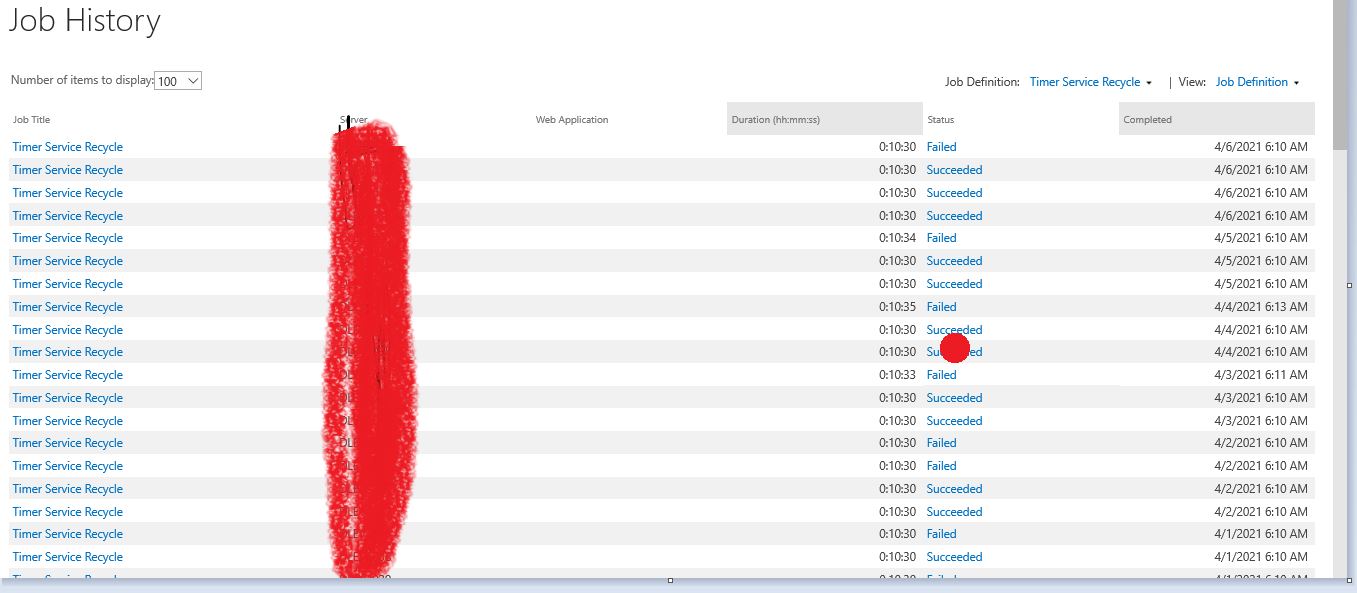
and I see timer job recyle failure, what is the cause for it? and what is the solution? and it is happening only on app servers.
A family of Microsoft on-premises document management and storage systems.
Answer accepted by question author
Hi Echo Du,
This is resolved after rebooting of 2 app servers , restarted search services multiple times.
Thank you for follow up.

Hi @sns ,
Thanks for your enthusiastic sharing. I'm glad to hear that your problem has been solved.
You can put your Comment is converted to Answer, and mark it. The behavior will help others who meet the similar issue in the future quickly find the correct answer.
Thanks,
Echo Du
Hi @sns ,
As you said, this warning indicates that there is a problem with the Index Partition, showing the Index component with the Degraded state.
Note: Make sure there is enough disk space to store the Search Index
Solution 1:
Reset the search Index and perform a Full crawl of the search content source
Solution 2:
If the status is "Degraded" after resetting Index, you need to rebuild the Search Service Application.
Thanks,
Echo Du
====================
If an Answer is helpful, please click "Accept Answer" and upvote it.
Note: Please follow the steps in our documentation to enable e-mail notifications if you want to receive the related email notification for this thread.
Hi Echo Du,
Yes. There is eough disk space.
Full crawl & index reset will take 4 days as it is larger farm.
& also please suggest on my second question as well why timer recyle job failing? what should be the action plan for this to resolve?
Hi @sns ,
You could go to the Monitoring section of SharePoint Central Administration to vew detailed Health Analyzer warning:
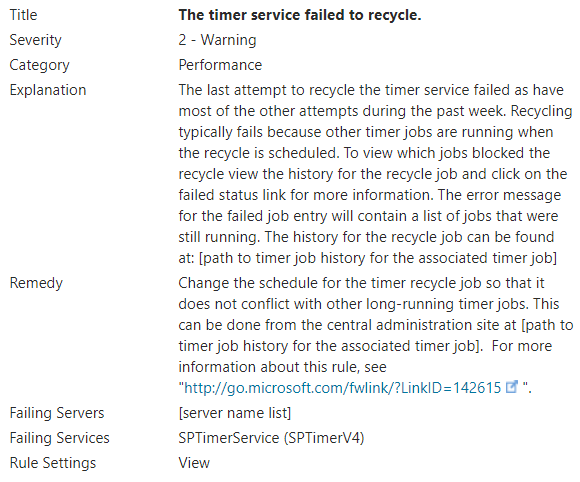
Main Cause: The Timer Service Recycle job conflicts with other long-running timer jobs.
Resolution: Change the schedule for the Timer Service Recycle job so that it does not conflict with other long-running timer jobs.
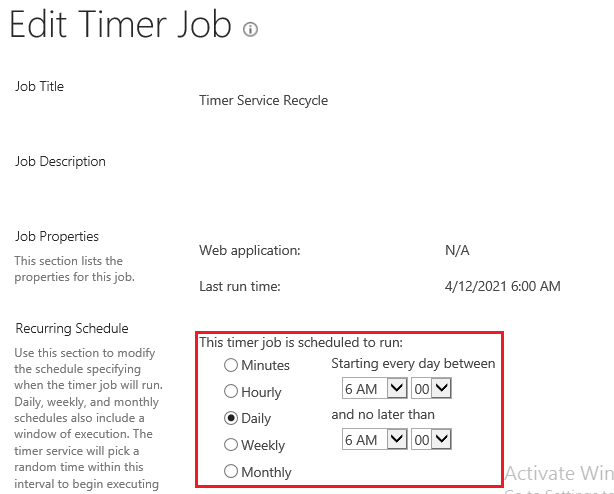
Hi Echo Du,
Please see screenshot from our server,. this timer job recyle is failing only in app servers. why?
Please suggest between what time we should schedule and how much time? how to ensure it does not conflict with other timer jobs?
by changing schedule only in app server or one app servers or all 4 (2wfe, 2app servers) will it fix the issue?
Please suggest any MS link as well. 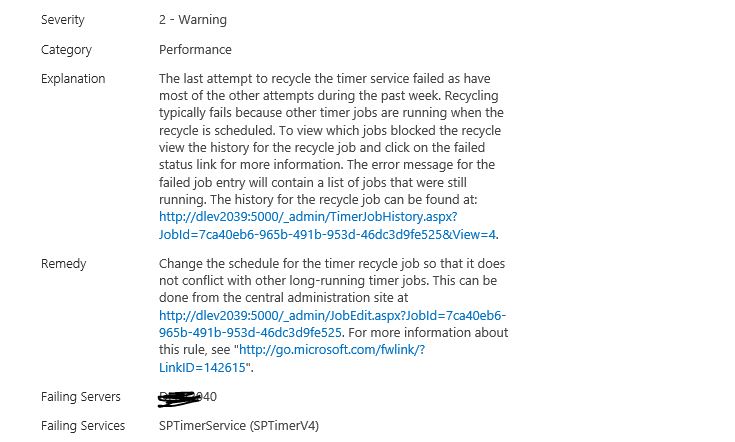
HI Echo Du,
Did you have a chance to look in to above thread?
what time we should set? & how much gap we should give? and is it enough if we do it in one app server? please suggest this one also
Hi @sns ,
Thanks for your reply.
You just only need to change the schedule for Timer Service Recycle on the server where the SharePoint Central Administration is installed.
For the schedule for Timer Service Recycle, the official default setting is to run daily at 6 AM.
For how to set the schedule, this needs to be set according to the running time and duration of each timer job in your environment.
Of course, I suggest you can install the latest SharePoint Server patch.
Thanks,
Echo Du
Hi @sns ,
Would you tell me whether your issue has been resolved or have any update?
I am looking forward to your reply.
Have a nice day!
Thanks,
Echo Du

Provided you're not out of space on the disk containing the index, a full crawl is going to be the first troubleshooting step since you've completed the other steps required already.