Microsoft Teams | Microsoft Teams for business | Other
Additional features, settings, or issues not covered by specific Microsoft Teams categories

This browser is no longer supported.
Upgrade to Microsoft Edge to take advantage of the latest features, security updates, and technical support.
' cx='32' cy='32' r='32' /%3E%3Ctext x='50%25' y='55%25' dominant-baseline='middle' text-anchor='middle' fill='%23FFF' %3EZZ%3C/text%3E%3C/svg%3E)
Not sure if anyone has experienced same issue like me.
btw, mobile is iphone
Additional features, settings, or issues not covered by specific Microsoft Teams categories

In general, user could view all the scheduled meetings in Calendar tab as below. There are two ways to join Teams meeting. One is to click Join button in calendar tab, another is to click Join button in the prompting message “Want to join on this device”.
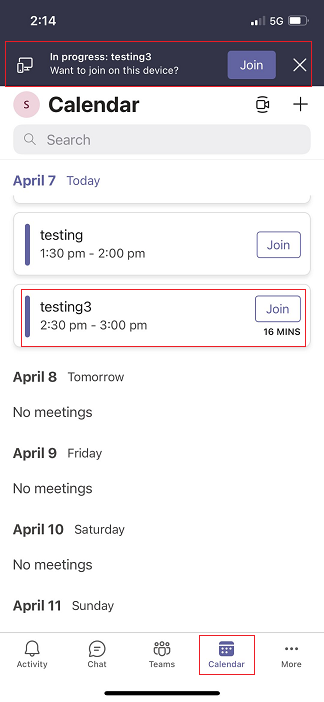
I tested in iPhone 12, version 14.4.2. It works with no problem. Please make sure your Teams client and IOS version are the latest version.
If the suggestions don’t work for your situation, I want to confirm the following questions with you:
Does anyone else have the same problem?
Does this problem persist all the time or what changes do you do before happened?
If the response is helpful, please click "Accept Answer" and upvote it.
Note: Please follow the steps in our documentation to enable e-mail notifications if you want to receive the related email notification for this thread.
Hello Sharon, thanks for replying.
@zhiqing zhou ,
It recommends you uninstall and reinstall Teams to check if it will be fixed.
@zhiqing zhou ,
Do you have any update on this thread now?
@zhiqing zhou ,
If you have any further question on this thread, please feel free to drop us a note.
Have a nice day!