Windows Server
A family of Microsoft server operating systems that support enterprise-level management, data storage, applications, and communications.
13,133 questions
This browser is no longer supported.
Upgrade to Microsoft Edge to take advantage of the latest features, security updates, and technical support.
' cx='32' cy='32' r='32' /%3E%3Ctext x='50%25' y='55%25' dominant-baseline='middle' text-anchor='middle' fill='%23FFF' %3EP%3C/text%3E%3C/svg%3E)
Hi,
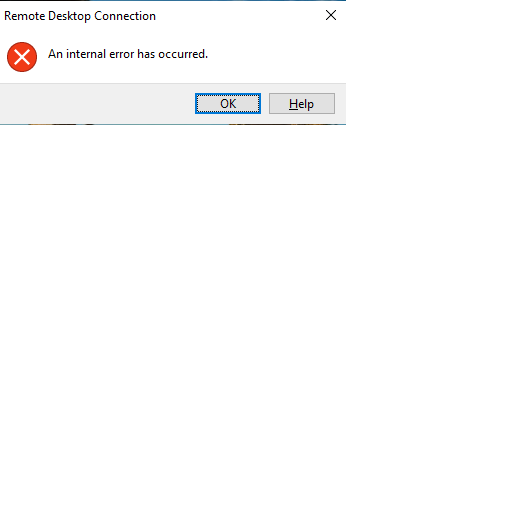
When using Remote desktop to access the server, I've got issue below. What can be the reason of this?

Hello @Peter_1985
An internal error has occurred error for Remote Desktop Connection is a very vague error message.
This could be caused by a weak network connection, an invalid configuration of the remote connection and more.
You may refer to the solutions introduced in this article : Fix: Remote Desktop Connection ‘Internal Error has Occurred’
1) Change Remote Desktop Connection Settings
2) Rejoining Domain
3) Changing Security of RDP in Group Policy Editor
4) Disabling Network Level Authentication
5) Restarting Remote Desktop Service
6) Disable VPN Connection
7) Reconfigure Local Security Policy
8) Allowing Remote Connections
9) Changing the Startup of Service
10) Disabling Static IP on Computer
11) Diagnosing Connection through Command Prompt
12) Turn off UDP on Client
Best Regards
Karlie
If the Answer is helpful, please click "Accept Answer" and upvote it.
Note: Please follow the steps in our documentation to enable e-mail notifications if you want to receive the related email notification for this thread.
Hi Karlie,
Thanks.
Diagnosing Connection through Command Prompt
How?
HI Jackson,
Please see the detailed steps in this link: https://appuals.com/fix-remote-desktop-connection-internal-error-has-occurred/
Hi,
It is fine to ping that IP. Which port to try (in telnet)? Can I have details of your advice?
telnet <IP address> 3389
the details is in this article
Hi,
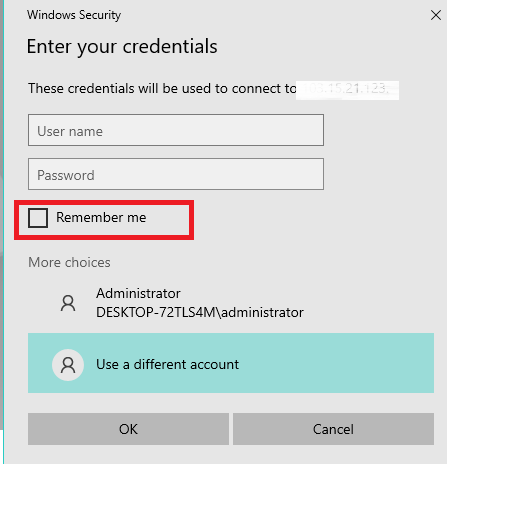
Can you advise as there is one available option below?
can you tell more about your environment ? what's the operating system of client device and remote machine ?
Are you using VPN ?
Hi,
No VPN. Client PC is Win 10. Server is Win 2016.