Developer technologies | Windows Presentation Foundation
A part of the .NET Framework that provides a unified programming model for building line-of-business desktop applications on Windows.
This browser is no longer supported.
Upgrade to Microsoft Edge to take advantage of the latest features, security updates, and technical support.

I have some SVG files that I have SharpVectors turning into System.Windows.Media.DrawingGroup instances. I then need to spin those shapes around to various angles determined at runtime. From what I can tell, putting a System.Windows.Media.RotateTransform on either the System.Windows.Media.GeometryDrawing instance or the System.Windows.Controls.Image instance, Windows is acting like I'm spinning a bitmap around rather than a vector drawing. Once rotated, the shape shouldn't be much larger. In fact, one dimension might shrink.
What I'm actually seeing is the imaginary "corners" adding to the space. Take a look at the following images.
 ----
---- 
The two rectangles in the left image are the same size. But when I rotate them, the size seems to grow. The right image is closer to what my code is trying to do. Notice this time, there isn't as much change in the width or height.
A part of the .NET Framework that provides a unified programming model for building line-of-business desktop applications on Windows.

@Will Pittenger
Could you show me how did put the RotateTransform on GeometryDrawing or Image ? Did you use SharpVectors.Converters and SharpVectors.Rendering.Wpf to implement it? Could you show me your data of your SVG file? Please show me more detailed info to make a sample to reproduce your question, it will do greate help for me to analyze the question.
@DaisyTian-MSFT: Here is one of the SVG files. As this site doesn't support SVG files, and I'm having troubles with the site, the SVG's source is at https://pastebin.com/PcLaEJiC .
I load the file with the code below.
C#
svgreader =  new SharpVectors.Converters.FileSvgReader(null);
System.IO.Stream stream = typeof(Doc).Assembly.GetManifestResourceStream(strResourceID);
svgreader.Read(stream);
The following XAML shows how I bind the transform to the rotation angle (the Hdg` roperty).
XML
<Image.LayoutTransform>
    <RotateTransform
        Angle="{Binding Hdg, NotifyOnSourceUpdated=True}" />
</Image.LayoutTransform>
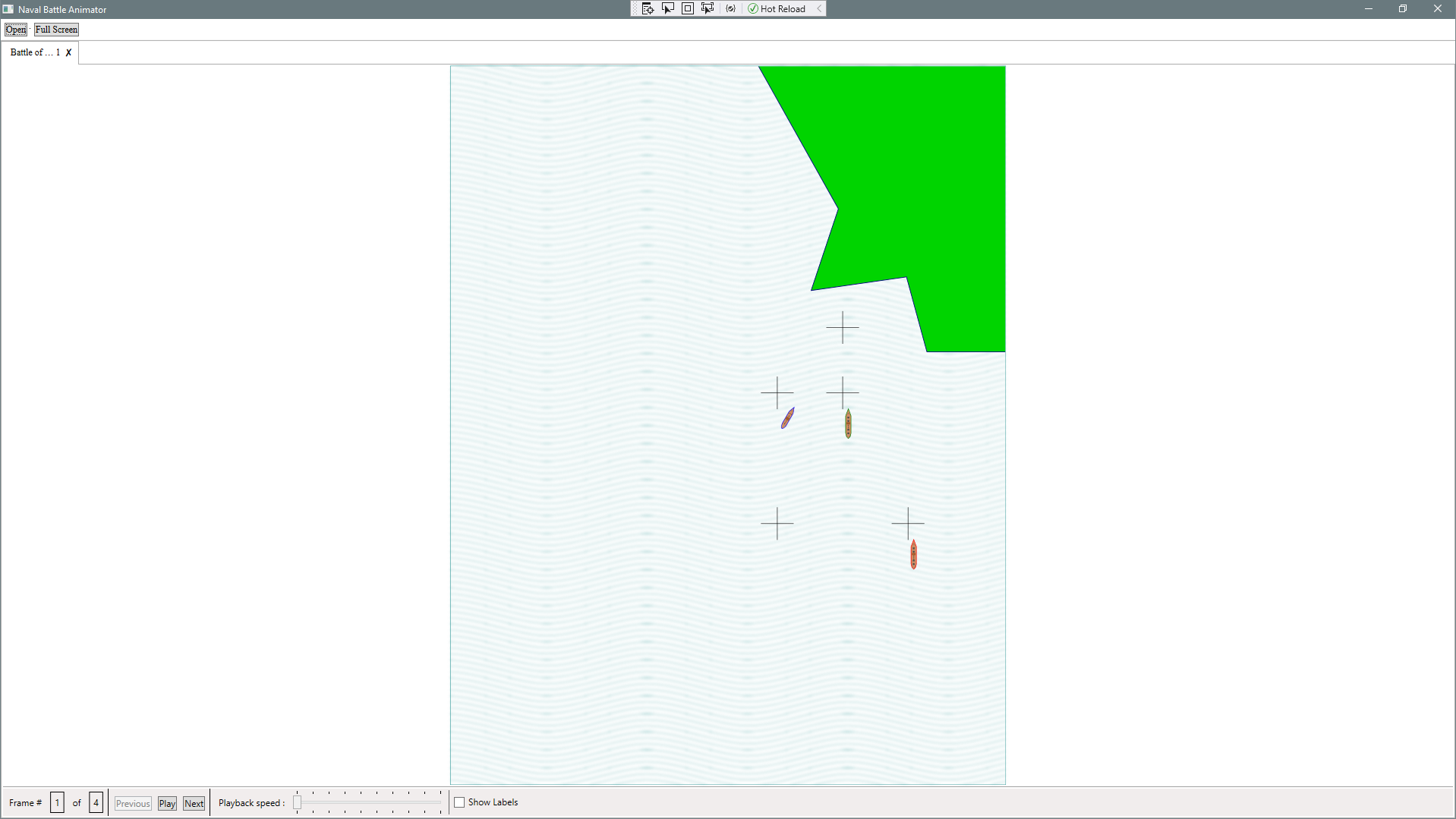
@DaisyTian-MSFT As you can see from the attached image, things aren't where they should be. The crosses represent points where events will happen. In this case, two aren't yet used. But the others should have a ship centered over the crosses. These ships are similar to the one I showed you, but with different details. They're loaded the same way.