Azure Data Factory
An Azure service for ingesting, preparing, and transforming data at scale.
This browser is no longer supported.
Upgrade to Microsoft Edge to take advantage of the latest features, security updates, and technical support.
' cx='32' cy='32' r='32' /%3E%3Ctext x='50%25' y='55%25' dominant-baseline='middle' text-anchor='middle' fill='%23FFF' %3EMK%3C/text%3E%3C/svg%3E)
Hello! @Nasreen Akter @MartinJaffer-MSFT
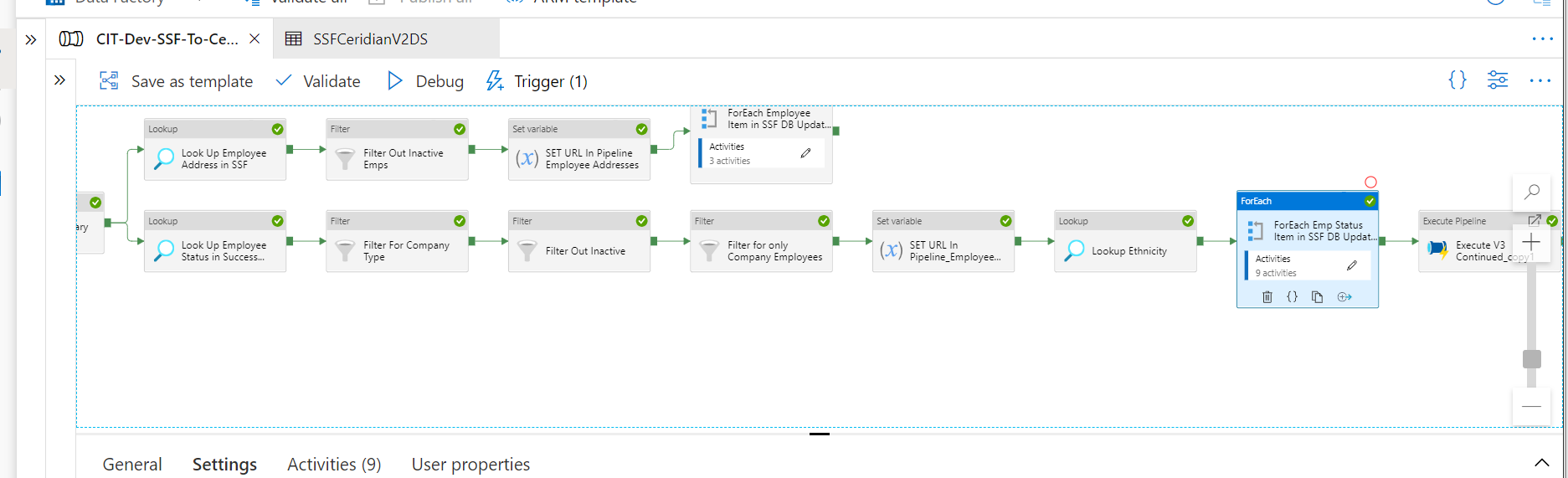
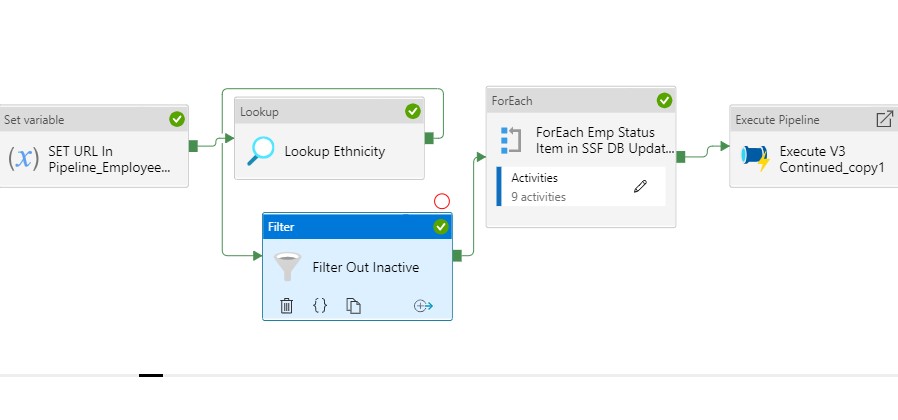
I have a Filter activity after a Lookup Activity (which is successfully bringing back data from a SQL Server DB Table); I want to send the filtered data to the ForEach for if an Employee is NOT "Inactive"....as shown below. My Filter Condition is: @startswith(item().status,'Inactive')
I have in my first row of data the Status = 'Inactive'; however the employee data in the first row of the Inactive filter is still being passed to the ForEach Activity; therefore something is incorrect. Should I have all my Filters inside the ForEach instead of before it?
Any suggestions will be greatly appreciated! Thanks! Mike Kiser
' cx='32' cy='32' r='32' /%3E%3Ctext x='50%25' y='55%25' dominant-baseline='middle' text-anchor='middle' fill='%23FFF' %3EMM%3C/text%3E%3C/svg%3E)
I am a little confused. Has the issue been resolved @Mike Kiser ?
There is a "not" function. You can use this to invert the results of the contains.
@not(contains(item().status,'Inactive'))
Thanks @MartinJaffer-MSFT , @Nasreen Akter anonymous userChaudhari
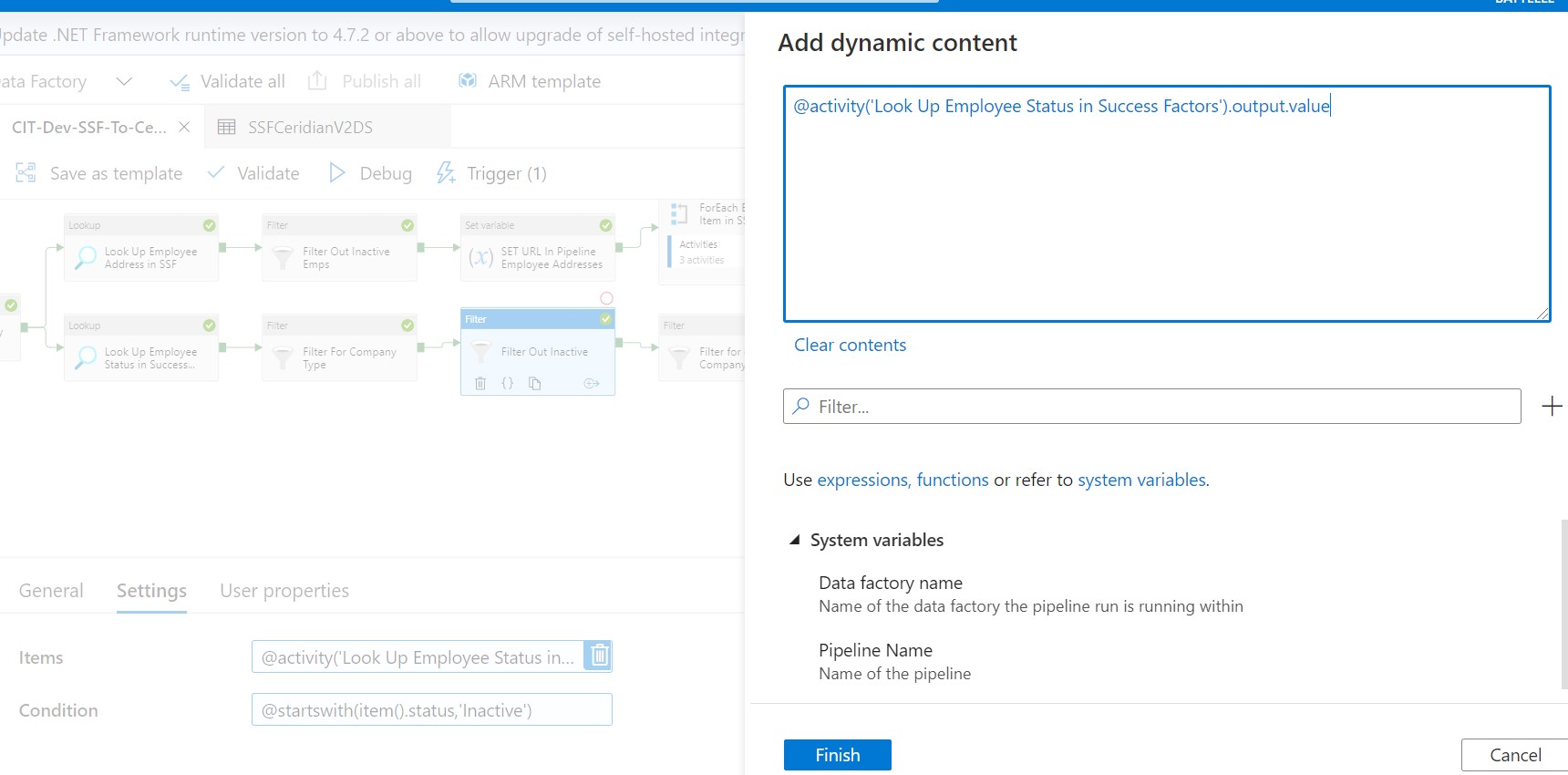
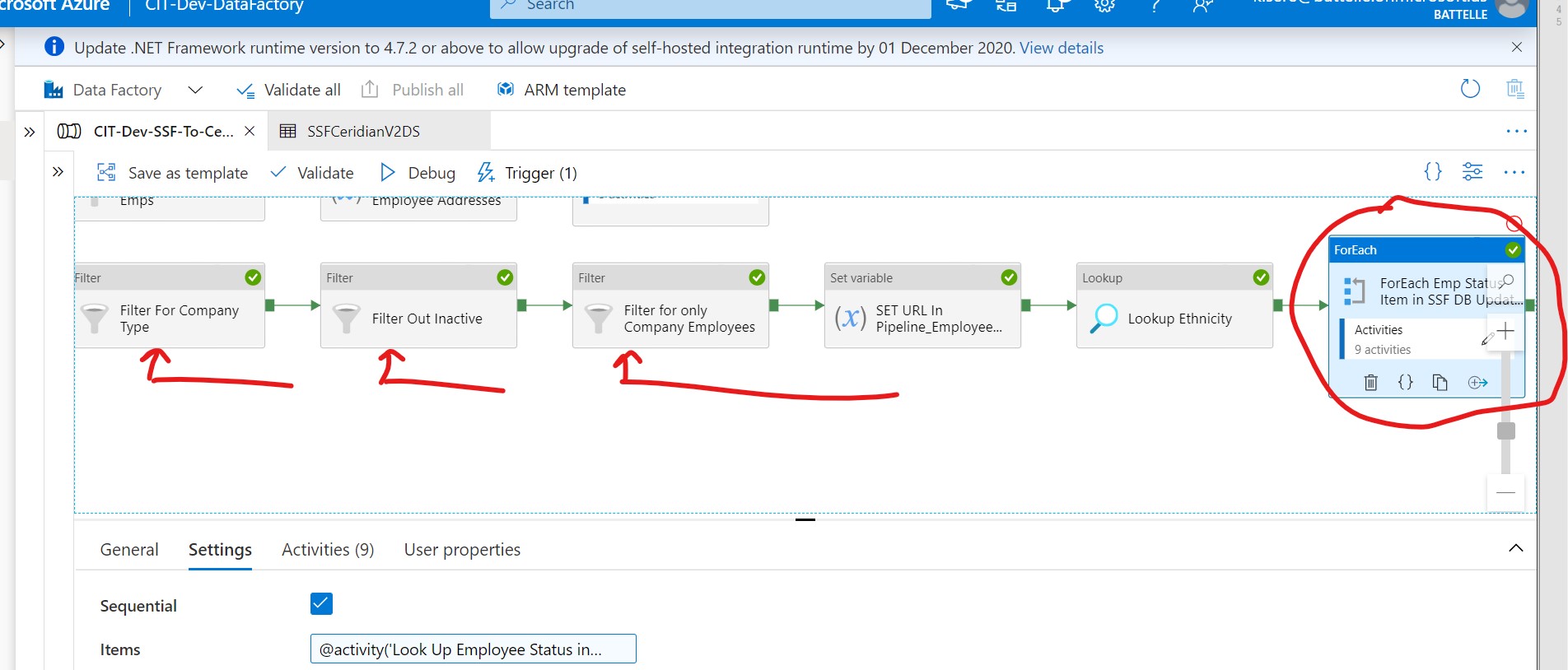
I tried that and the debugging info said it had filtered out one item....but the data still flowed to the ForEach. Here is what I am guessing is happening, but not sure how to set the ForEach to fix it.....Here is the ForEach items:
@activity('Look Up Employee Status in Success Factors').output.value
So even with the flow going through the filters correctly my subsequent ForEach is still using the Lookup before the filters. How do I flow the filtered data through the ForEach without calling the Lookup (before the filters)? I have never run into this before and just wrongly assumed that the data would flow through the filters into the ForEach.
Thanks so much! They caught this in QA Testing and I just wrongly assumed it was working .
Mike Kiser
I just thought this....should I filter AFTER the ForEach?
Thanks @MartinJaffer-MSFT , @Nasreen Akter anonymous userChaudhari
I tried that and the debugging info said it had filtered out one item....but the data still flowed to the ForEach. Here is what I am guessing is happening, but not sure how to set the ForEach to fix it.....Here is the ForEach items:
@activity('Look Up Employee Status in Success Factors').output.value
So even with the flow going through the filters correctly my subsequent ForEach is still using the Lookup before the filters. How do I flow the filtered data through the ForEach without calling the Lookup (before the filters)? I have never run into this before and just wrongly assumed that the data would flow through the filters into the ForEach.
Thanks so much! They caught this in QA Testing and I just wrongly assumed it was working .
Mike Kiser
I just thought this....should I filter AFTER the ForEach?

@Mike Kiser , what is the expression you have in the ForEach-->Settings-->Items ?
Hi @Mike Kiser , According to the diagram, I think in the ForEach-->Settings-->Items, it should be @activity('Filter for only Company Employees').outout.Value, it could also be @activity('Look Up Ethnicity'), but not @activity('Look Up Employee Status in Success Factors').output.value
Cool...let me try that...I have 3 filters in a row....I'll try the last one before the ForEach for the ForEach expression and let you know...thanks so much!
The ForEach setting is currently
@activity('Look Up Employee Status in Success Factors').output.value which I see now bypasses all the Filters....
I greatly appreciate your help! They are really pressuring me to get this fixed :-)
Mike
Hi @Nasreen Akter @MartinJaffer-MSFT
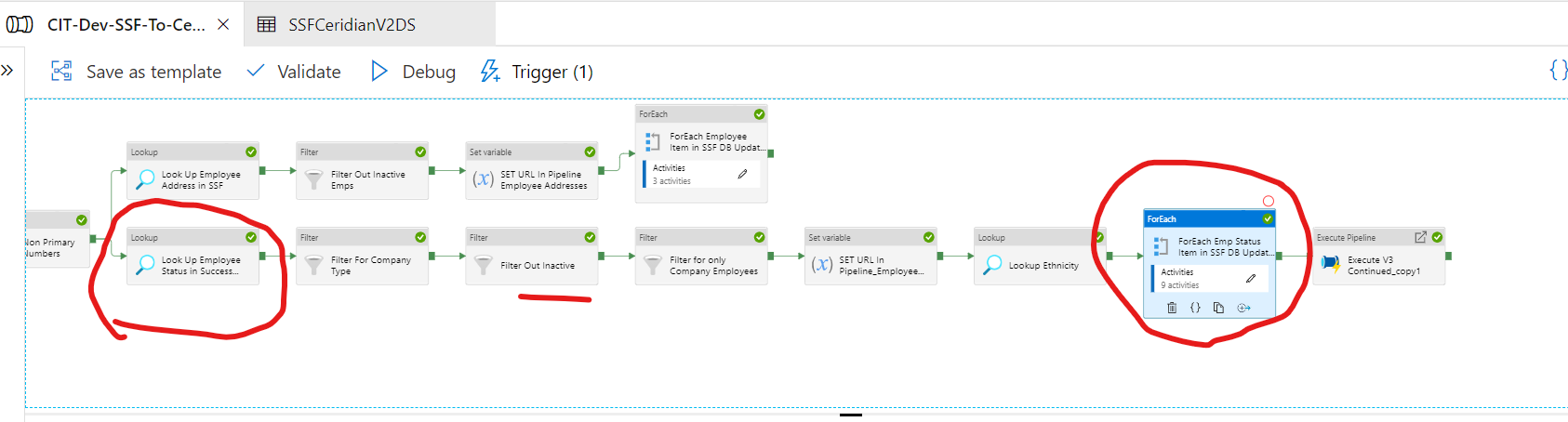
Ok, I tried using the Inactive Filter output in the ForEach but it is still letting filtered data through to the ForEach. Please see attachments. 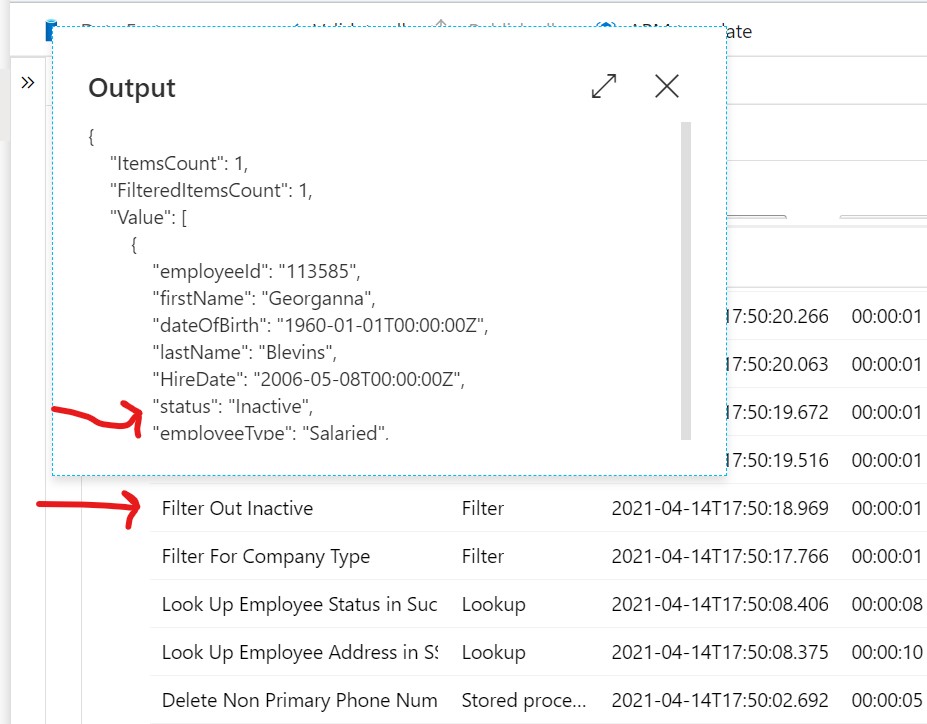
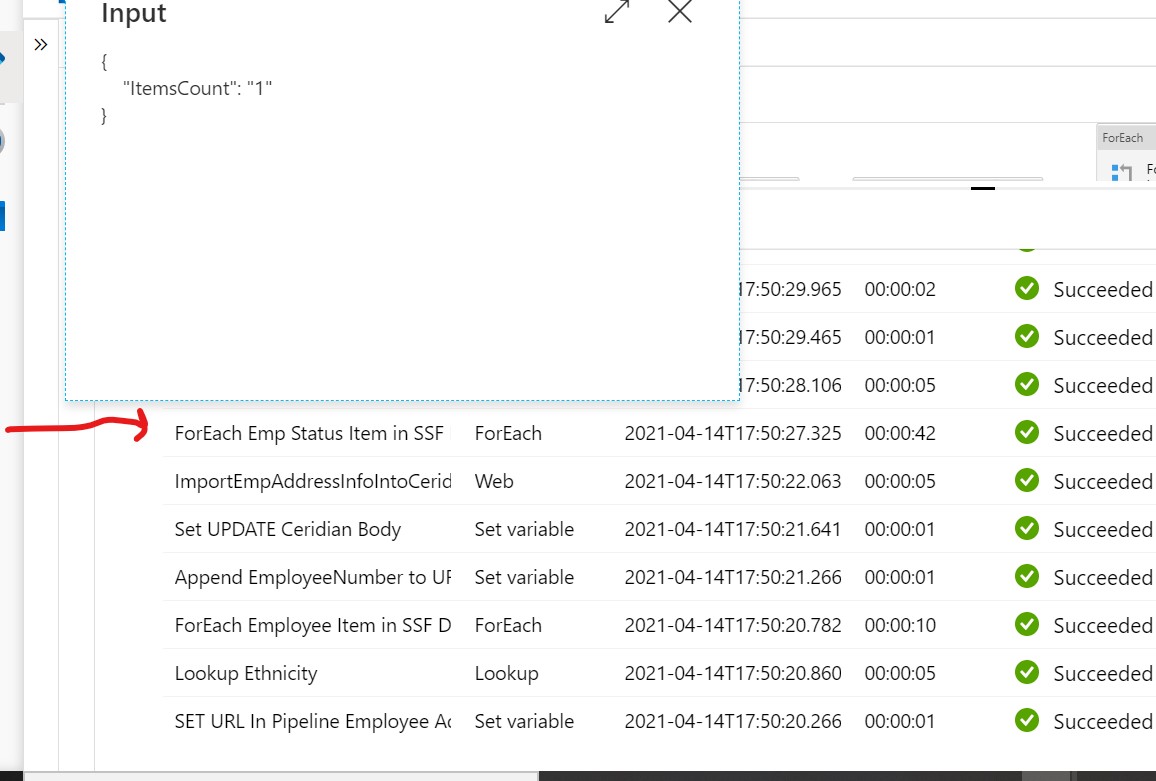
My ForEach I am using: @activity('Filter Out Inactive').output.value
My Filter criteria: @contains(item().status,'Inactive')
and the one row of data I am using has status = Inactive
This is driving me crazy....any suggestions as to why it is not working? Thanks!! Mike
@Mike Kiser : if you want to filter out records with Inactive status, use @hamed1374 (contains(item().status,'Inactive')) expression @MartinJaffer-MSFT suggested. Hope this will help. Thanks!
GOOD NEWS! I moved one filter to the position before the ForEach (I don't know why that would matter but it did) and the ForEach functioned appropriately. Now I think instead of 3 filters I am going to have to combine them into one for the input to the ForEach. I'll open a new Question for that.. Thanks again so much!! Mike
@Mike Kiser
The ForEach items should be taking from the nearest activity output (filter), not the earlier Lookup activity. The filter does not retroactively affect the lookup output. Filter has its own output.

If you just want to process records with Status active, then try something like
@contains(item().status,'Active')
Please don't forget to Accept Answer and Up-vote if the response helped -- Vaibhav
Thanks for your reply...I just tried running it with your expression and see the following in the debugger; for some reason it is not filtering an Inactive employee with one row of data in the DB Table. This is the data in the field for this in the Table
"status": "Inactive",
{
"ItemsCount": 1,
"FilteredItemsCount": 0,
"Value": []
}
Can someone please assist? I have 3 of these filters; if I can get this Inactive filter to work I can do the other 2 myself...
Thanks
Mike
That is good solution, as long as there are only 2 status, "Inactive" and "Active". If there are more status like "Retired" or "Deleted" then it gets harder.