Azure Blob Storage
An Azure service that stores unstructured data in the cloud as blobs.
This browser is no longer supported.
Upgrade to Microsoft Edge to take advantage of the latest features, security updates, and technical support.
' cx='32' cy='32' r='32' /%3E%3Ctext x='50%25' y='55%25' dominant-baseline='middle' text-anchor='middle' fill='%23FFF' %3EHD%3C/text%3E%3C/svg%3E)
Hi,
I have a question about triggers in Azure Data Factory.
My scenario is: I have 4k+ databases (one per client, distributed on many servers and elastic pools) on each database have a log table. I want to copy data from this table to a Blob Storage, creating one Blob per database.
I have one Azure Function that gets the database, server and elastic pool names and insert them into a storage queue in a JSON format. I have the plans to use that data to use on the pipeline in Data Factory.
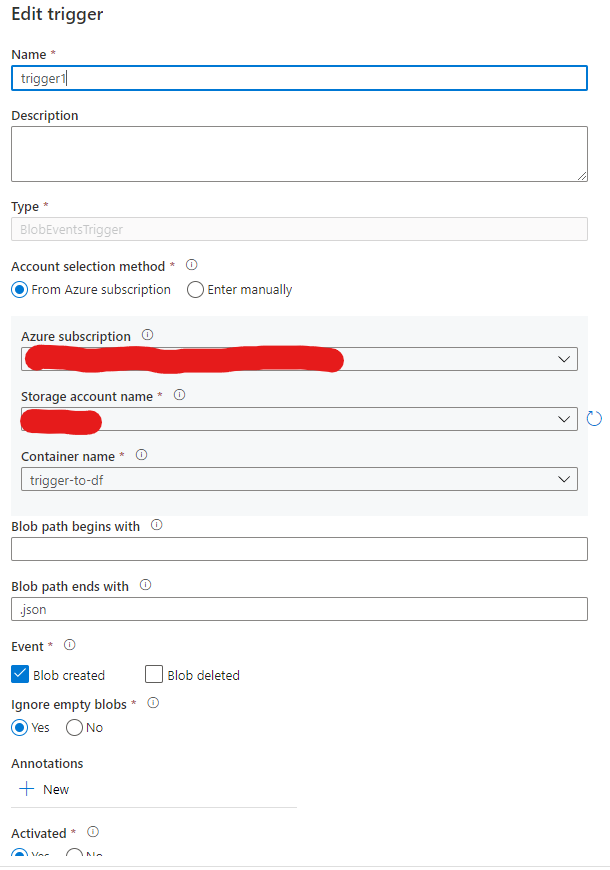
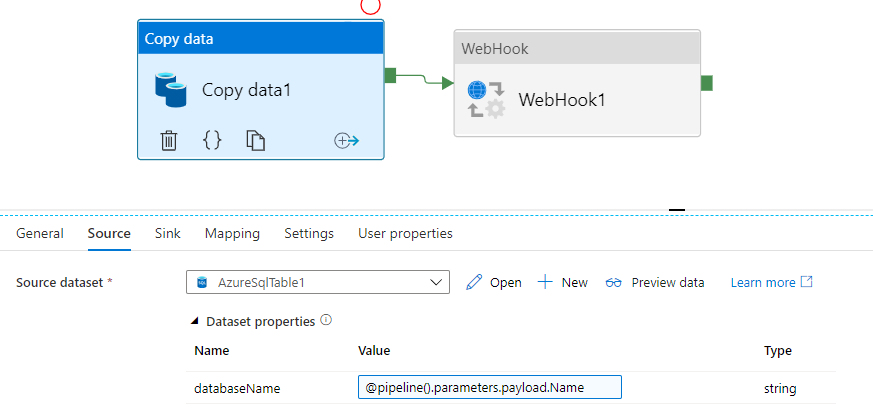
But the Data Factory does not have a queue trigger, only a storage trigger, so instead of inserting those data on a queue, I created a json blob file that will be used for a trigger. But Data Factory I'm not finding the right way to make Data Factory read the contents of the triggered file.
Is there any way to achieve this? To make the Data Factory read the contents of the blob storage and use it as a Object Parameter to a pipeline?
Trigger:
Activity
JSON File
{
"Name": "DatabaseName",
"Pool": "ElasticPoolName",
"Server": "ServerName"
}
Thank you;
' cx='32' cy='32' r='32' /%3E%3Ctext x='50%25' y='55%25' dominant-baseline='middle' text-anchor='middle' fill='%23FFF' %3EMM%3C/text%3E%3C/svg%3E)
Hello @Hugo Dantas and welcome to Microsoft Q&A. Please let me share a few ideas with you.
For the solution you are currently pursuing, you would use a Lookup activity to read contents of your trigger-blob. This does not get put into a parameter, as parameter is defined when the pipeline starts. The trigger itself cannot read the contents of the blob. To interpret a string as an object, use the @json(blob_contents) function.
However, there is a way to more directly trigger the pipeline. Instead of using blob event triggers, have you considered using your Azure Function to trigger the pipeline run directly?
You can use the REST API , the body can carry parameters.
There is also a .NET method.
And others.
The Powershell actually takes a file as parameter input.
Hi Martin!
Thank you! This feature is new for me, and it is my first time working with it. So thank you for your answer.
I'll follow your tip and trigger the pipeline through the Azure Function directly using .NET method.
Thank you!
Have a great weekend.
Thank you for your feedback. Have a great weekend!