
Mount the ISO in DVD drive and at startup (VM console) Press any key to boot from DVD

--please don't forget to Accept as answer if the reply is helpful--
This browser is no longer supported.
Upgrade to Microsoft Edge to take advantage of the latest features, security updates, and technical support.
' cx='32' cy='32' r='32' /%3E%3Ctext x='50%25' y='55%25' dominant-baseline='middle' text-anchor='middle' fill='%23FFF' %3EA%3C/text%3E%3C/svg%3E)
just a few days,i downloaded the windows server 2019 iso and I try it on the virtual machine but it couldn't boot.File:EFI\Microsoft\Boot\BCD error code:0xc000000d
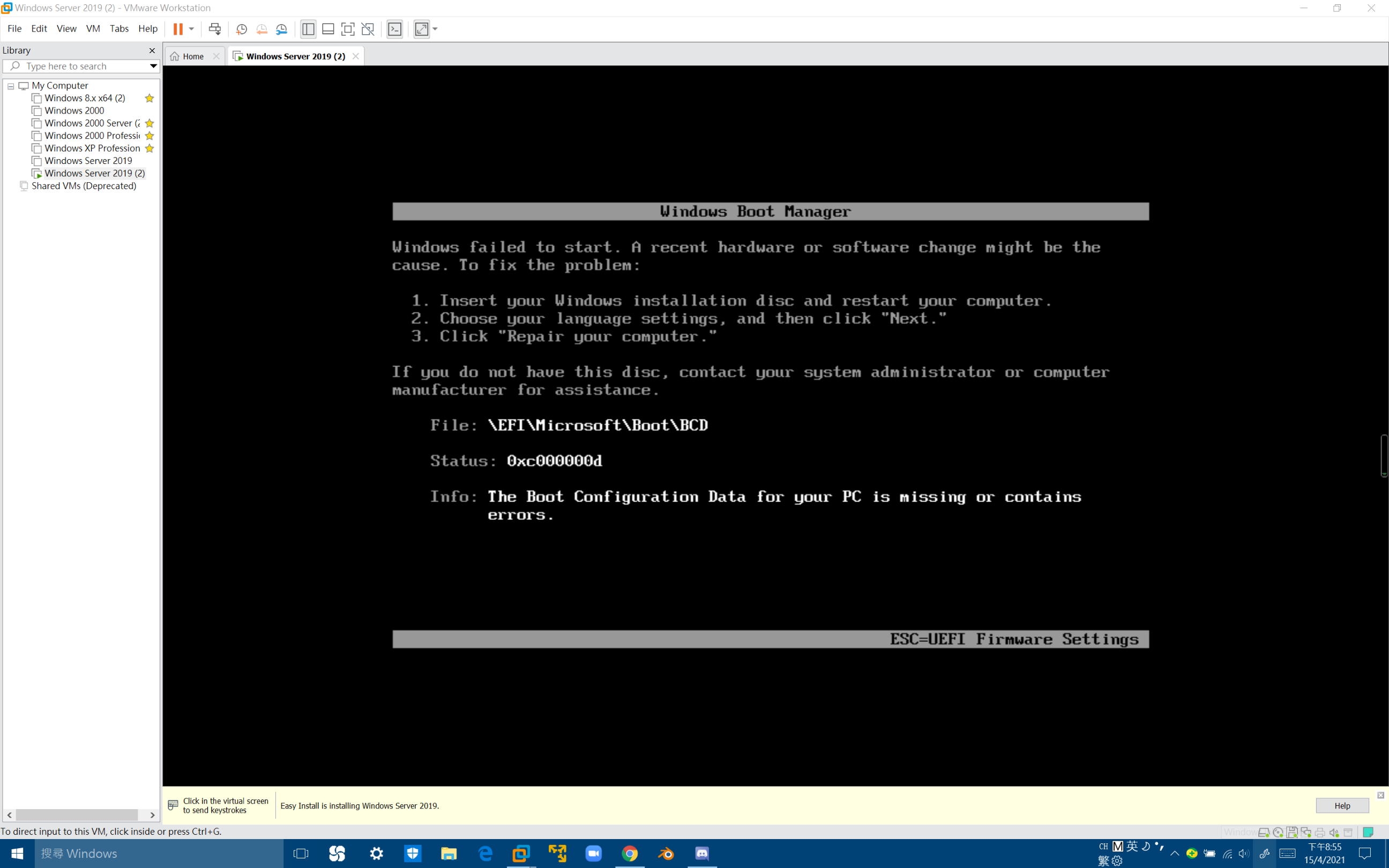
' cx='32' cy='32' r='32' /%3E%3Ctext x='50%25' y='55%25' dominant-baseline='middle' text-anchor='middle' fill='%23FFF' %3EA%3C/text%3E%3C/svg%3E)
Mount the ISO in DVD drive and at startup (VM console) Press any key to boot from DVD
--please don't forget to Accept as answer if the reply is helpful--
well,It can boot now but it says:No images are available
I think I'd try a new ISO, also may want to get it via a different ISP as they employ file caching devices and you may just get the same corrupt copy over and over.
so I the win server 2019 will boot infinity time?or I can never use it:(
The ISO may be corrupt.
You might try booting the installation media, Repair Your Computer, then from cmd.exe
bootrec /rebuildbcd
--please don't forget to Accept as answer if the reply is helpful--
Thank you but I can't even get into cmd
You'll need to boot the install media, then Repair You Computer

--please don't forget to Accept as answer if the reply is helpful--
I am working on a virtual machine so how to boot from iso(I really don't know:(
' cx='32' cy='32' r='32' /%3E%3Ctext x='50%25' y='55%25' dominant-baseline='middle' text-anchor='middle' fill='%23FFF' %3ER%3C/text%3E%3C/svg%3E)
Before the installation, try two things :
1 ) Disable Secure Boot (It should be in Boot Options)
2 ) Change EFI to BIOS (It should also be in boot options)
One of this option will work for sure.
Have fun