Updates are not automatically installed on the clients

weltgoldstrider 26 Reputation points
2021-04-19T17:27:31.273+00:00

Hello, I am distributing my windows updates using WSUS. I have configured the following group policies for the clients:
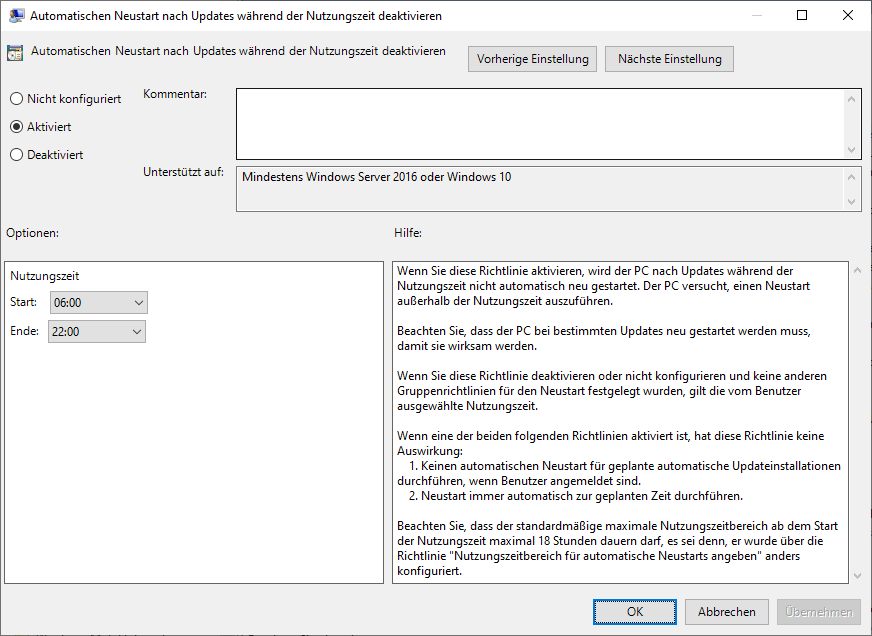
Disable automatic restart after updates during time of use: Enabled (from 06:00 to 22:00).
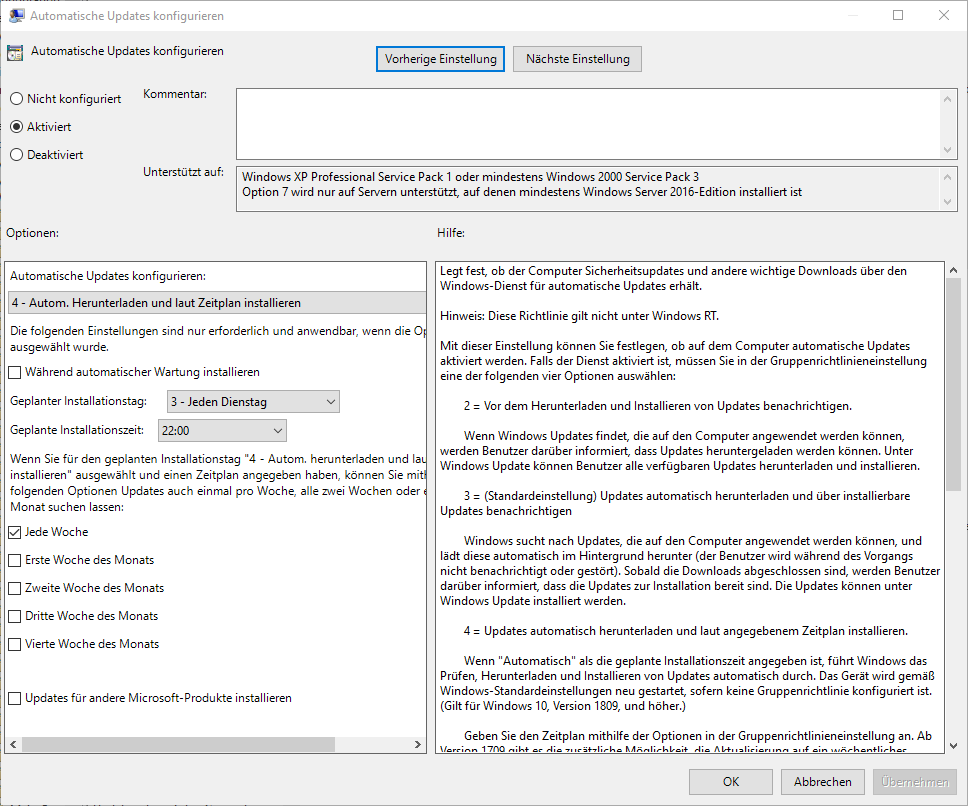
Configure Automatic Updates: Enabled (Configure automatic updates: 4 - Auto. Download and install on schedule, Scheduled installation day: 3 - Every Tuesday, Scheduled installation time: 03:00, Every week).
Set internal path for Microsoft Update Service: Enabled
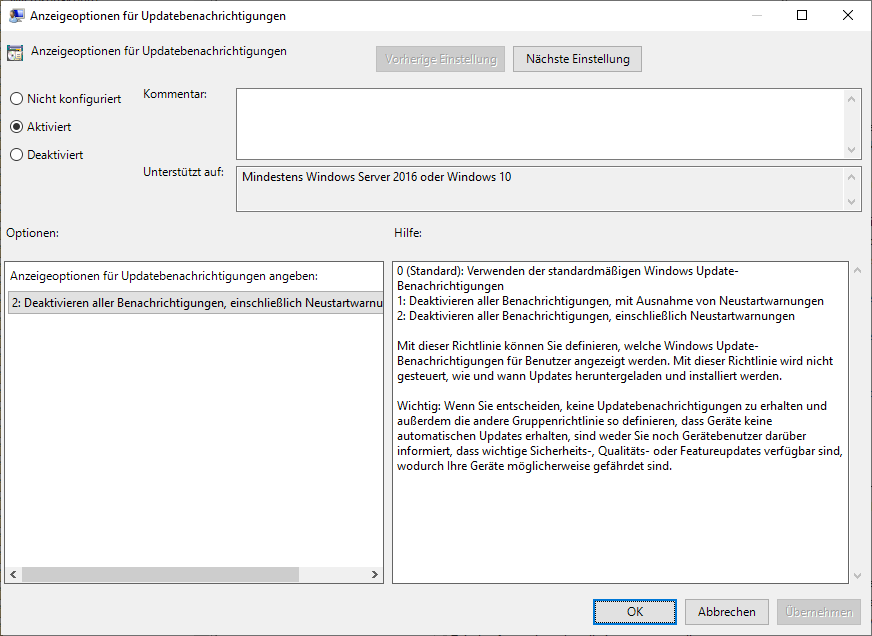
Display options for update notifications: Enabled (2: Disable all notifications).

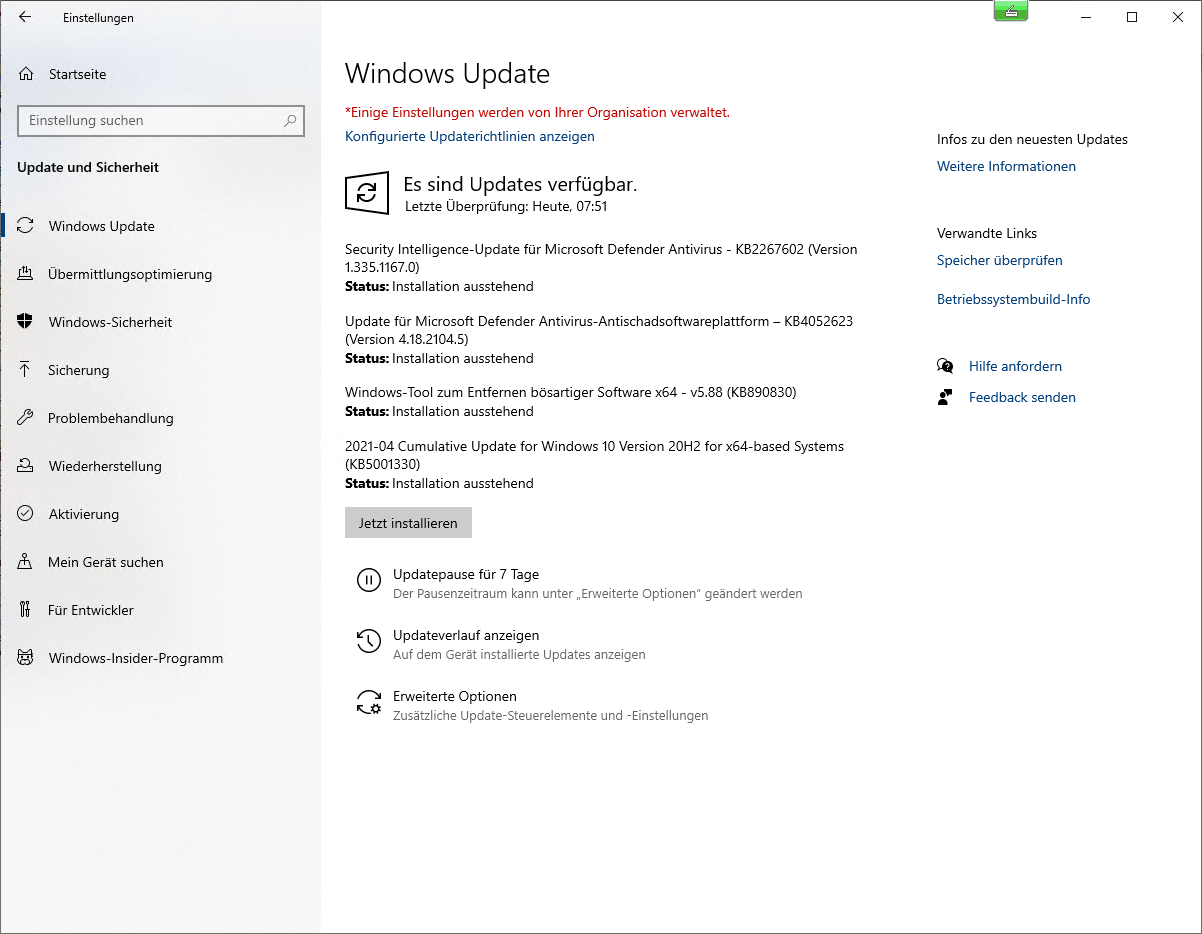
The problem now is that all my clients do not install the updates automatically.

What could be the cause of this?

The whole thing looks like this: the client wants to install these updates for months now and doesn't do it. Actually I would like them to install the updates always on Tuesday at 03:00...
89150-2021-04-19-19-28-42-858-remotedesktopmanagerfree.png

Many greetings
weltgoldstrider

Windows for business | Windows Server | User experience | Other
{count} votes

Answer accepted by question author
  1. Adam J. Marshall 10,456 Reputation points MVP
    2021-04-19T17:36:18.127+00:00

    You're better off using policies like I've got in my blog series on How to Setup, Manage, and Maintain WSUS

    Part 4 deals with the polices.

    https://www.ajtek.ca/wsus/how-to-setup-manage-and-maintain-wsus-part-4-creating-your-gpos-for-an-inheritance-setup/

    I recommend the full read of the series and also other guides on my site.

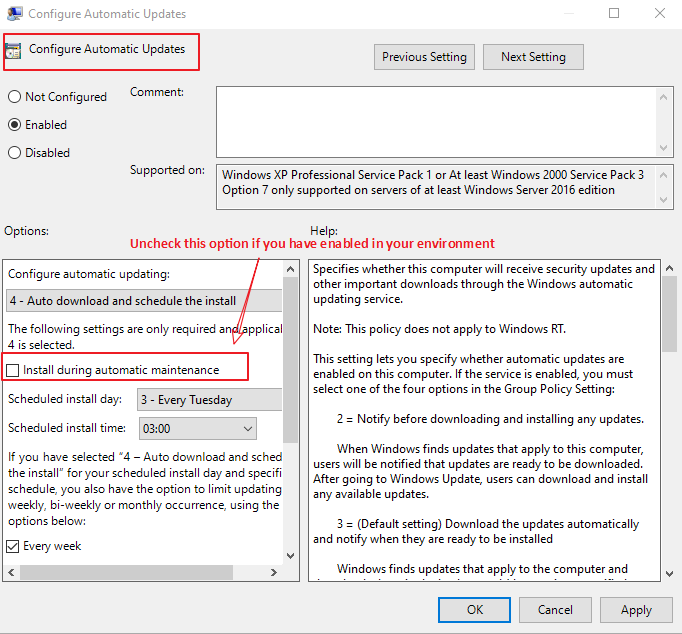
    Likely - the issue is "Install during automatic maintenance" - make sure it's DISABLED.

    1 person found this answer helpful.
    0 comments No comments

2 additional answers

Sort by: Most helpful
  1. weltgoldstrider 26 Reputation points
    2021-04-19T18:02:26.243+00:00

    Hello Adam-J-Marshall,

    I am very happy to read from you. I use your script on all three WSUS servers, am very happy with it and also skimmed this blog article at the time, but probably not closely enough.

    In my case I have the following group policies:
    WSUS Default: with this I configure basic things like Delivery Optimization or "Turn off auto-restart for updates during active hours".
    WSUS <Location>: with this I configure the WSUS server. I use the location based filtering so that the systems always connect to the appropriate WSUS.
    WSUS Automatic: with this policy I configure the clients to get updates automatically.
    WSUS Manual: with this policy I configure the clients to receive updates manually (this is distributed filtered by an Active Directory group, this also disables "WSUS Automatic")

    Anyway, I have not configured these items yet:

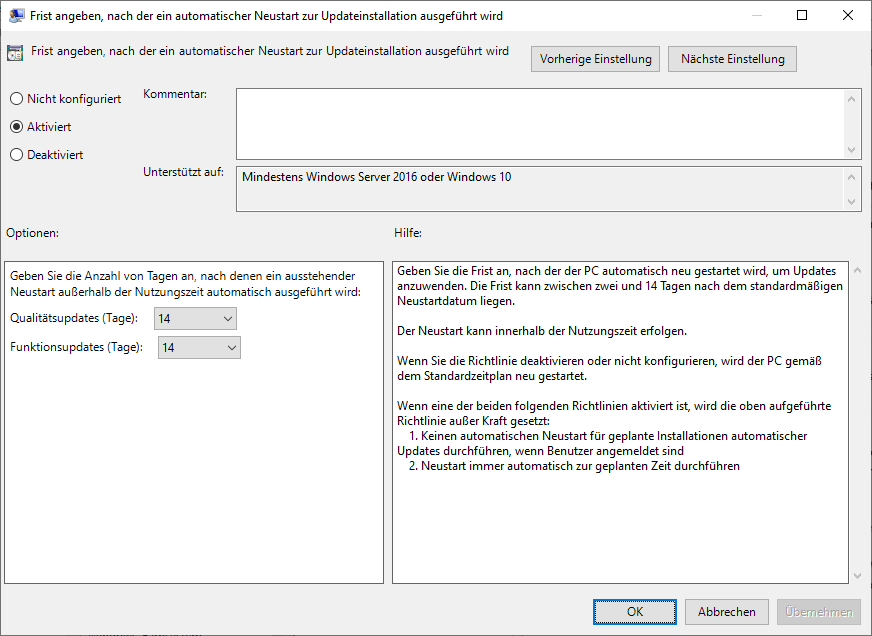
    • Specify deadline before auto-restart for update installation: Enabled (7 Days)
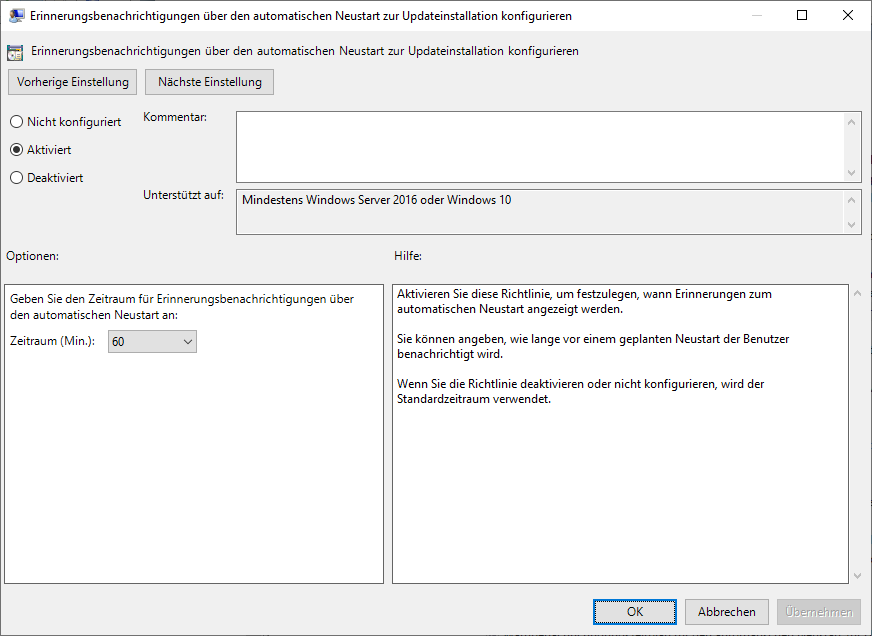
    • Configure auto-restart reminder notifications for updates: Enabled (60 Minutes)

    I am now curious if it installs the updates.

    Thanks for the help. I will close the thread if it works so far.

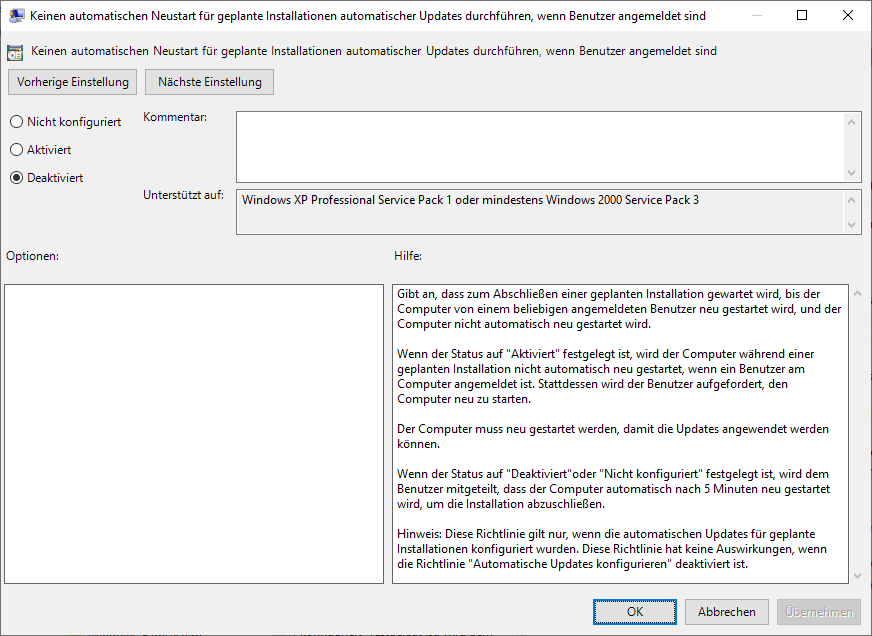
    Here are the configured fields under "Windows Updates" in my "WSUS Default" GPO:
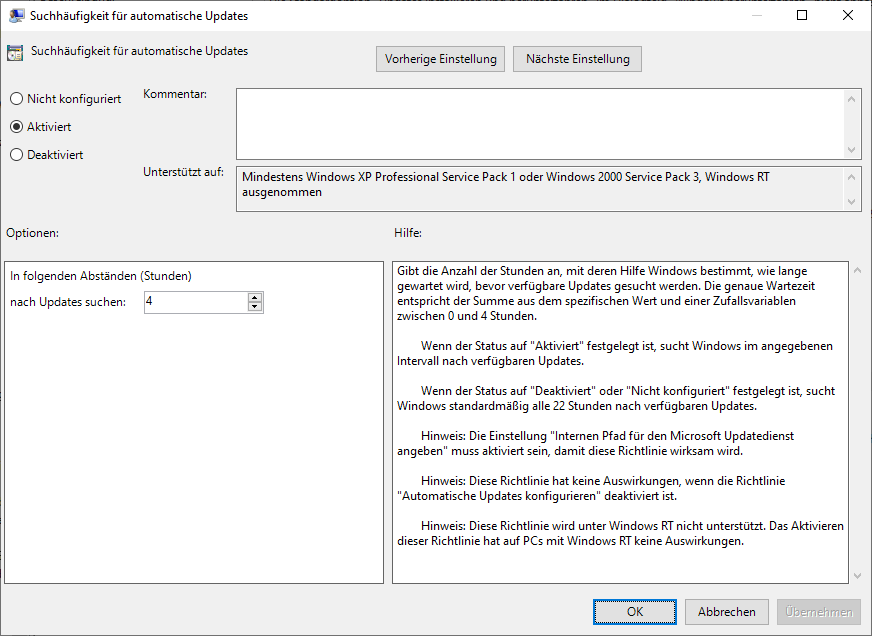
    89251-2021-04-19-20-02-46-502-mmc.png
    89216-2021-04-19-20-02-49-343-mmc.png
    89217-2021-04-19-20-02-52-221-mmc.png
    89252-2021-04-19-20-02-54-955-mmc.png
    89253-2021-04-19-20-02-57-669-mmc.png
    89254-2021-04-19-20-03-00-399-mmc.png

    Many greetings
    worldgoldstrider

    0 comments No comments

  2. Rita Hu -MSFT 9,661 Reputation points
    2021-04-22T06:59:05.253+00:00

    @weltgoldstrider
    Due to the language limitations, please help to confirm the followings further:

    For the WSUS automatic group policy, you have configured as the below:

    1. Turn off auto-restart for updates during active hours Active Hours 06:00 to 22:00. You enabled the active hours at 06:00~22:00.
    2. Configure Automatic Updates option-4 Scheduled installation day: 3 - Every Tuesday; Scheduled installation time: 22:00, Every week. Am I right?

    Here are some comments of mine:

    1. It is not recommended to set the Scheduled installation time: 22:00. As the description above, the active hours is at 06:00~22:00. In my opinion, there is a conflict between the two policies.
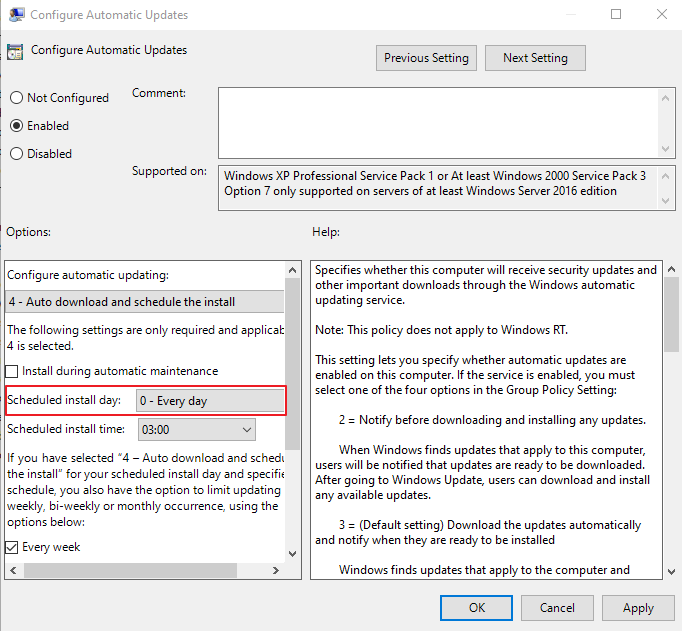
    2. In addition, it is recommended to tick Scheduled install day: 0 - Every day temporarily.

    Reference picture:
    90245-9.png

    We could detect whether the method is useful or not. The updates will be downloaded and installed every day and the installation time.

    Note that we could change it back as you like if the issue has been resolved completely.

    Regards,
    Rita


    If the response is helpful, please click "Accept Answer" and upvote it.
    Note: Please follow the steps in our documentation to enable e-mail notifications if you want to receive the related email notification for this thread.

    0 comments No comments

Your answer

Answers can be marked as 'Accepted' by the question author and 'Recommended' by moderators, which helps users know the answer solved the author's problem.