Azure Stream Analytics
An Azure real-time analytics service designed for mission-critical workloads.
This browser is no longer supported.
Upgrade to Microsoft Edge to take advantage of the latest features, security updates, and technical support.
' cx='32' cy='32' r='32' /%3E%3Ctext x='50%25' y='55%25' dominant-baseline='middle' text-anchor='middle' fill='%23FFF' %3EDN%3C/text%3E%3C/svg%3E)
When I click test query on my Stream Analytics Job I get a message that says "There is no data for the "datainput" entry. Make sure the input source has data and try again”. So I go to my input source, I click "test" and I get a message that says "The connection to the input 'DataInput' was successfully established". Furthermore, I can see the data on my Power BI (that is where my output is set). So the "datainput" entry actually has data.
When I created the Stream Analytcs Job some months ago I didn't have this problem... Does someone know hoy can I fix that?
Thank you in advance!

Hello @Daniel Noguera ,
Welcome to the Microsoft Q&A platform.
Make sure you have set input sample incoming data from input.
You can test queries on incoming data from your streaming sources or upload sample data from a local file on Azure Portal.
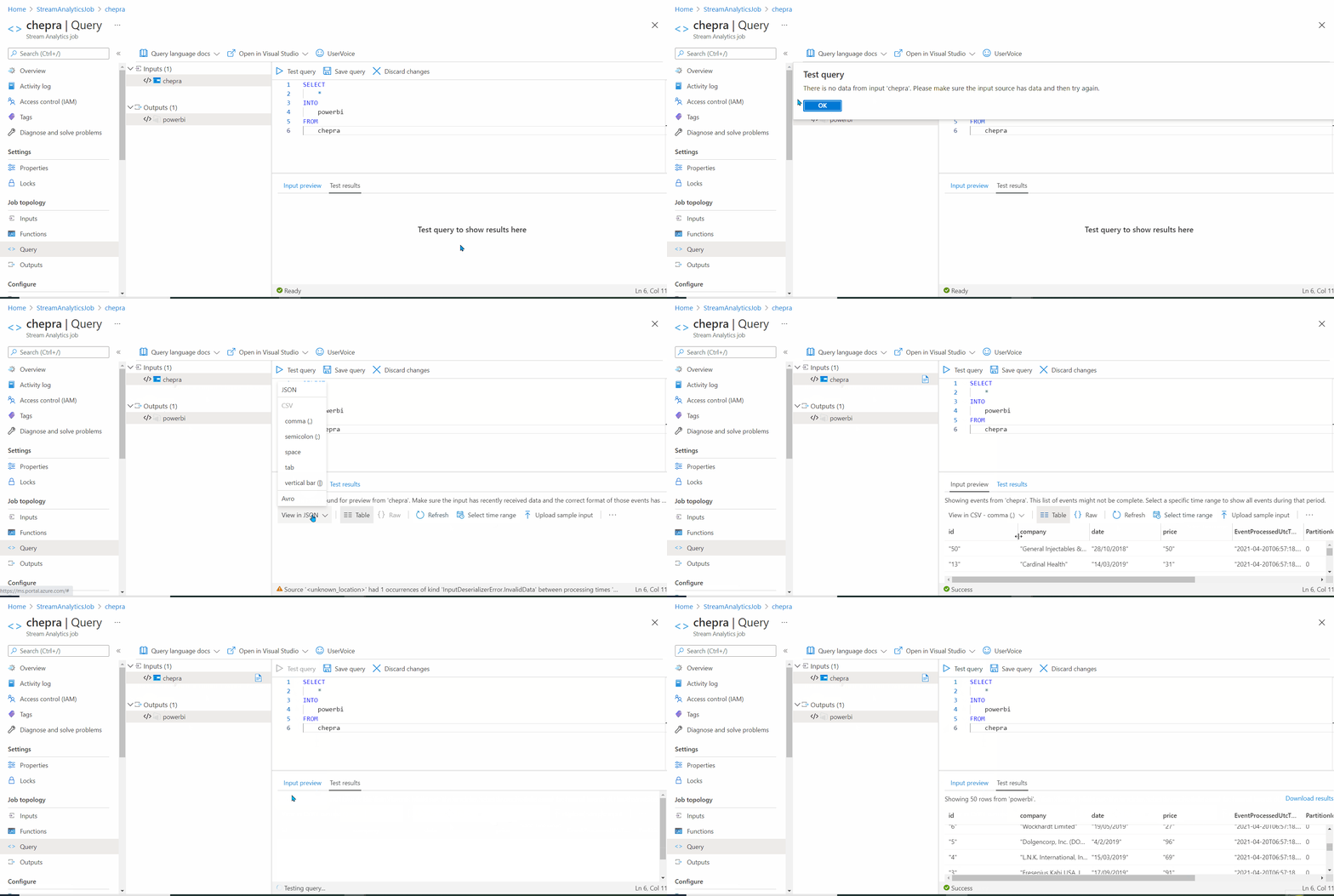
For more details, refer Test an Azure Stream Analytics job in the portal.
Hope this helps. Do let us know if you any further queries.
------------
Please don’t forget to Accept Answer and Up-Vote wherever the information provided helps you, this can be beneficial to other community members.
Hi!, thanks for answering!
It doesn't work, I do the same as you in the gif and Iget a message error that says " There was an error processing your request. Please try again in a few moments." (the same error message that appears on your gif, before changing json to comma).
However, again, if I go to my input and I test it I get a message saying that the connection to the input has been successfully established.
Hello @Daniel Noguera ,
Could you please help with the input file format and have you tried selecting time range which matches with the input file created time?
Hello @Daniel Noguera ,
Follow up to see if you have had a chance to see the previous response. We need the following information to understand/investigate this issue further.
Selecting the time range it works. Thanks
Hello @Daniel Noguera ,
Glad to know that your issue has resolved. You can accept it as an answer. And thanks for sharing the solution, which might be beneficial to other community members reading this thread.