Developer technologies | .NET | Xamarin
A Microsoft framework for building cross-platform mobile apps using .NET and C# with native performance and user interfaces.
This browser is no longer supported.
Upgrade to Microsoft Edge to take advantage of the latest features, security updates, and technical support.
' cx='32' cy='32' r='32' /%3E%3Ctext x='50%25' y='55%25' dominant-baseline='middle' text-anchor='middle' fill='%23FFF' %3EEE%3C/text%3E%3C/svg%3E)
how to make these text from these 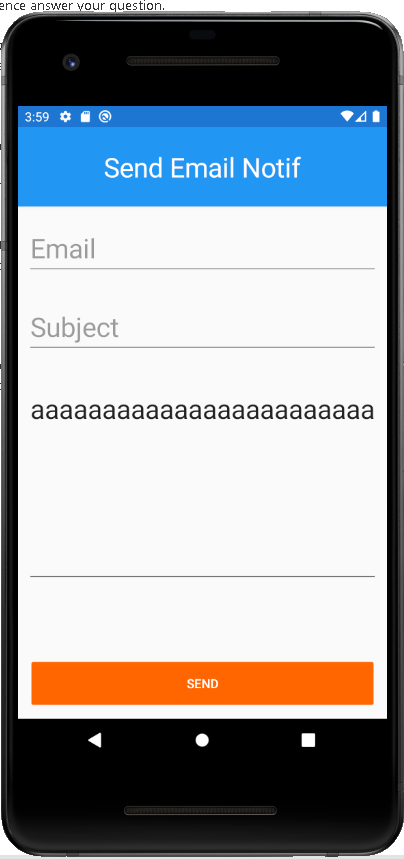 ]2
]2
to these 

Hello,
Welcome to our Microsoft Q&A platform!
Since we want to accept multi-line input, we could use Xamarin.Forms Editor to achieve this. The Editor control is used to accept multi-line input.
In addition, we also want the middle Editor to fill the rest space of the screen, we could set the VerticalOptions to FillAndExpand for the Editor.
You can refer to the following code:
<ContentPage.Content>
    <StackLayout>
        <Entry Placeholder="Email" HeightRequest="60"/>
        <Entry Placeholder="Subject" HeightRequest="60"/>

        <Editor  VerticalOptions="FillAndExpand"      BackgroundColor="Yellow" />
        <Button Text="Send" VerticalOptions="End"></Button>
    </StackLayout>
</ContentPage.Content>
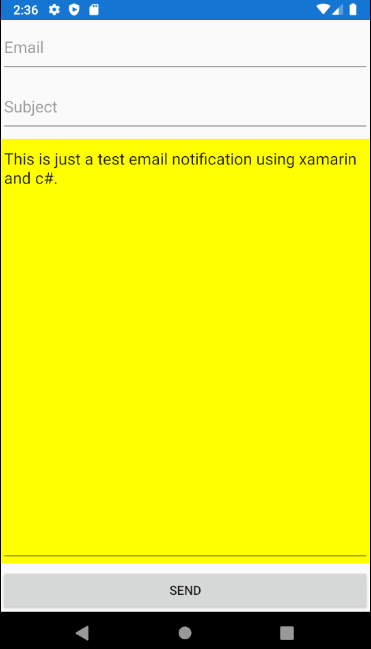
The result is:
Best Regards,
Jessie Zhang
---
If the response is helpful, please click "Accept Answer" and upvote it.
Note: Please follow the steps in our documentation to enable e-mail notifications if you want to receive the related email notification for this thread.