Azure Databricks
An Apache Spark-based analytics platform optimized for Azure.
This browser is no longer supported.
Upgrade to Microsoft Edge to take advantage of the latest features, security updates, and technical support.
' cx='32' cy='32' r='32' /%3E%3Ctext x='50%25' y='55%25' dominant-baseline='middle' text-anchor='middle' fill='%23FFF' %3EB%3C/text%3E%3C/svg%3E)
It is my second day with databricks and Python. So forgive me if my question sounds silly.
When mounting a blob storage container I got "Attribute error'. I previously created scope credentials and SAS token (for container), which is stored in Key-vault. I folowed a tutorial:
https://www.3cloudsolutions.com/databricks-and-azure-key-vault/
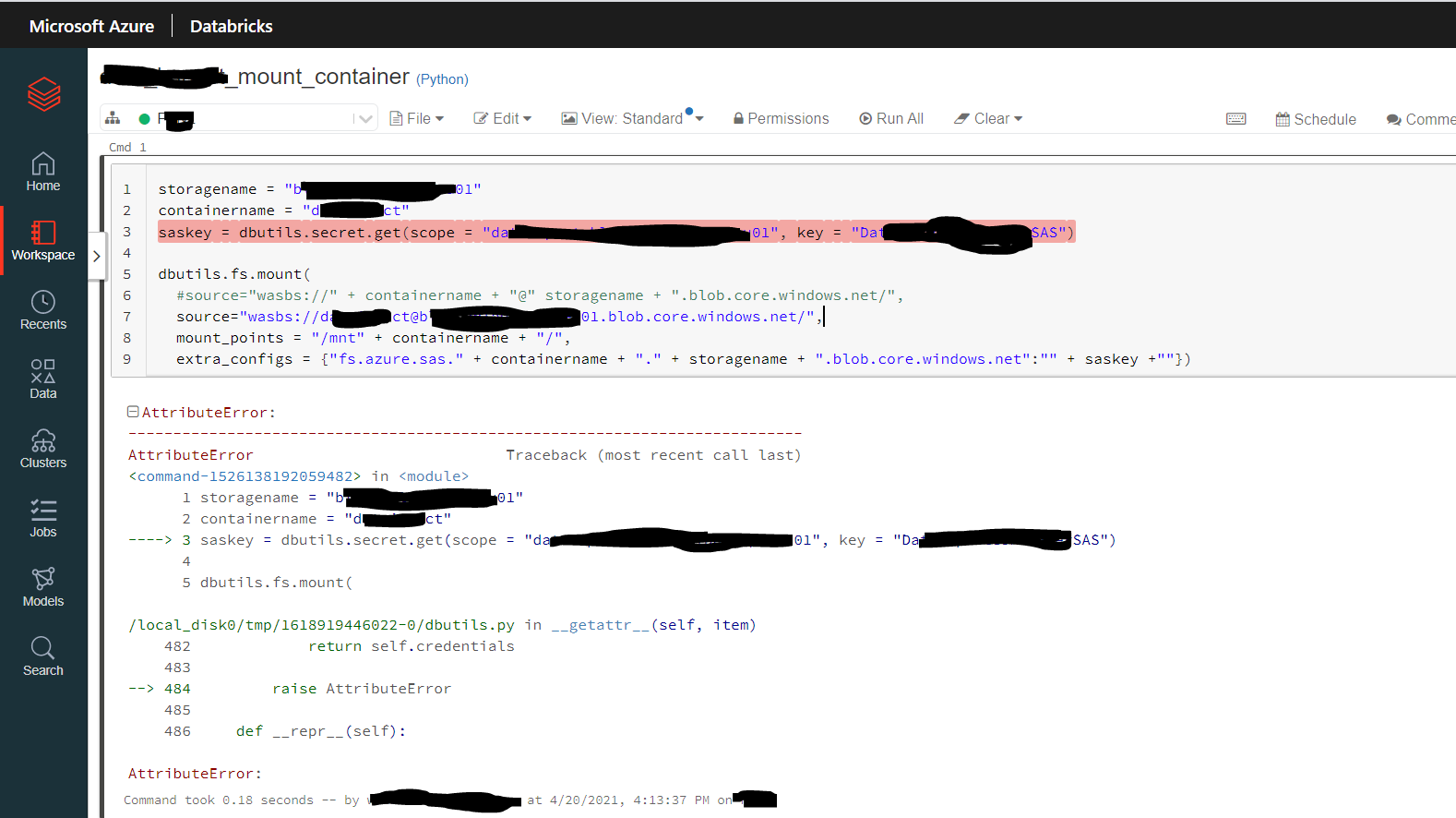
Can someone point me what I did wrong?
An Apache Spark-based analytics platform optimized for Azure.
Answer accepted by question author

Hello @braxx ,
You are experiencing this AttributeError at line3 because there is no command called saskey = dbutils.secret.get it should be saskey = dbutils.secrets.get.
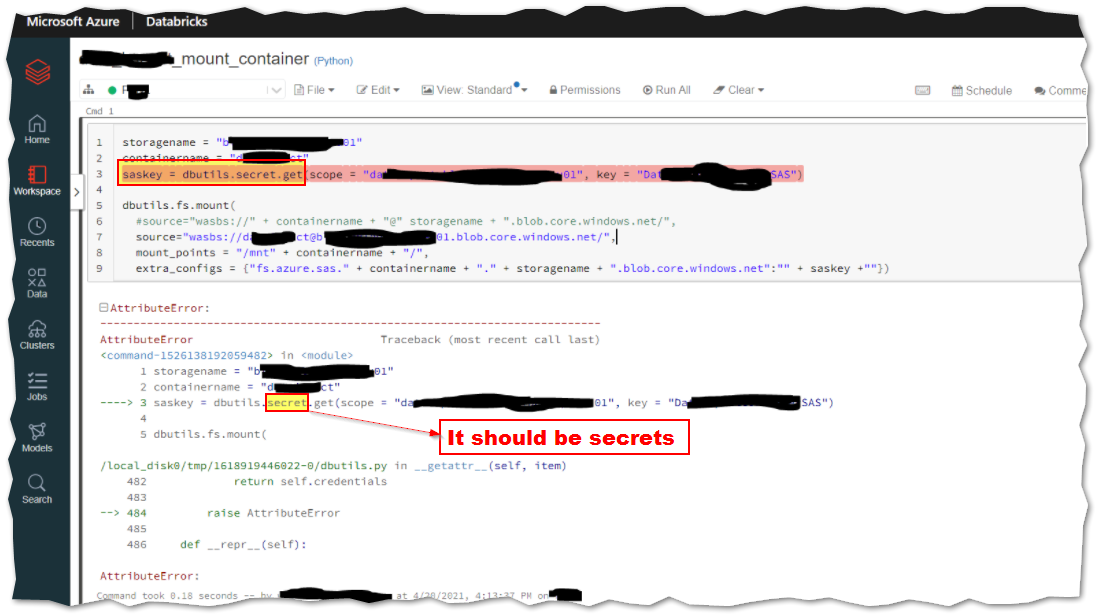
There is no command called
dbutils.secret.get
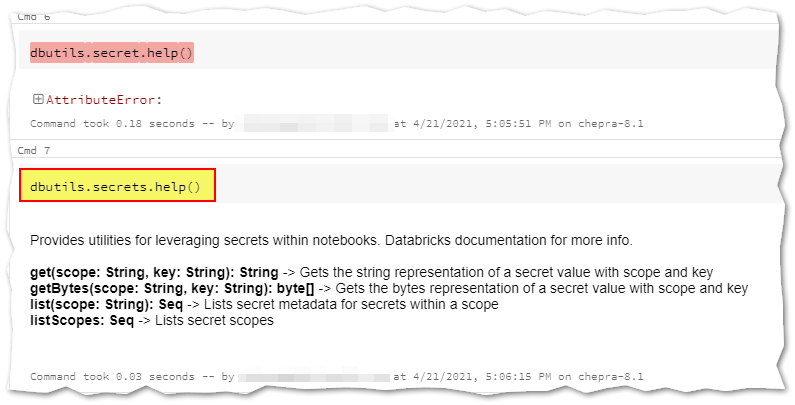
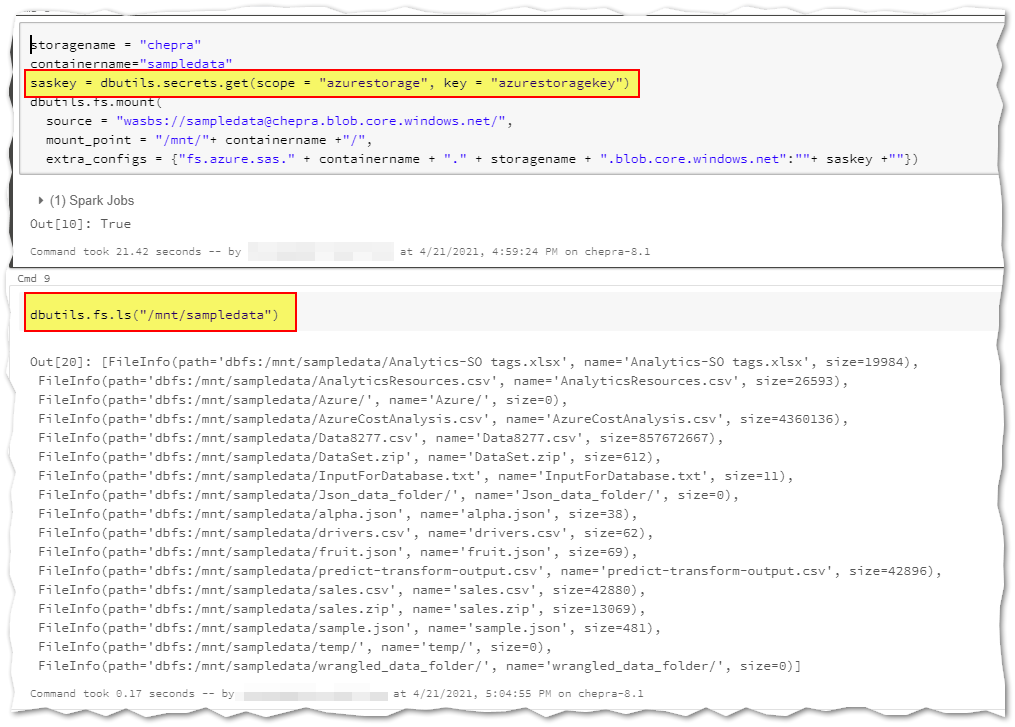
To mount a Blob Storage container or a folder inside a container, use the following command:
storagename = "chepra"
containername="sampledata"
saskey = dbutils.secrets.get(scope = "azurestorage", key = "azurestoragekey")
dbutils.fs.mount(
  source = "wasbs://******@chepra.blob.core.windows.net/",
  mount_point = "/mnt/"+ containername +"/",
  extra_configs = {"fs.azure.sas." + containername + "." + storagename + ".blob.core.windows.net":""+ saskey +""})
Hope this helps. Do let us know if you any further queries.
------------
Please don’t forget to Accept Answer and Up-Vote wherever the information provided helps you, this can be beneficial to other community members.
Hello @braxx ,
Just checking in to see if the above answer helped. If this answers your query, do click Accept Answer and Up-Vote for the same. And, if you have any further query do let us know.
Thank you very much for clear explanation and instructions.
I found, I made other mistakes too.
Fixed it and all is working right now :)
Hello @braxx ,
Glad to know that your issue has resolved.