Microsoft Security | Microsoft Entra | Microsoft Entra ID
A cloud-based identity and access management service for securing user authentication and resource access

This browser is no longer supported.
Upgrade to Microsoft Edge to take advantage of the latest features, security updates, and technical support.
' cx='32' cy='32' r='32' /%3E%3Ctext x='50%25' y='55%25' dominant-baseline='middle' text-anchor='middle' fill='%23FFF' %3EM%3C/text%3E%3C/svg%3E)
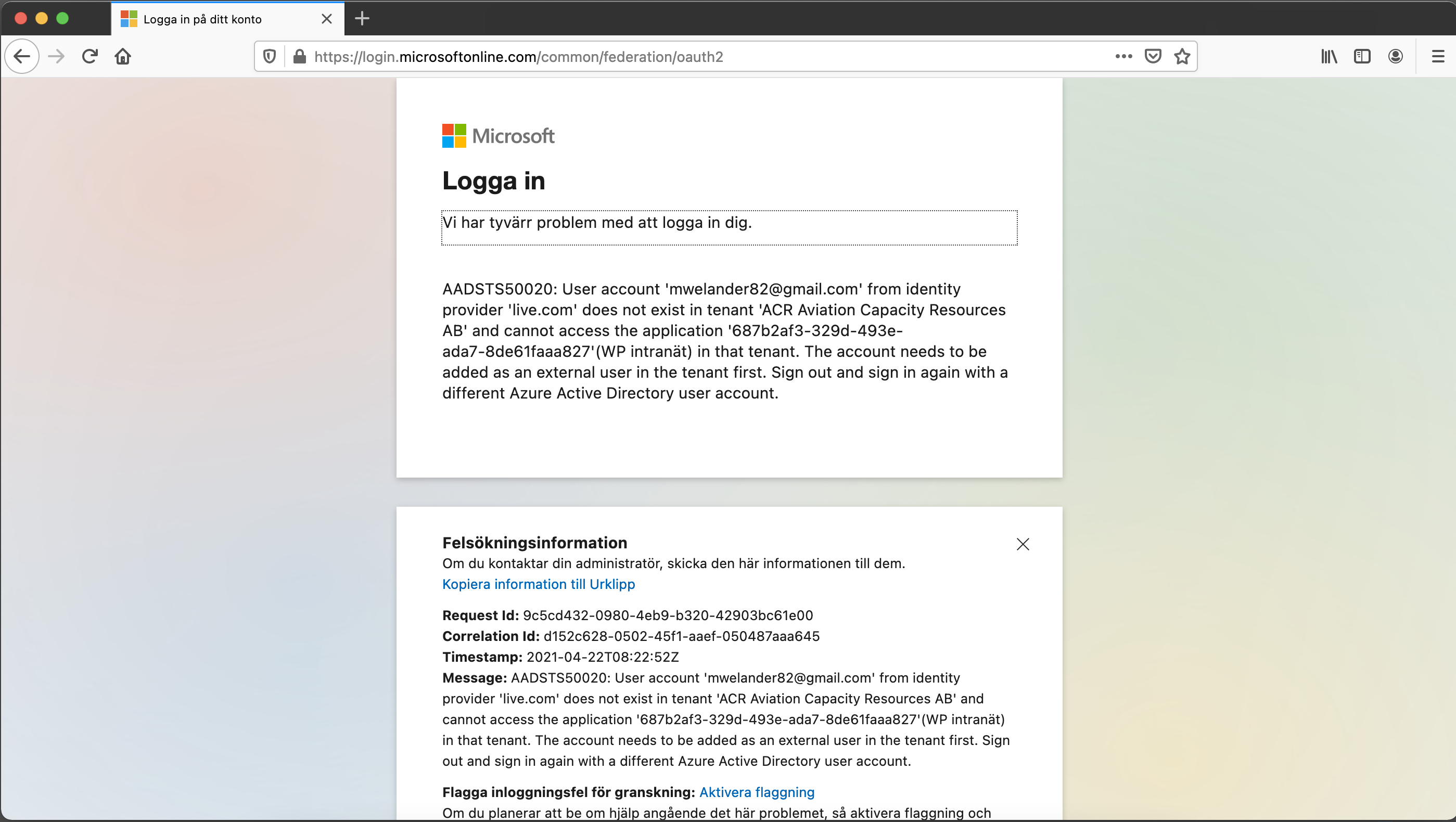
I have an SSO integration with a WP site. It is configured to only allow accounts in my directory (on my domain). Whenever an account from a different domain tries to log in, the user is faced with the attached error message. The text is in Swedish, but you get the point.
I don't want an error page that gives away my Azure application ID etc.
Ideally a customized error message saying "Only users within the organization is allowed, try signing in with a company account" or something, but a standardized stop message will suffice, rather than this technical and revealing message.
Any hints where I can configure that?
' cx='32' cy='32' r='32' /%3E%3Ctext x='50%25' y='55%25' dominant-baseline='middle' text-anchor='middle' fill='%23FFF' %3EA%3C/text%3E%3C/svg%3E)
Hi @Mwelander , you can use custom policies for this. This thread shows an example of how you can do this. It is an older thread, so if it doesn't work please let me know and I can find another solution.
If this answer helped you, please mark it as "Verified" so other users may reference it.
Thank you,
James
I see. I was hoping for a GUI solution, I have no experience with powershell whatsoever. I can imagine manmy things going wrong there if I don't know what I am doing.
So there is no other way to do this except programmatically?