Microsoft 365 and Office | SharePoint | For business | Windows
A group of Microsoft Products and technologies used for sharing and managing content, knowledge, and applications.

This browser is no longer supported.
Upgrade to Microsoft Edge to take advantage of the latest features, security updates, and technical support.
' cx='32' cy='32' r='32' /%3E%3Ctext x='50%25' y='55%25' dominant-baseline='middle' text-anchor='middle' fill='%23FFF' %3EK6%3C/text%3E%3C/svg%3E)
Hello,
on SharePoint Online I got Connected List View WebPart. The source List View has custom view where Jobs are grouped by JobSequenceNumber.
as shown in image below.

When I try to search an Item in search box (Find an item serach box) the result returns as selected row but nothing is displayed on other connected WebPart. as shown...
and when I clear the serach box then I get following result where all rows are selected and nothing gets unselected.
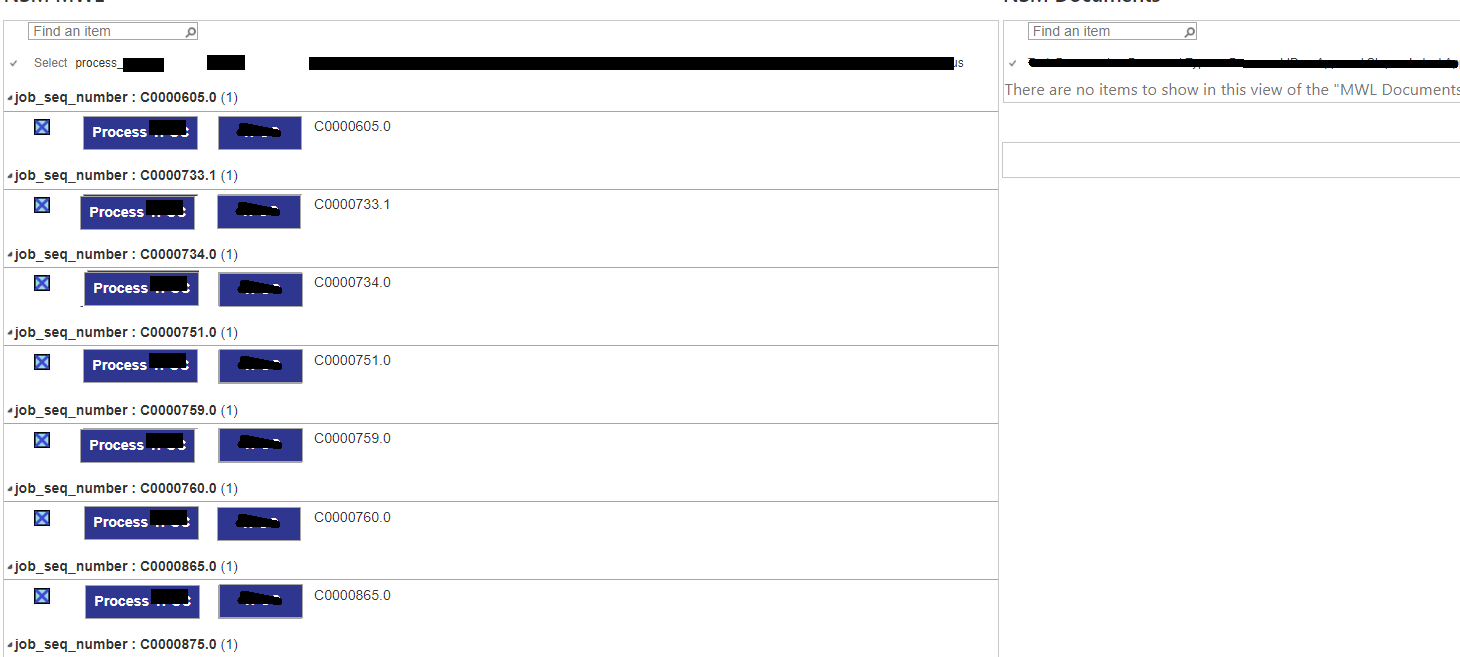
and URL is appended like this.
DocDisplayPage.aspx#InplviewHashe201f944-c7c6-44d6-a9b5-963a53556bee=WebPartID%3D%7BE201F944--C7C6--44D6--A9B5--963A53556BEE%7D
any idea what the problem is and how to fix it.
thanks
Aqib

Hi @kuchbhibas-6303 ,
From your post, I make a simple test, use Text Filter web part with connections to two lists, with two different Consumer Field Names, Julie column and Title column:
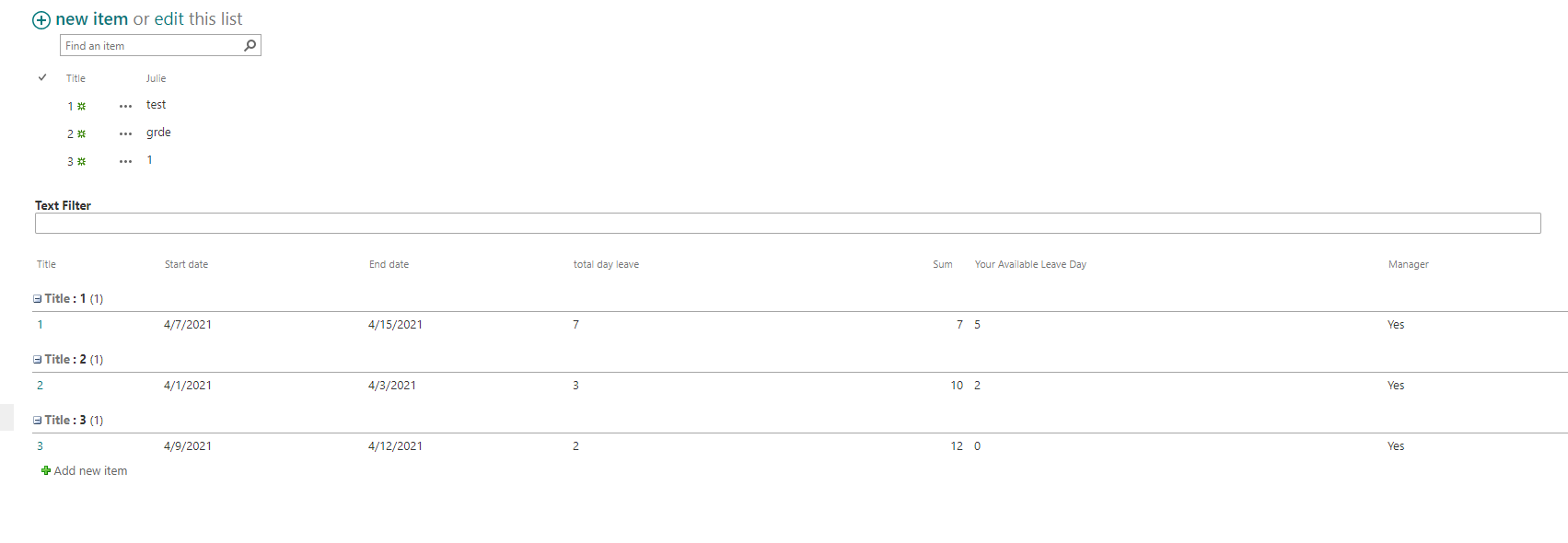
If I type 1, only the title column equals 1 or julie column equals 1, both two lists will show related items.
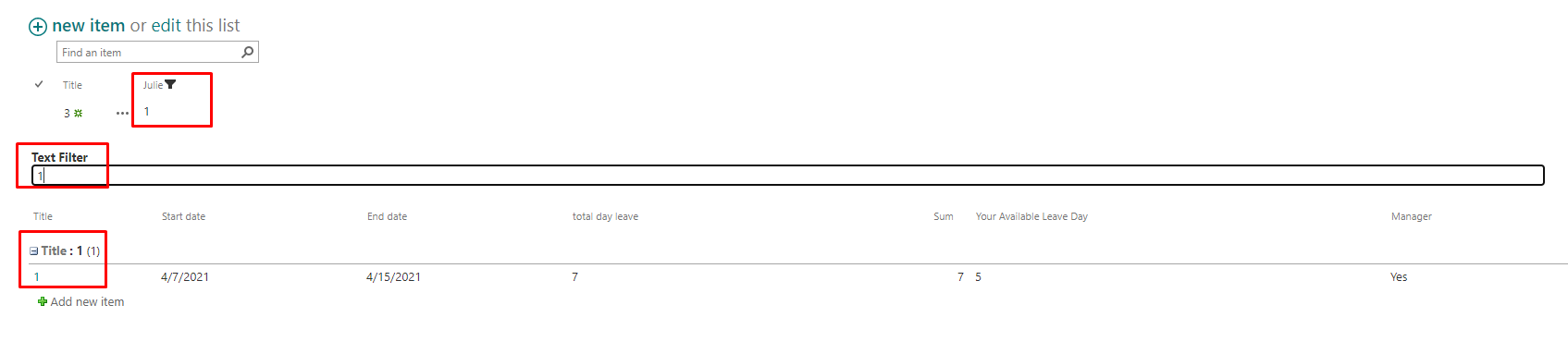
If the value I typed only satisfies one list, the other list will not return results.
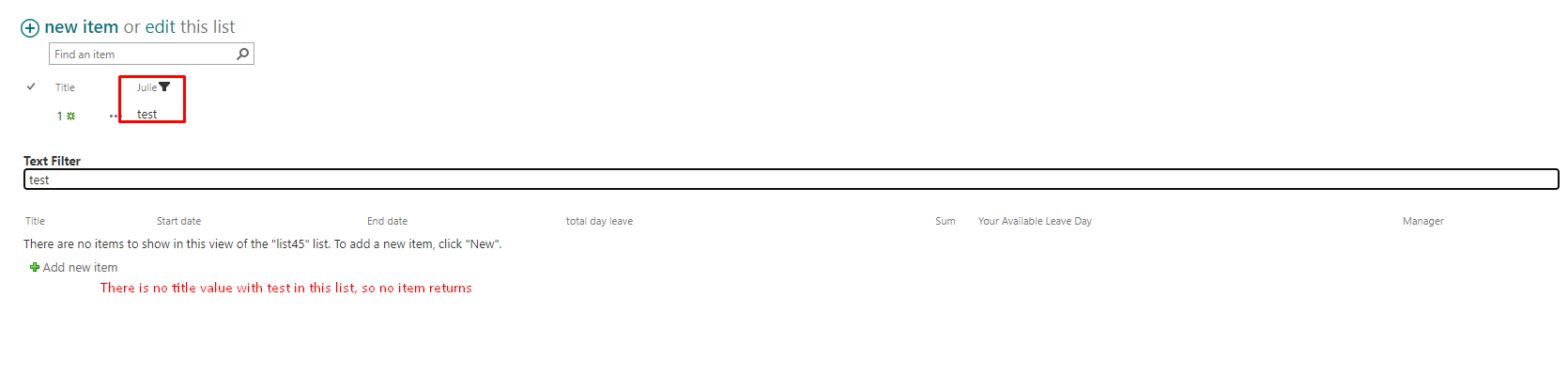
For your issue, check the connection between these lists, and make sure that another list has valid values to filter.
If an Answer is helpful, please click "Accept Answer" and upvote it.
Note: Please follow the steps in our documentation to enable e-mail notifications if you want to receive the related email notification for this thread.
Hi @kuchbhibas-6303 ,
I’m checking how the things are going on about this issue. Whether the post helps you?
You can accept the post as answer if it helps.
Thank you for your understanding and support.
Hi @kuchbhibas-6303 ,
If you find any replies helpful to you, please remember to accept them as answers.
It will help others who meet the similar question in this forum.
Thank you for your understanding.