Microsoft 365 and Office | SharePoint | For business | Windows
A group of Microsoft Products and technologies used for sharing and managing content, knowledge, and applications.

This browser is no longer supported.
Upgrade to Microsoft Edge to take advantage of the latest features, security updates, and technical support.
' cx='32' cy='32' r='32' /%3E%3Ctext x='50%25' y='55%25' dominant-baseline='middle' text-anchor='middle' fill='%23FFF' %3EMT%3C/text%3E%3C/svg%3E)
Hi everyone,
So I have a filter component on a sharepoint website where you can search for new by inputing some text (can be from the title or the description) but lately I'm face sort of tricky problem. For two users, where the search is made by text input throws an error (See image below), but it works for all other users. Did anybody here face something similar?
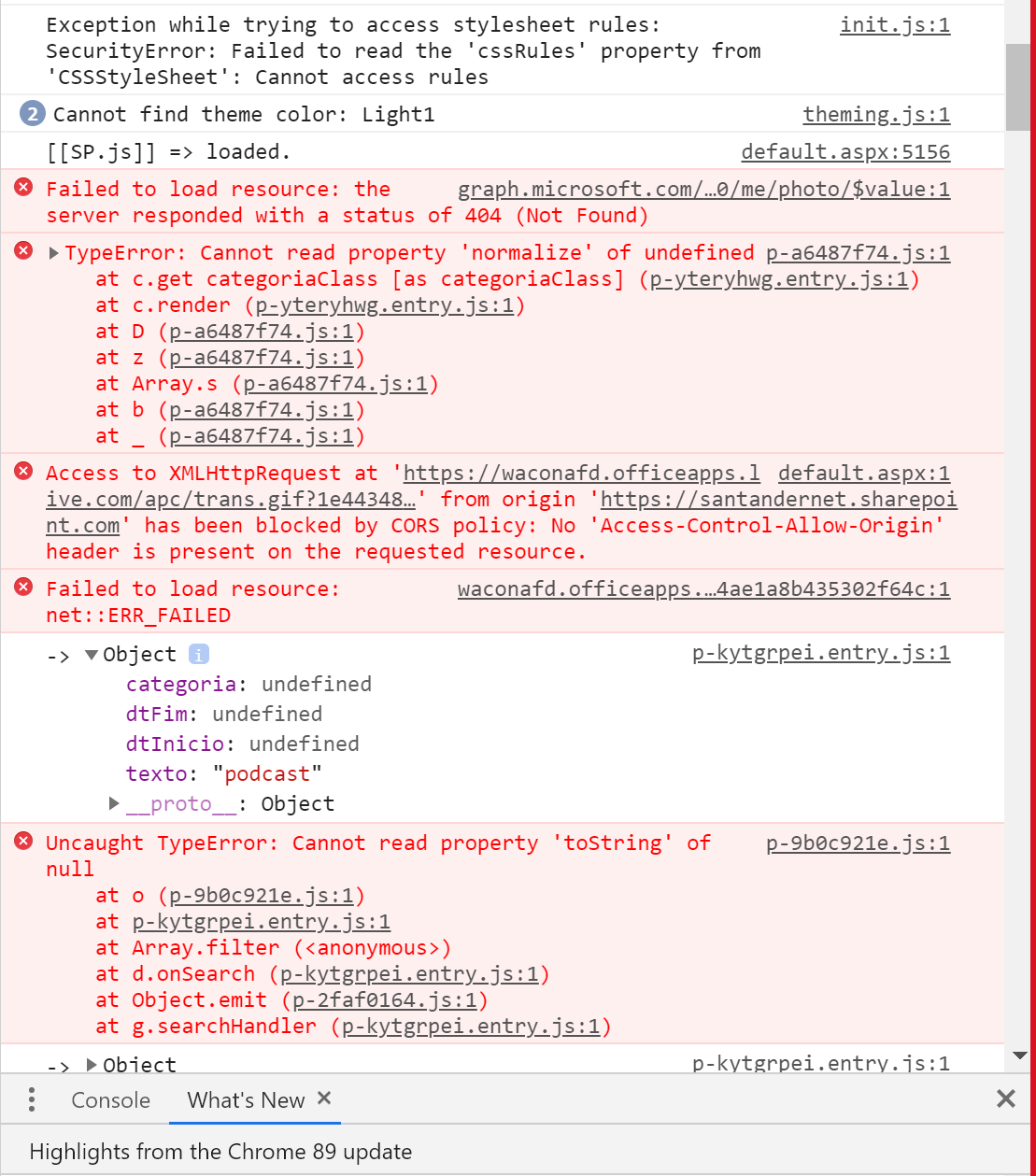
I also want to share the code with you, hope it helps.
import {
  Component,
  Host,
  h,
  Prop,
  Event,
  EventEmitter,
  Element,
} from "@stencil/core";
import { uniqueCategorias } from "./../../utils/utils";

export interface SearchData {
  dtInicio?: string;
  dtFim?: string;
  categoria?: string;
  texto?: string;
  isFilter?: boolean;
}

@Component({
  tag: "snt-noticias-cards-filtro",
  styleUrl: "noticias-cards-filtro.scss",
  shadow: true,
})
export class SntNoticiasCardsFiltro {
  @Element() private element: HTMLElement;
  get ddlCategoria(): any {
    return this.element.shadowRoot.querySelector("#ddlCategoria") as any; //vai buscar a categoria selecionada no filtro
  }
  //faz a lista de categorias para colocar na dropdown
  get allddlCategoria(): NodeListOf<HTMLElement> {
    return this.element.shadowRoot.querySelectorAll(
      "ul > snt-option"
    ) as NodeListOf<HTMLElement>;
  }

  get dtInicio(): any {
    return this.element.shadowRoot.querySelector("#dtInicio") as any;
  }

  get dtFim(): any {
    return this.element.shadowRoot.querySelector("#dtfim") as any;
  }
  get txtPesquisar(): HTMLInputElement {
    return this.element.shadowRoot.querySelector(
      "#txtPesquisar"
    ) as HTMLInputElement;
  }

  @Event({ eventName: "search", bubbles: false }) search: EventEmitter<
    SearchData
  >;

  @Prop() disable: boolean = true;
  @Prop() categorias: any[];
  @Prop() itenSelect: string;

  categoriasFilter: any[] = [];

  async componentDidLoad() {
    this.categoriasFilter = uniqueCategorias(this.categorias);
  }
  //vai buscar as informações ao filtro
  async searchHandler(event?: CustomEvent) {
    this.search.emit({
      categoria: this.itenSelect,
      texto: this.txtPesquisar.value,
      dtInicio: await this.dtInicio.getDate(),
      dtFim: await this.dtFim.getDate(),
    });

    event && event.stopPropagation();
  }
  //Ao mudar de categoria
  changeDllCategoria({ detail }) {
    this.itenSelect = detail;
  }
  //limpa o filtro
  clear() {
    this.txtPesquisar.value = null;
    this.dtInicio.clearDate();
    this.dtFim.clearDate();
    this.itenSelect = "";
    this.ddlCategoria.setValue("");
    this.searchHandler();
  }
}
A group of Microsoft Products and technologies used for sharing and managing content, knowledge, and applications.
The process of building custom solutions for SharePoint Server.
' cx='32' cy='32' r='32' /%3E%3Ctext x='50%25' y='55%25' dominant-baseline='middle' text-anchor='middle' fill='%23FFF' %3EMM%3C/text%3E%3C/svg%3E)
Hi @Miguel Tomé ,
I am not familiar with the stencil component, but if it works for other users. So I think you code is fine.
So for the two users, is there any special for them?
If an Answer is helpful, please click "Accept Answer" and upvote it.
Note: Please follow the steps in our documentation to enable e-mail notifications if you want to receive the related email notification for this thread.
Thank you for your time addressing this issue.
The code works for other users, mac or windows. All using google chrome which is the default browser for the company. What is even more weird about this,and addressing your question, is that those two users have more permissions on the sharepoint website than most of the other users.
I also thought it could be some issue with the browser settings, but their settings are just like mine and in my pc everything works fine.
Do you have another idea in mind?
Thank you!
You could try to login the SharePoint site with the users‘ account in you pc, check if everything works fine.
That's a good idea, I will try that!
Thanks!
Just tested that, it doesn't work :( It's a problem with the user, might be permissions, but I'm not sure. Gonna check the permissions and the code, to see if something isn't letting these users access the function.
Thanks for the advice
Here's what I tried until now but with no success on solving the issue. I've give the same permissions that I have to both users, didn't worked. Then, since it works for them in our test envoirment but not in the main, I've matched the settings of both envoirments but still no success.
Is there something else you think I should try?
Thank you
Hi @Miguel Tomé
Then you could try to delete the user from that site completely, then add them back again.
To remove the user from that site, go to http://tenant.sharepoint.com/sites/yoursite/_layouts/15/people.aspx?MembershipGroupId=0. Delete the user from the list.
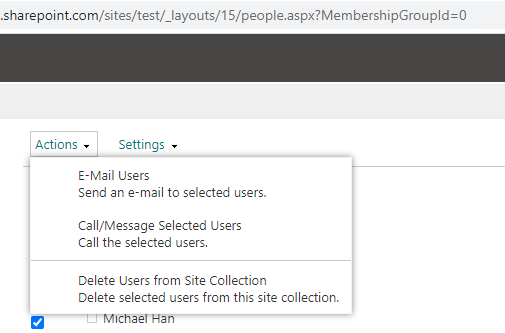
I've tried that today, didn't solve the issue. This is getting more complex that I thought...
Thanks for helping me out.