Problem to uninstall AD

Peter_1985 2,866 Reputation points
2021-04-26T13:58:44.387+00:00

Hi,
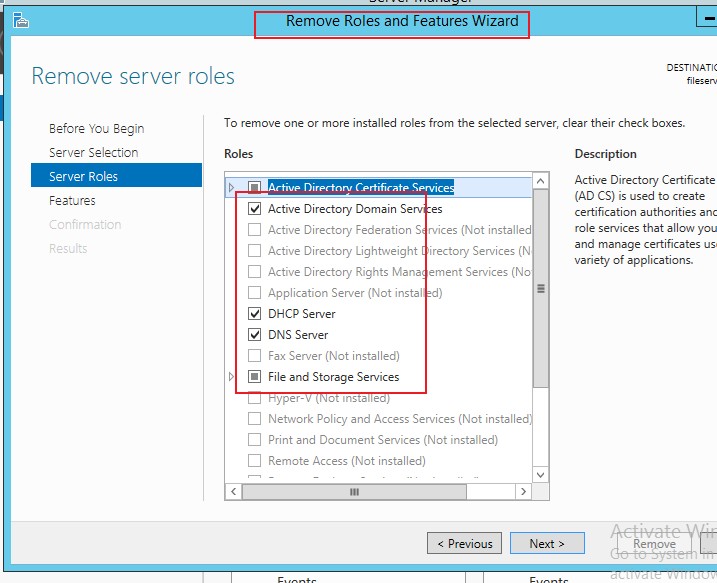
I want to uninstall AD domain services and DNS server below, within Win 2016 server, but I cannot unselect the option. What is the way to uninstall both?
91331-2e.png

Windows for business | Windows Client for IT Pros | Directory services | Active Directory
Windows for business | Windows Client for IT Pros | Networking | Network connectivity and file sharing
Windows for business | Windows Server | User experience | Other
0 comments No comments
{count} votes

Answer accepted by question author
  1. Anonymous
    2021-04-26T23:54:17.55+00:00

    Hi,
    Based on the screenshot you shared, the wrong option was used to remove the roles.
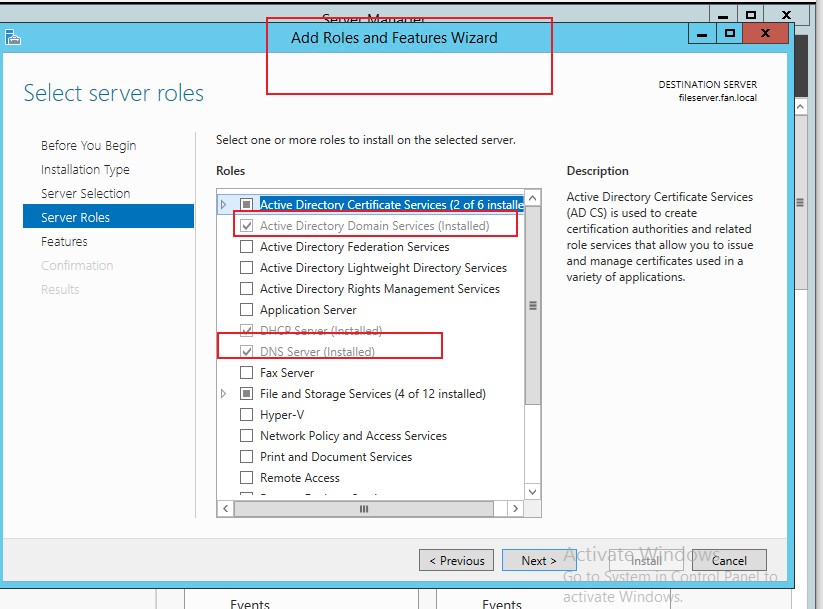
    You tried to remove the roles with the "Add roles and features wizard" as following:
    So, we will see the options with gray.
    91521-4271.jpg

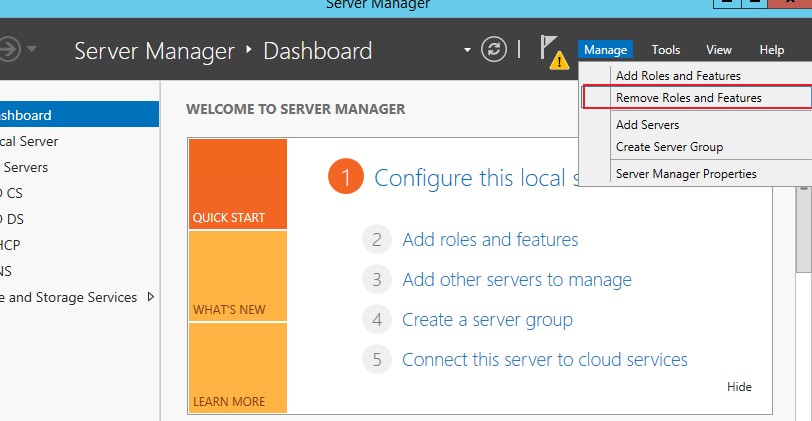
    We need the use the "Remove roles and features wizard"
    91513-4272.jpg
    91514-4273.jpg

    Best Regards,

    0 comments No comments

5 additional answers

Sort by: Most helpful
  1. Anonymous
    2021-04-26T14:13:53.56+00:00

    The other option is to remove the problematic one from network, then seize roles (if necessary) to another healthy domain controller
    https://learn.microsoft.com/en-us/troubleshoot/windows-server/identity/transfer-or-seize-fsmo-roles-in-ad-ds

    then do do cleanup
    https://learn.microsoft.com/en-us/windows-server/identity/ad-ds/deploy/ad-ds-metadata-cleanup
    https://techcommunity.microsoft.com/t5/itops-talk-blog/step-by-step-manually-removing-a-domain-controller-server/ba-p/280564

    then you can rebuild failed one.

    --please don't forget to Accept as answer if the reply is helpful--

    0 comments No comments

  2. Peter_1985 2,866 Reputation points
    2021-04-26T14:32:05.99+00:00

    Hi,
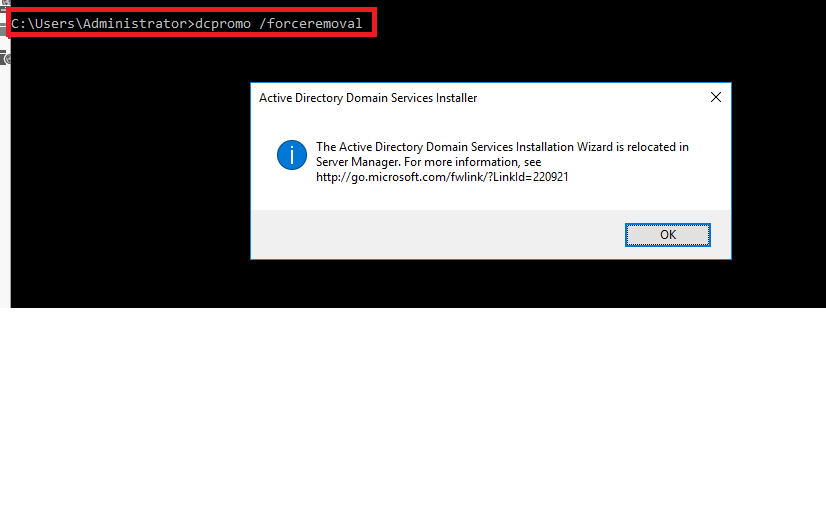
    Sorry to that I cannot run the command below.
    91332-2g.png

    0 comments No comments

  3. Anonymous
    2021-04-26T14:36:27.263+00:00

    Understood. The simplest solution is to remove the problematic one from network, then seize roles (if necessary) to another healthy domain controller
    https://learn.microsoft.com/en-us/troubleshoot/windows-server/identity/transfer-or-seize-fsmo-roles-in-ad-ds

    then do do cleanup
    https://learn.microsoft.com/en-us/windows-server/identity/ad-ds/deploy/ad-ds-metadata-cleanup
    https://techcommunity.microsoft.com/t5/itops-talk-blog/step-by-step-manually-removing-a-domain-controller-server/ba-p/280564

    then you can rebuild failed one.

    --please don't forget to Accept as answer if the reply is helpful--

    0 comments No comments

  4. Peter_1985 2,866 Reputation points
    2021-04-26T15:36:11.383+00:00

    Hi,
    The relevant domain is working fine there and I cannot say it is a problematic one. How to uninstall it?

    0 comments No comments

Your answer

Answers can be marked as 'Accepted' by the question author and 'Recommended' by moderators, which helps users know the answer solved the author's problem.