Share via

Windows Update Driver Error encountered

Anonymous
2021-04-02T13:33:46+00:00

Windows Update error. I am getting an error when I try and update Windows 10: "A current driver on your PC may be better than the driver we're trying to install. We'll keep trying to install." I have clicked Retry several times but am still getting this error message.

Windows for home | Windows 10 | Windows update

Locked Question. This question was migrated from the Microsoft Support Community. You can vote on whether it's helpful, but you can't add comments or replies or follow the question.

0 comments No comments

4 answers

Sort by: Most helpful
  1. John DeV 163.3K Reputation points Independent Advisor
    2021-04-02T14:58:56+00:00

    Hello CWilliamson31,

    Great, I am happy that worked. If you do not have any concerns, feel free to mark only the response that helped you as most helpful and have a moment to rate my support I would appreciate it. This will help other people who are facing the same problem.

    You are welcome. Stay safe and have a great day!

    Sincerely,

    John DeV

    Independent Advisor

    Was this answer helpful?

    0 comments No comments
  2. Anonymous
    2021-04-02T14:57:12+00:00

    John,

    Thanks for your help. Hiding all the updates allowed me to identify the update causing the problem and hide it (Hewlett-Packard-USB-4/8/2019 12:00:00AM - 1.0.0.237). Windows Update is now up to date. Thanks.

    Was this answer helpful?

    0 comments No comments
  3. John DeV 163.3K Reputation points Independent Advisor
    2021-04-02T14:07:31+00:00

    Hello CWilliamson31,

    I'm John an Independent Advisor and a Microsoft user like you. I'll be happy to assist you today. I understand you have a problem with windows update error "A current driver on your pc may be better than the driver we're trying to install"

    Please try using the “Show or Hide Updates” troubleshooter to hide the driver update. Window Update won’t install hidden drivers or updates. Run the troubleshooter then please try hiding all the driver updates that will show in the list. You may try restarting your computer if it helps.

    Unfortunately, the official download link for "Show or Hide Updates" troubleshooter has been broken or removed. You can safely download the "Show or Hide Updates Troubleshooter" in this alternative site.

    https://www.tenforums.com/tutorials/8280-hide-s...

    Kindly let me know if this helps or if you have any further concerns.

    Sincerely,

    John DeV

    Independent Advisor

    Standard Disclaimer: This is a non-Microsoft website. The page appears to be providing accurate, safe information. Watch out for ads on the site that may advertise products frequently classified as a PUP (Potentially Unwanted Products). Thoroughly research any product advertised on the site before you decide to download and install it.

    Was this answer helpful?

    0 comments No comments
  4. Anonymous
    2021-04-02T13:38:05+00:00

    Hi,

    What is the update they you are trying to peruse?

    Try this:

    Windows Upgrade

    1)      Download this tool:
    https://go.microsoft.com/fwlink/?LinkId=691209

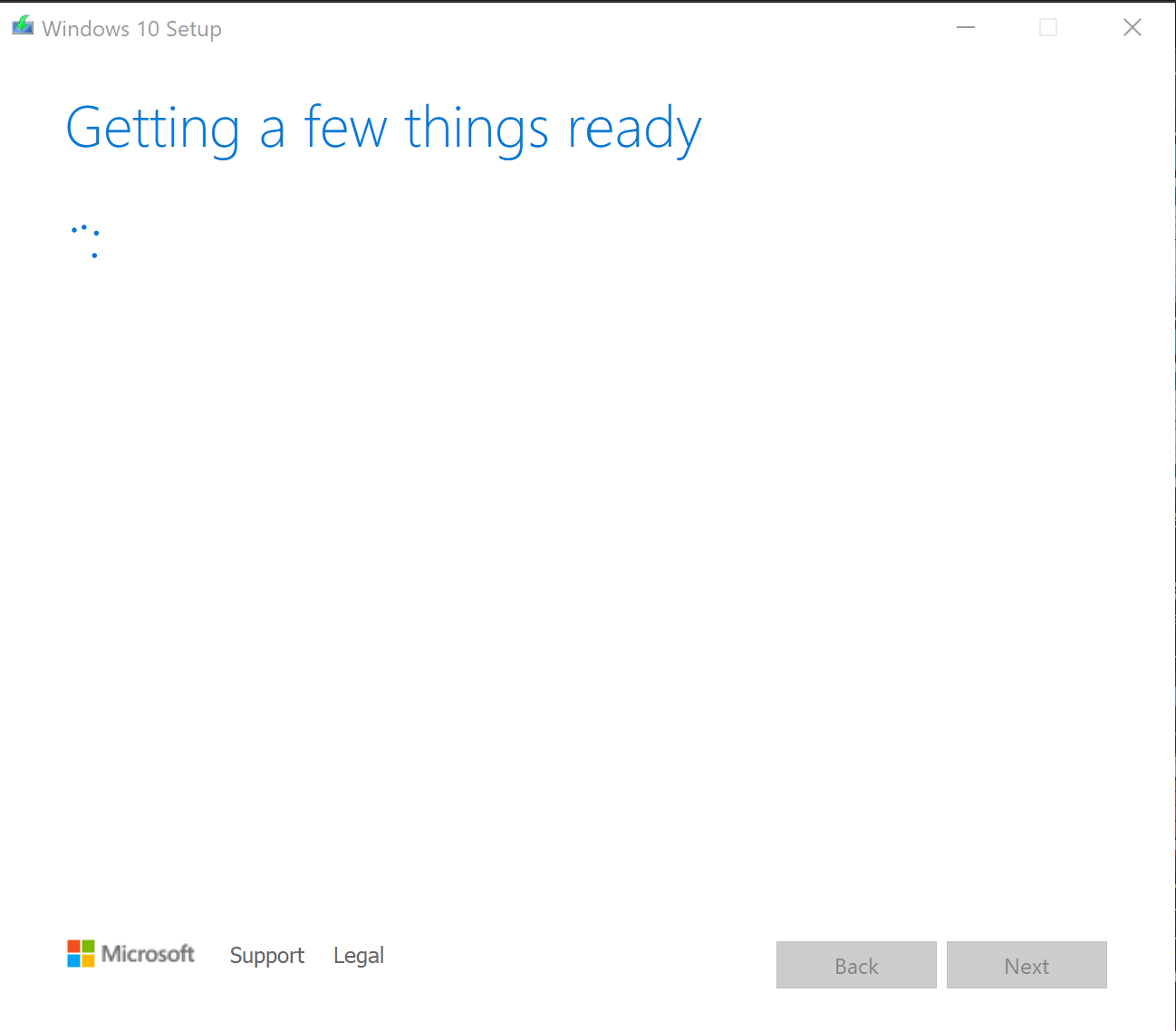
    2)      Once downloaded, run it.
    You should see this:
    Image

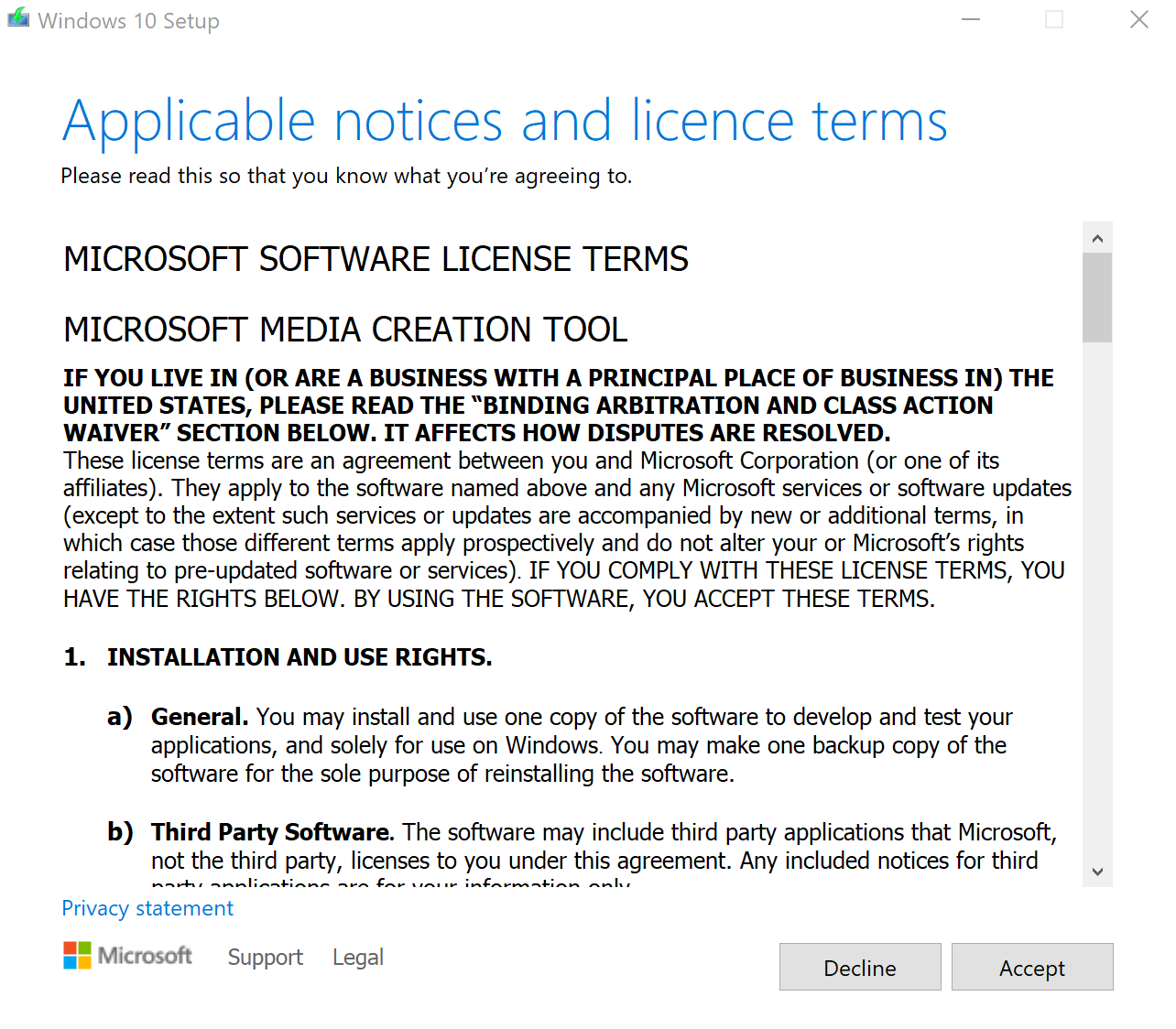
    3)      When asked to accept licence terms, read the terms then if you agree, click accept
    Image

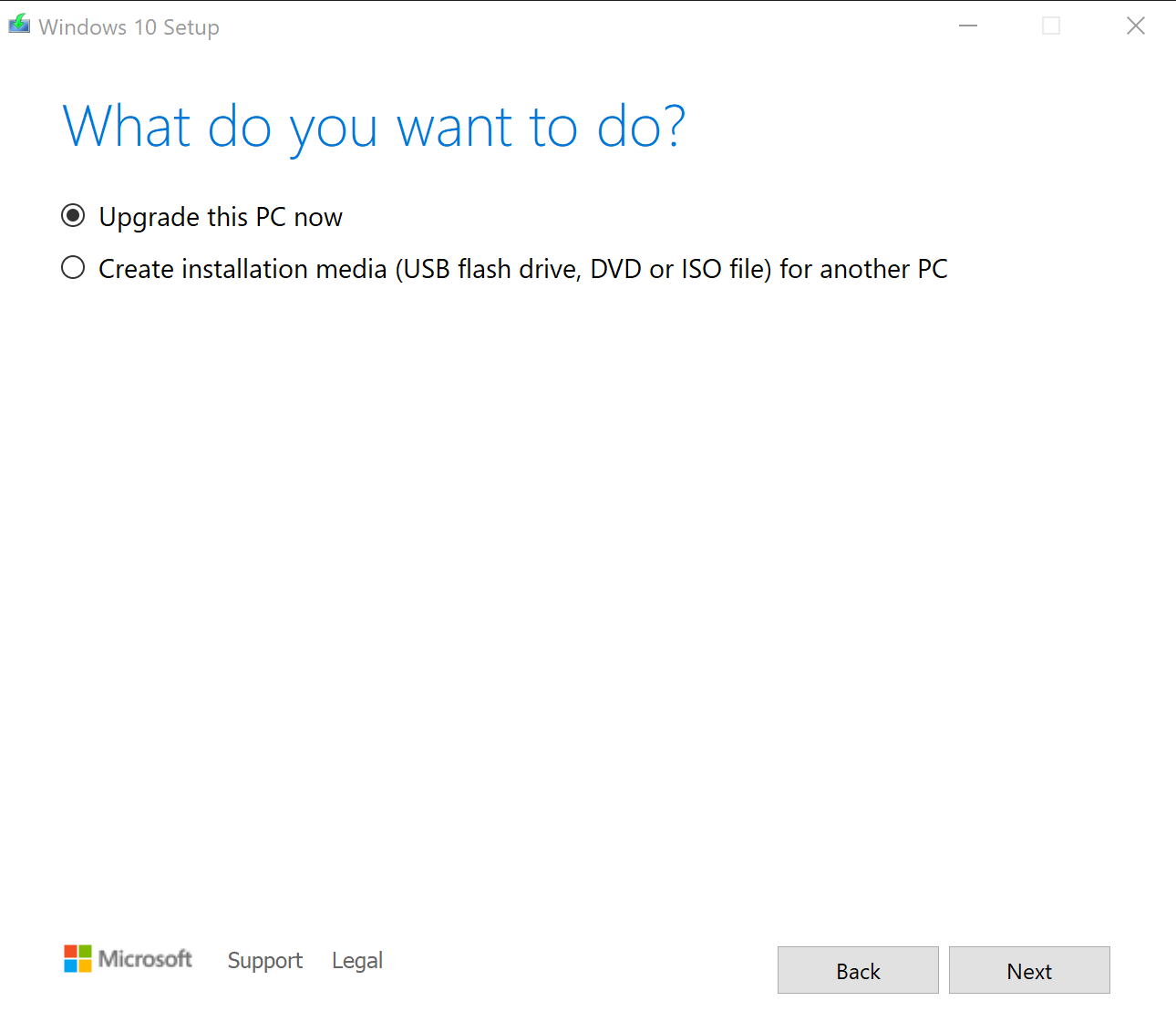
    4)      When asked what you want to do, select Upgrade this PC now
    Image

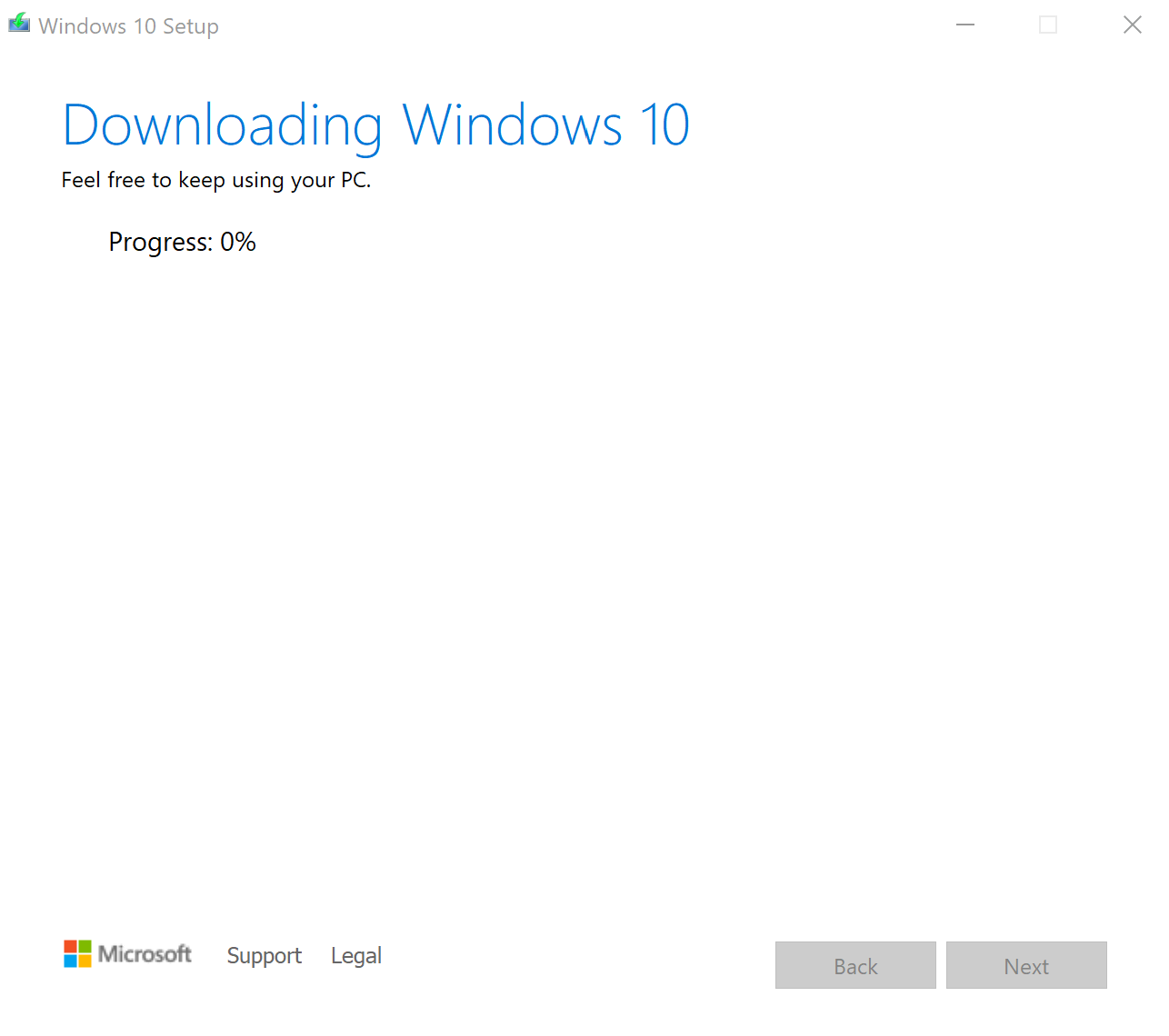
    5)      Let the process download windows 10, this will take some time
    Image

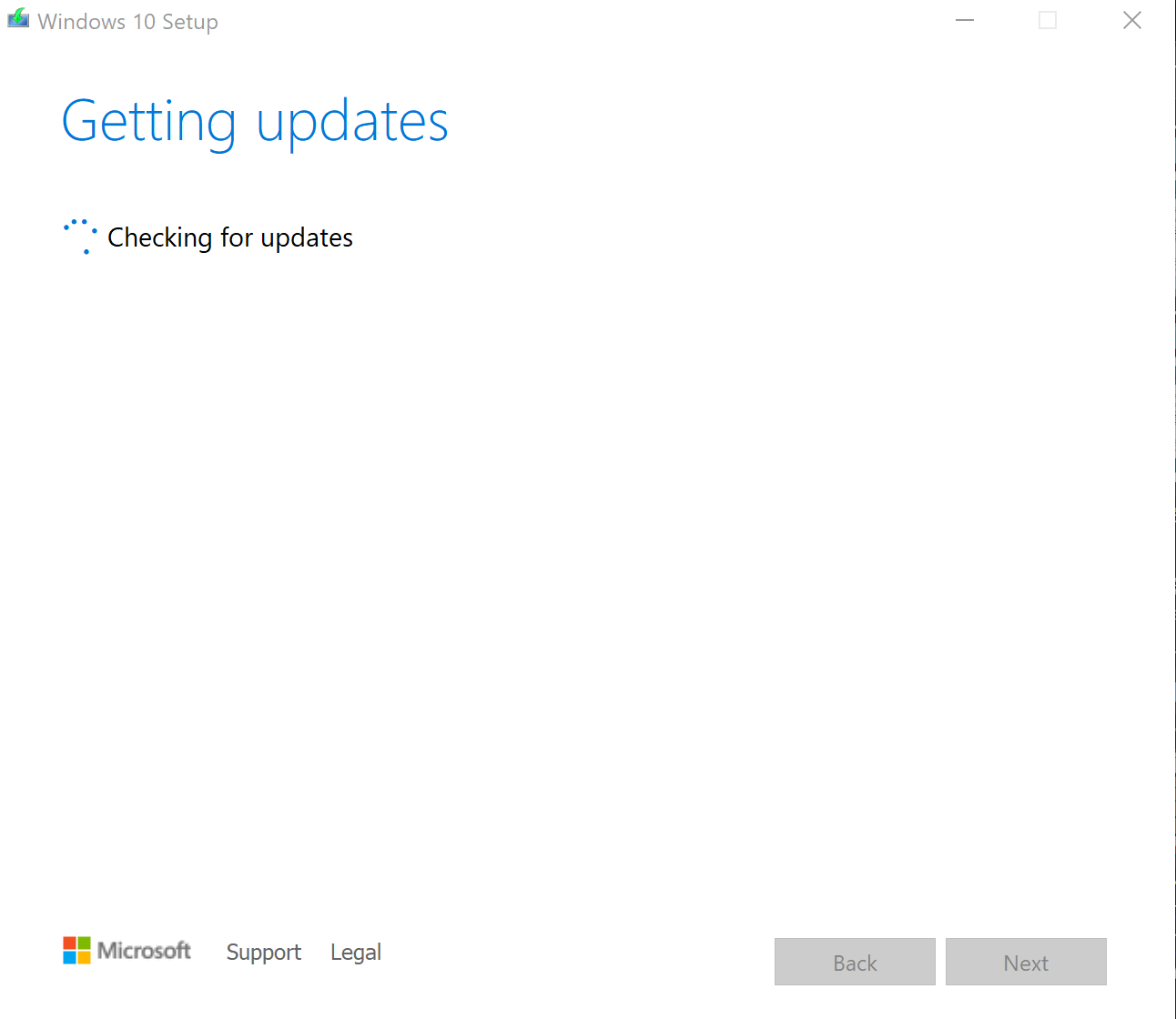
    6)      Once that is done, it will verify the update automatically, then it will move onto checking updates automatically:
    Image

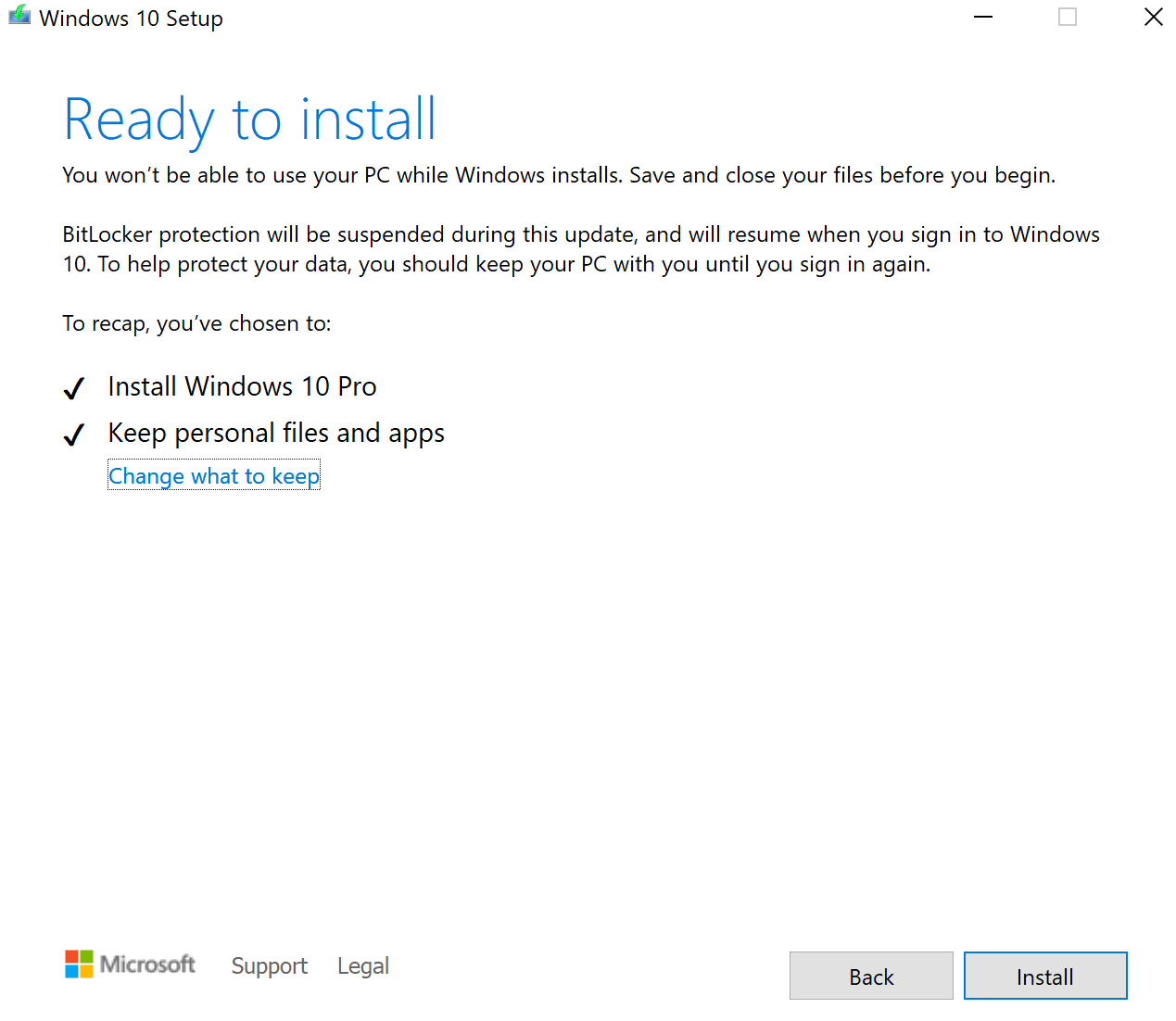
    7)      When it is completed, save any work, and ensure your data is backed up in case anything goes wrong.

    8)      Check the options are correct and select Install.
    Image

    9)      Let windows 10 download and once windows has loaded again, you are good to go!

    Cheers!

    Was this answer helpful?

    0 comments No comments
