
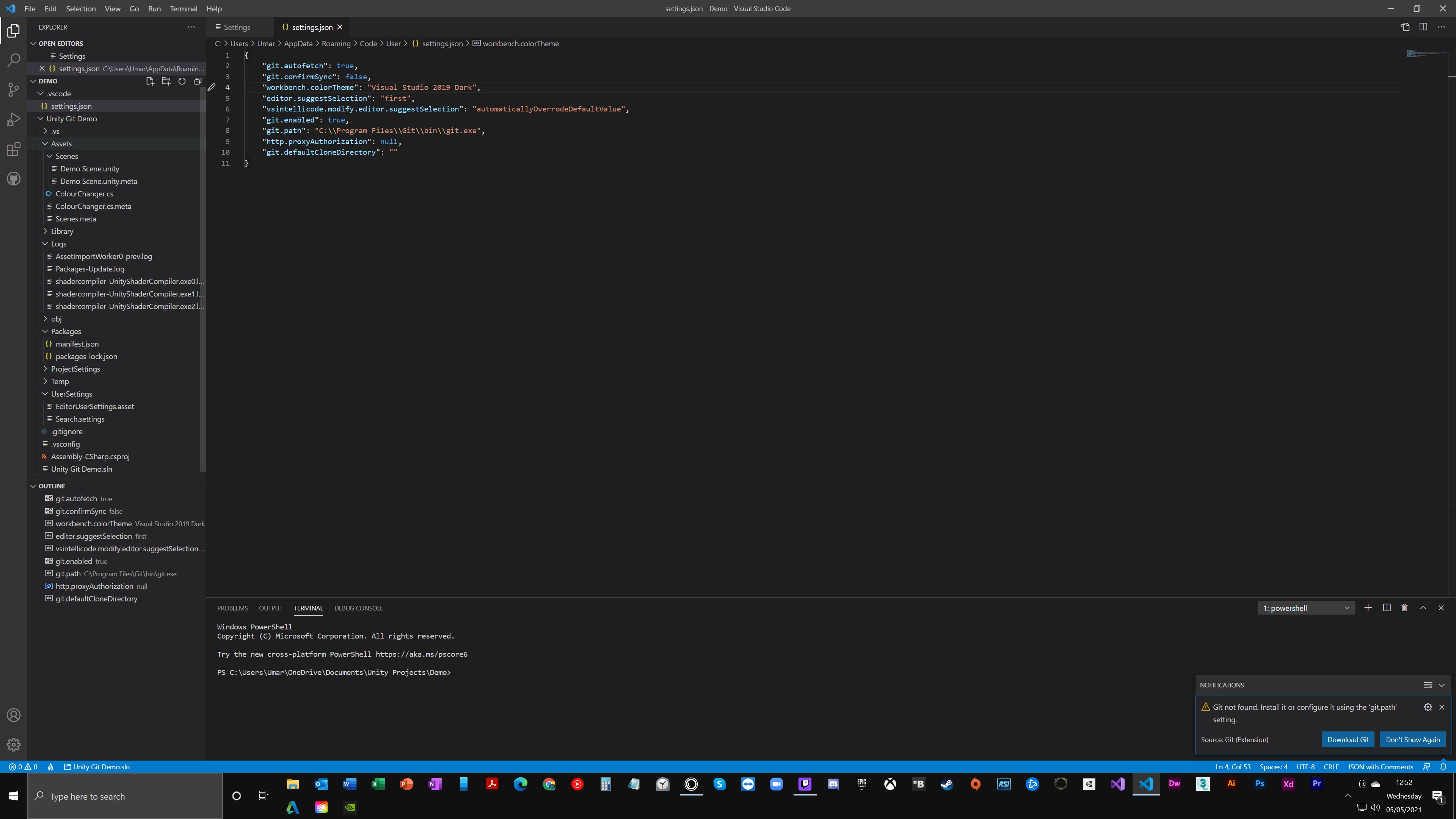
Git not found

Umar AR 96 Reputation points
2021-05-05T11:59:53.307+00:00

Hi

I am have been using Git with Visual Studio Code for a couple of weeks now. All of a sudden I am getting the message "Git not found.. please add to git.path".
I have checked my settings.json file and the path appears to be correct. How may I resolve this?93943-p1.jpeg

Developer technologies | Visual Studio | Other
A family of Microsoft suites of integrated development tools for building applications for Windows, the web, mobile devices and many other platforms. Miscellaneous topics that do not fit into specific categories.
0 comments No comments
{count} votes

Answer accepted by question author
  1. Umar AR 96 Reputation points
    2021-05-05T15:31:13.857+00:00

    Had to clean up my gitconfig. Was fine after that.

    0 comments No comments

0 additional answers

Sort by: Most helpful

Your answer

Answers can be marked as 'Accepted' by the question author and 'Recommended' by moderators, which helps users know the answer solved the author's problem.