Hello,
I found some strange bug using the GTX 1070, it appeared in December, my SSD fails when I play games. I use my computer for work and it can work all day long in other applications, but it fails after 15 minutes or even faster when I play games. In some newer games it happens instantly when game started. First of all, I should say that my SSD has been used for about 2-3 years and I did not have such a problem. The SSD model is NE-1TB 1024,2 GB (kingspec 1 TB NVME SSD). First of all I made sure that it does not overheat, so I monitored the temperature with CrystalDiskInfo. Also I placed a radiator on it and even removed it from M2 slot to PCI slot with adapter. I also tried to make some stress tests with CrystalDiskMark 8, CinebenchR23 and FurMark (with no other applications running), but it did not cause this failure. I tried to install the oldest drivers (472.12) and the newer version 511.79. Installed latest windows update KB5010415. Problem still appears. Experimentally I found that the problem appears when the GPU uses all her dedicated memory and tries to use shared memory. When problem appears it looks like this: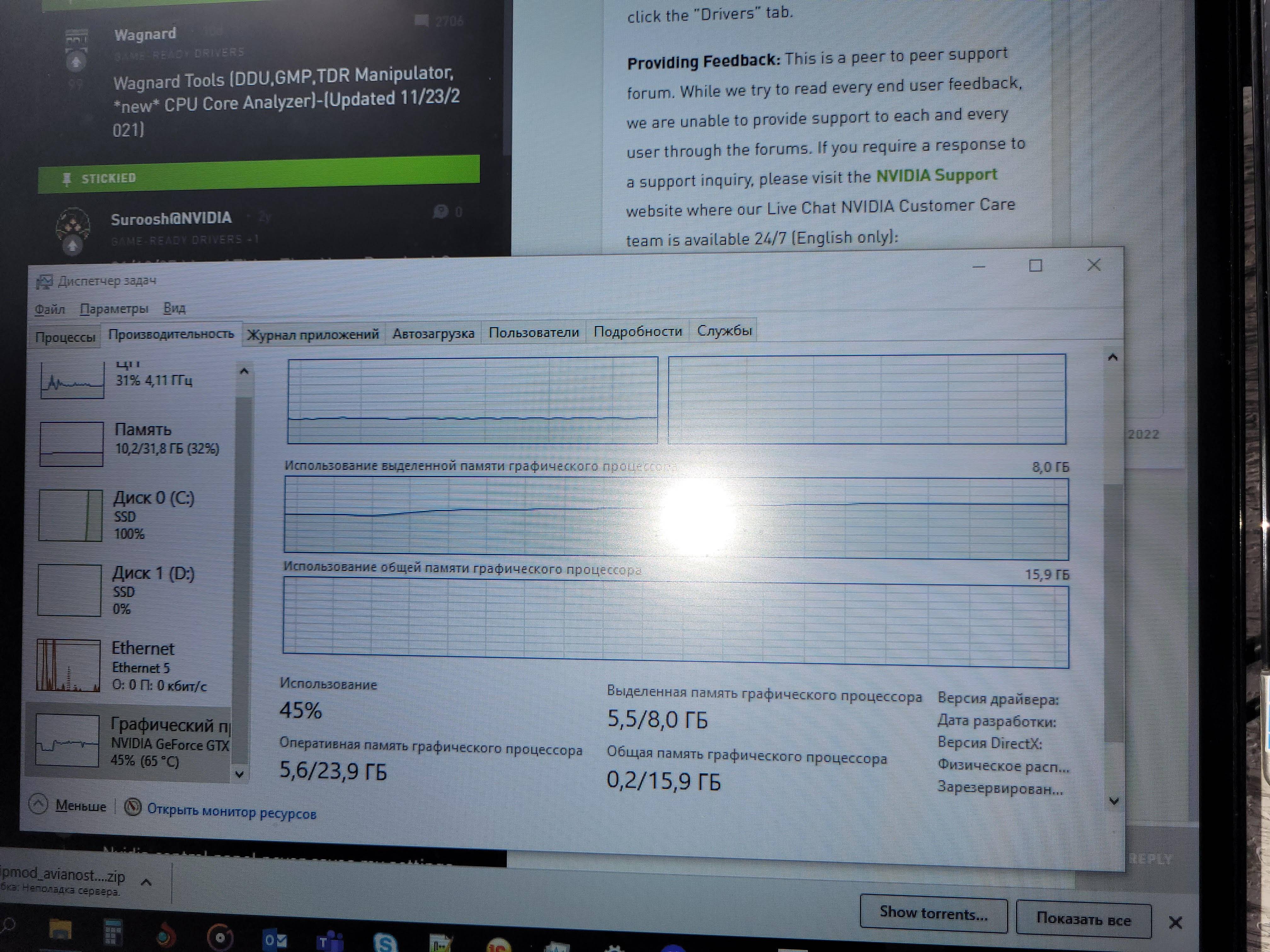
Disk C does not respond and the system goes to BSOD. Sometimes I see that the shared memory graph is starting to fill a little before failing. Disk works again after complete shut down. I have to set my SSD as a boot device in BIOS after such a failure.
Problem was solved partially when I moved my system to SATA SSD. If Game is installed on NVME – it fails, if it is installed on SATA – it runs normally. Sometimes NVME still can crush, but at least it doesn’t lead to BSOD. For now it works, but system works slower on SATA and I can’t use my fast NVME the way it meant to be used.
I have an idea that it happens because of Direct Storage API/ NVIDIA RTX IO when it is trying to use my NVME SSD for additional memory. Maybe there is some way to use RAM like it did before? I saved RAM dump, can send it for analyses. I hope you can help me solve this problem.
' cx='32' cy='32' r='32' /%3E%3Ctext x='50%25' y='55%25' dominant-baseline='middle' text-anchor='middle' fill='%23FFF' %3EA%3C/text%3E%3C/svg%3E)
