Community Center | Not monitored
Tag not monitored by Microsoft.

This browser is no longer supported.
Upgrade to Microsoft Edge to take advantage of the latest features, security updates, and technical support.
' cx='32' cy='32' r='32' /%3E%3Ctext x='50%25' y='55%25' dominant-baseline='middle' text-anchor='middle' fill='%23FFF' %3EA%3C/text%3E%3C/svg%3E)
파워포인트 2016버전을 사용하고 있습니다.
파일을 jpeg 형식으로 저장할 때 해상도를 높이고 싶어, 레지스트리 편집기를 이용했습니다.
HKEY_CURRENT_USER → Software → Microsoft → Office → 16.0 → PowerPoint → Options
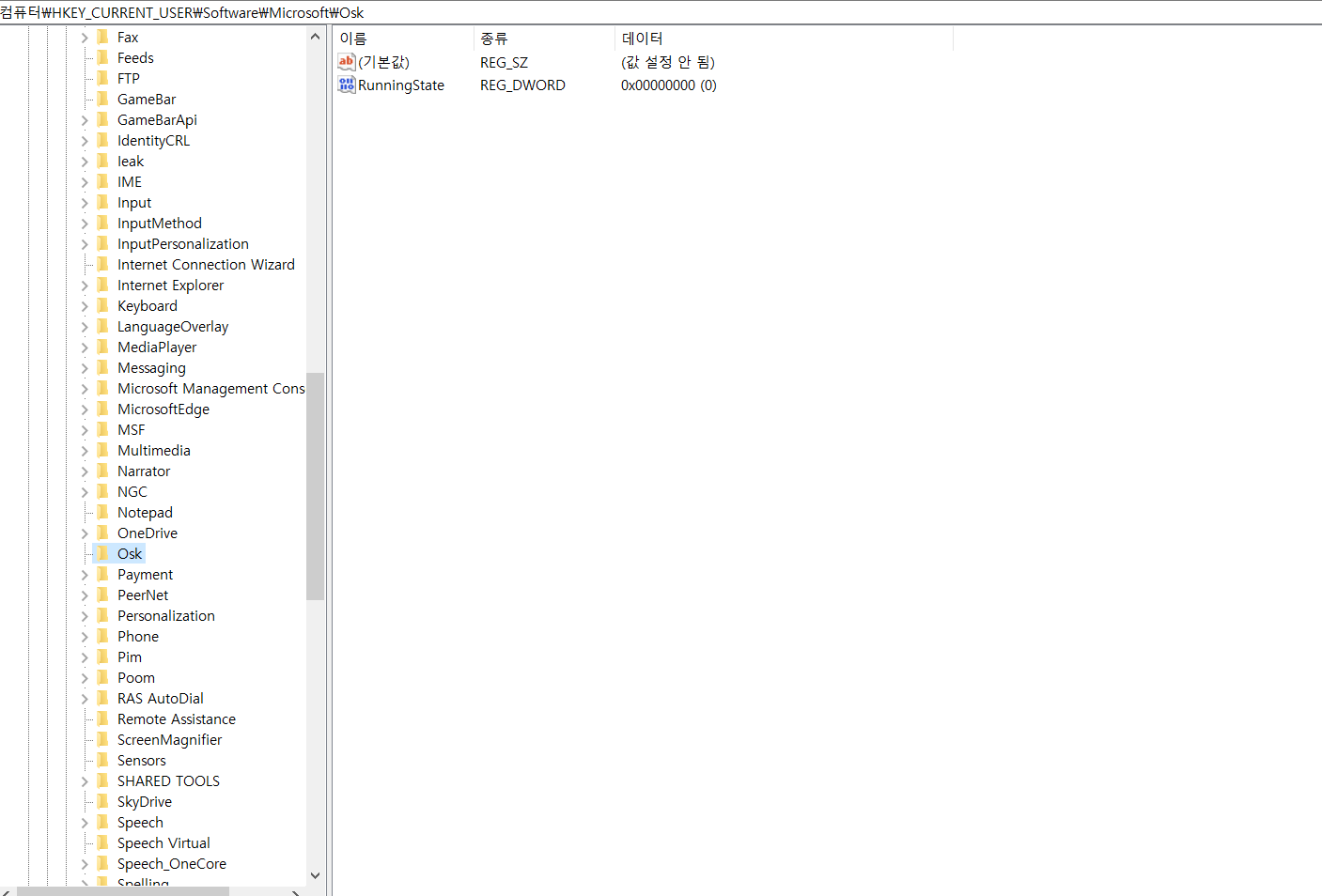
해상도를 높이기 위해서는 레지스트리 편집기에서 해당 키를 입력해야 하는데, 'microsoft'키에서 'office'키를 찾을 수 없습니다.
빨리 해결방법을 찾고자 합니다. 업무를 진행하는 데에 아주 중요한 내용입니다.
질문에 대한 이해를 돕기 위해 레지스트리 편집기의 캡쳐 사진을 첨부합니다.
빠른 답변 바랍니다.
Tag not monitored by Microsoft.
' cx='32' cy='32' r='32' /%3E%3Ctext x='50%25' y='55%25' dominant-baseline='middle' text-anchor='middle' fill='%23FFF' %3EA%3C/text%3E%3C/svg%3E)
Powerpoint is not currently supported here on QnA. QnA is currently English only forum. They're actively answering question in dedicated forums here.
https://answers.microsoft.com/ko-kr/msoffice/forum
https://social.technet.microsoft.com/Forums/office/ko-KR/home?forum=Office2016ITProKR
--please don't forget to Accept as answer if the reply is helpful--
Regards, Dave Patrick ....
Microsoft Certified Professional
Microsoft MVP [Windows Server] Datacenter Management
Disclaimer: This posting is provided "AS IS" with no warranties or guarantees, and confers no rights.