Microsoft Edge | Microsoft Edge development
Developing and testing features or extensions for Microsoft Edge

This browser is no longer supported.
Upgrade to Microsoft Edge to take advantage of the latest features, security updates, and technical support.
' cx='32' cy='32' r='32' /%3E%3Ctext x='50%25' y='55%25' dominant-baseline='middle' text-anchor='middle' fill='%23FFF' %3EAI%3C/text%3E%3C/svg%3E)
Hi all,
I want to disable the setting below with an registry key.
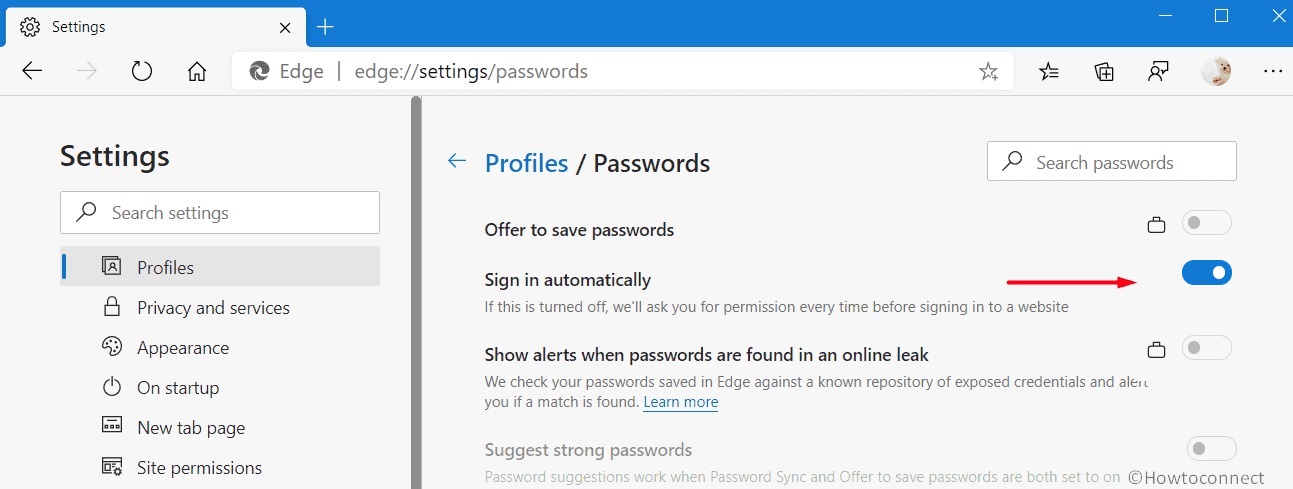
I already tried several options like settings the keys for PasswordProtectionChangePasswordURL and PasswordProtectionLoginURLs but this didn't work.
The keys for PasswordManagerEnabled and PasswordMonitorAllowed etc are working to disable the other options shown in the screen above.
Thanks in advance for your support!
Regards,
Avirish
Developing and testing features or extensions for Microsoft Edge

Check you are not using this policy, which become obsolete in Edge 91 https://learn.microsoft.com/en-us/deployedge/microsoft-edge-policies#proactiveauthenabled
' cx='32' cy='32' r='32' /%3E%3Ctext x='50%25' y='55%25' dominant-baseline='middle' text-anchor='middle' fill='%23FFF' %3EA%3C/text%3E%3C/svg%3E)
Hi @Avirish Ishwardat
I don't find such a registry or policy to control Sign in automatically. From this thread, we can find that someone has the same issue, but there's no solution about such registry either.
I suggest that you can provide feedback to Edge team in Edge using Alt+Shift+I about adding this feature in gpo.
Thanks for your understanding.
If the response is helpful, please click "Accept Answer" and upvote it.
Note: Please follow the steps in our documentation to enable e-mail notifications if you want to receive the related email notification for this thread.
Regards,
Yu Zhou