Azure Cloud Services
An Azure platform as a service offer that is used to deploy web and cloud applications.
This browser is no longer supported.
Upgrade to Microsoft Edge to take advantage of the latest features, security updates, and technical support.
' cx='32' cy='32' r='32' /%3E%3Ctext x='50%25' y='55%25' dominant-baseline='middle' text-anchor='middle' fill='%23FFF' %3ES%3C/text%3E%3C/svg%3E)
Hi there,
how do I split data in a column to rows at a delimiter?
I used split(columnname, '|') which gives an array
but I need the data in the array to be in different rows.
Eg:
I have below:
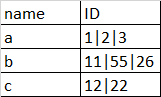
I need:
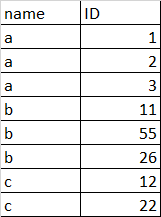
Thank you!
An Azure platform as a service offer that is used to deploy web and cloud applications.
An Azure service that provides an event-driven serverless compute platform.
An Azure service for ingesting, preparing, and transforming data at scale.
@KranthiPakala-MSFT can you please help with this? Thank you!

Hey, Can you please clarify what is the data source?
file or SQL etc
Answer accepted by question author
' cx='32' cy='32' r='32' /%3E%3Ctext x='50%25' y='55%25' dominant-baseline='middle' text-anchor='middle' fill='%23FFF' %3EKM%3C/text%3E%3C/svg%3E)
Hi @SPVat ,
Welcome to Microsoft Q&A forum and thanks for reaching out.
You can use a Derived column transformation to split the column value which will convert the column value to an array (Here is the expression used in below sample: split(ID, '|')), then followed by a Flatten transformation to Flatten the array and write the output to desired sink.
Please see below GIF where I have used a Delimited text file as source but can alter based on your source:
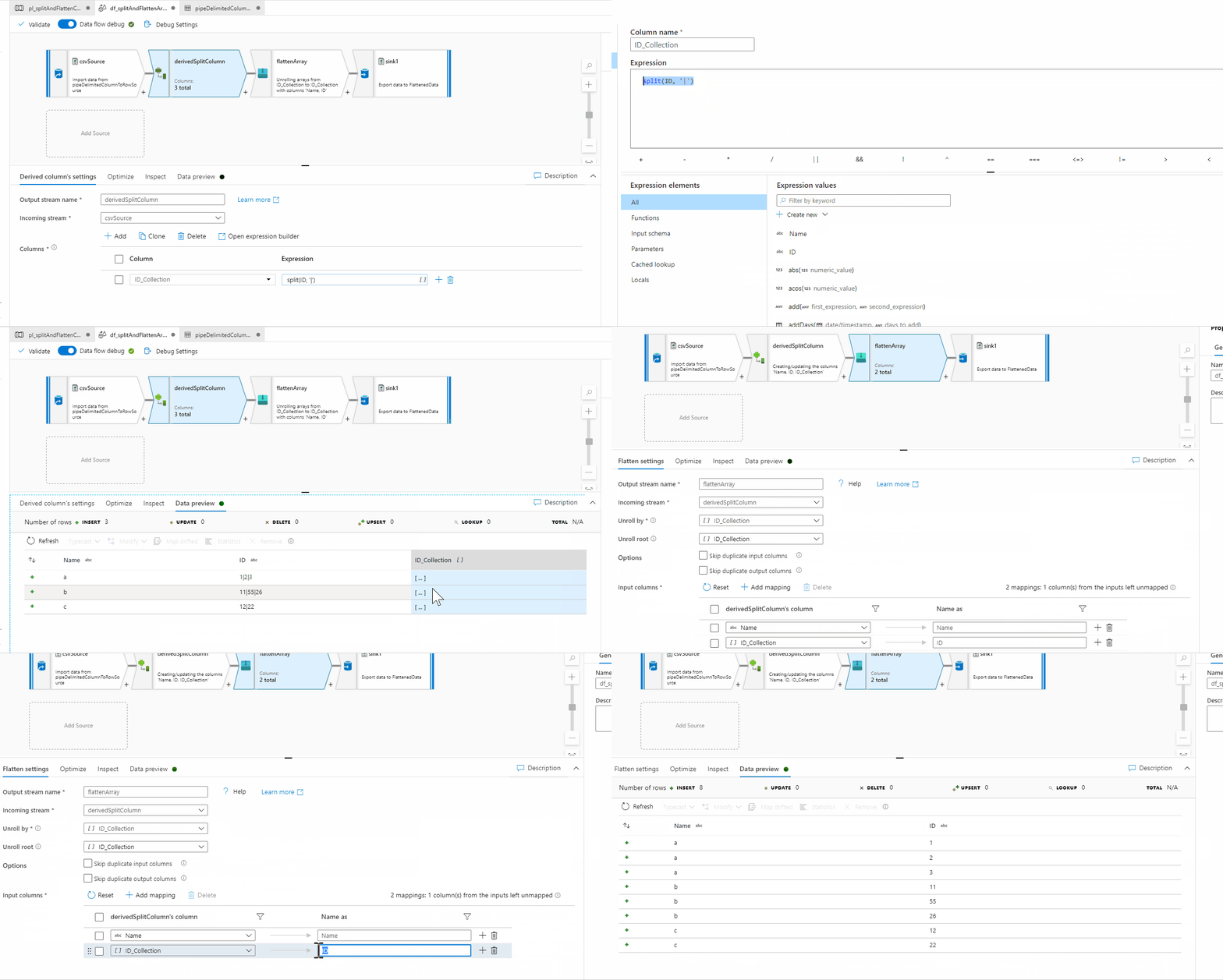
Hope this helps.
----------
Please don’t forget to Accept Answer and Up-Vote wherever the information provided helps you, this can be beneficial to other community members.