Developer technologies | Windows Forms
A set of .NET Framework managed libraries for developing graphical user interfaces.
This browser is no longer supported.
Upgrade to Microsoft Edge to take advantage of the latest features, security updates, and technical support.
' cx='32' cy='32' r='32' /%3E%3Ctext x='50%25' y='55%25' dominant-baseline='middle' text-anchor='middle' fill='%23FFF' %3ESK%3C/text%3E%3C/svg%3E)
We could not able to perform design time debugging in NetCore Windows Forms.
We have tried to perform debugging as like we perform for .NetFramework but our source code cannot be able to debug at design time. We have followed the below steps.
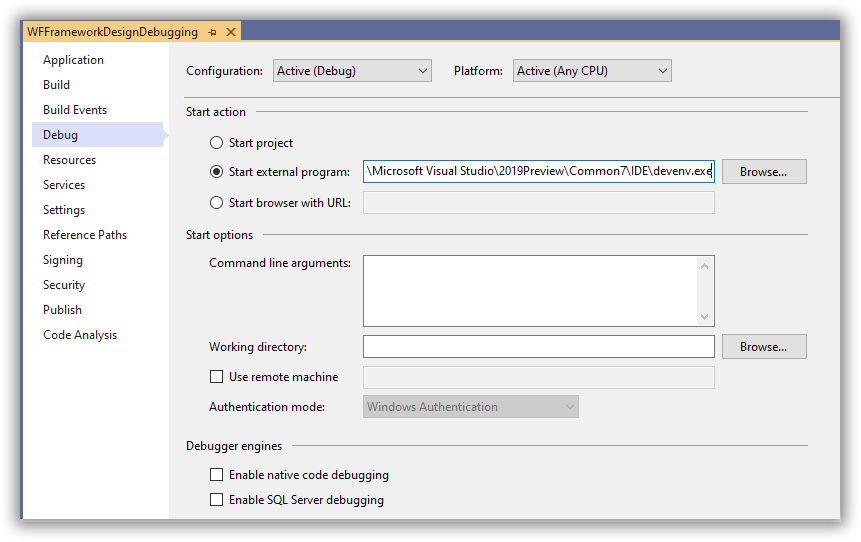
Expected result:
The Break point set at out custom control constructor should hit.
Observed result:
The break point hit properly in .Net Framework project. But not for Net core project.
Please let us know if we need to enable any other operations to debug for NET core project.
Note:
We have enabled preview feature for NetCore.


The .NET Core designer is running in a separate process, not devenv.exe. So you should attach to that separate process instead.

Have you considered installing a non-preview (not talking about form designer) version of Visual Studio?
' cx='32' cy='32' r='32' /%3E%3Ctext x='50%25' y='55%25' dominant-baseline='middle' text-anchor='middle' fill='%23FFF' %3ETS%3C/text%3E%3C/svg%3E)
Hi @Senthil Kumaran Rajan , welcome to Microsoft Q&A forum. Have you also tried to update VS 2019 to the latest version, and repair VS 2019? If you create a new simple custom control and create a new .NET WinForm project to debug, will this newly created project work?
Hi @Senthil Kumaran Rajan , do you have any update? Have you also tried check the Enable native code debugging option in Properties > Debug > Debugger engines > Enable native code debugging?