Azure Virtual Machines
An Azure service that is used to provision Windows and Linux virtual machines.
This browser is no longer supported.
Upgrade to Microsoft Edge to take advantage of the latest features, security updates, and technical support.
' cx='32' cy='32' r='32' /%3E%3Ctext x='50%25' y='55%25' dominant-baseline='middle' text-anchor='middle' fill='%23FFF' %3ESS%3C/text%3E%3C/svg%3E)
Hi,
We had an issue with data not flowing in one of our Azure VMSS, MSFT resources gave the following steps to execute to solve the issue
a. From the ‘Extensions’ tab of the VMSS, remove Linux Diagnostic first and then Linux OMS Agent.
b. From ‘Instances’ tab, upgrade VMSS instances.
c. Once upgraded, from the ‘Insights’ tab it should allow you to enable, which you will manually enable which will prompt reinstall.
i. Note: If enable button doesn’t show up (sometimes it can take up to 24 hours, this is due to how it checks for data) you can run this Azure CLI command to apply the OMS extension.
Now, when we tried to do this and in step#b we started getting the below error
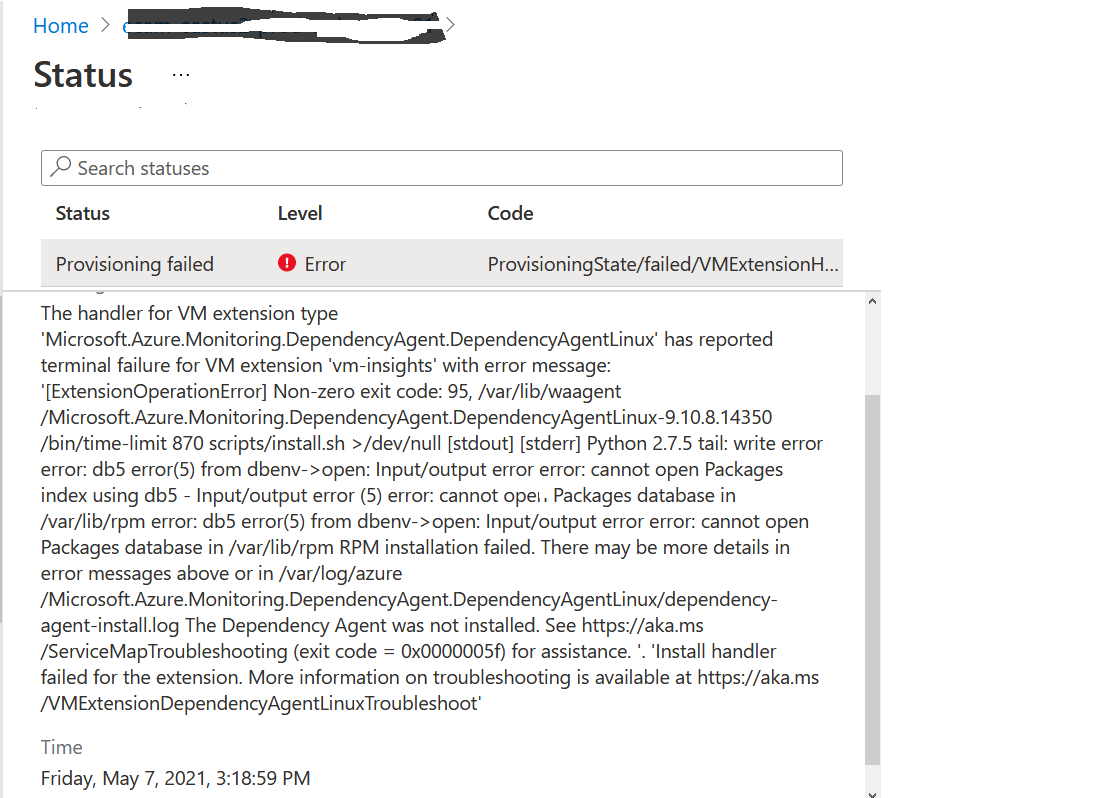 ]2
]2
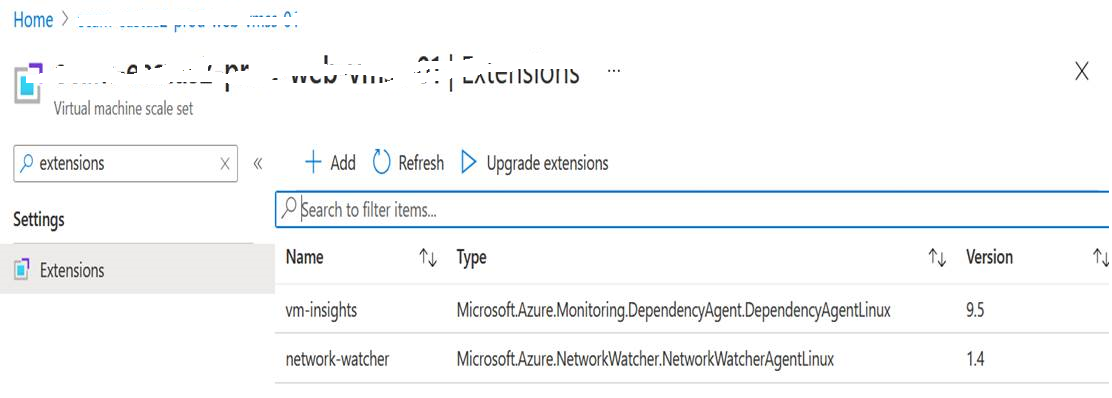
My question is we perhaps need to delete the other 2 extensions (or the dependencyagentlinux extension at least) and then proceed with the rest of the steps
 ]3
]3
An Azure service that is used to provision Windows and Linux virtual machines.

@Sukirti Sen Apologies for the delay in response and all the inconvenience caused because of the issue.
Can you help me understand when you mention MSFT resource are you referring to the Support or some documentation you are referring to?
Also I have reached out to our internal team on this and will keep you posted once I have an update.
Thanks
Hi - We are still working on it. Also, is there any suggestions from your side? Since you are asking for an update on the issue, I am assuming that you have some suggestion/something you want us to try out? If you have posted any suggestion or something else has been found out by your internal team , that post is missing here
@Sukirti Sen My previous comment was regarding the clarity on the resource or suggestion you are following. Since you did mention you are working with Support then they are the best resource to help you out on this issue since they have the required tools and expertise to troubleshoot the issue.
Also there are few issues reported which might be helpful to you:
https://access.redhat.com/solutions/3330211
https://access.redhat.com/solutions/6903
https://ostechnix.com/solve-error-rpmdb-open-failed-error-centos/
Hope it helps!!!
@Sukirti Sen Just following up to check if you need any further help from our side?
Thanks