Microsoft 365 and Office | SharePoint Server | For business
A family of Microsoft on-premises document management and storage systems.

This browser is no longer supported.
Upgrade to Microsoft Edge to take advantage of the latest features, security updates, and technical support.
' cx='32' cy='32' r='32' /%3E%3Ctext x='50%25' y='55%25' dominant-baseline='middle' text-anchor='middle' fill='%23FFF' %3EAT%3C/text%3E%3C/svg%3E)
Hi,
My description column has more than 200 characters. How to widen this column to make it nice look?
Thank you for your assistance.
V/R,
Annie Tang
' cx='32' cy='32' r='32' /%3E%3Ctext x='50%25' y='55%25' dominant-baseline='middle' text-anchor='middle' fill='%23FFF' %3EED%3C/text%3E%3C/svg%3E)
Whether the "Description" column is a multiple lines of text column?
1.Edit page -> Add a script editor web part -> Add below codes into the script editor web part.
<style>
.ms-vh-div[DisplayName='Description']
{
width : 3000px !important;
}
</style>
2.Edit page -> Add a content editor web part -> Add below codes in the txt file into the content editor web part.
95130-code.txt
3.Result.
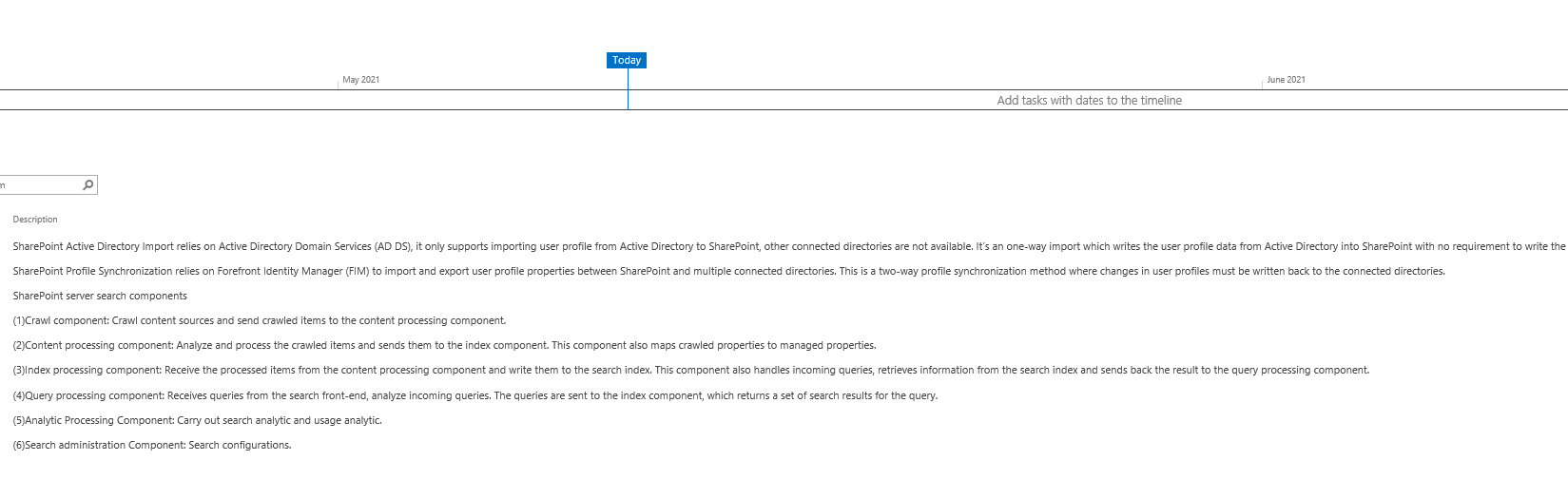
If an Answer is helpful, please click "Accept Answer" and upvote it
Note: Please follow the steps in our documentation to enable e-mail notifications if you want to receive the related email notification for this thread.
I'm checking how the things are going on about this issue. Whether the answer helps you?
You can accept the answer if it helps.
If an Answer is helpful, please click "Accept Answer" and upvote it.
Note: Please follow the steps in our documentation to enable e-mail notifications if you want to receive the related email notification for this thread.
' cx='32' cy='32' r='32' /%3E%3Ctext x='50%25' y='55%25' dominant-baseline='middle' text-anchor='middle' fill='%23FFF' %3EAT%3C/text%3E%3C/svg%3E)
Hi Emily,
Thanks for your response. I apologized I just saw your response today. I checked back my Gmail box I couldn't find your email there.
Your script totally worked on my list. I don't see the 'Accept Answer' button here. If could, would you re-post the button then I'm going to accept it. Thank you again.
v/r,
Annie Tang
You have to log in Microsoft Q&A with the account @Annie Tang , then you could accept the answer.