Azure Databricks
An Apache Spark-based analytics platform optimized for Azure.
This browser is no longer supported.
Upgrade to Microsoft Edge to take advantage of the latest features, security updates, and technical support.
' cx='32' cy='32' r='32' /%3E%3Ctext x='50%25' y='55%25' dominant-baseline='middle' text-anchor='middle' fill='%23FFF' %3EVS%3C/text%3E%3C/svg%3E)
I have two azure databricks tables,table one having 10 million rows and tabletwo having five thousand rows. there is common key - itemcode
The big table was created from parquet files and the other from Excel file using azure databricks GUI. Both table have columns as STRINGS.
when i run the query as -->
%sql
select * from tableone where itemcode = <some value> without quotes --- it returns the rows expected
but when i use a join as shown below it returns no rows, strange
select * from tableone join tabletwo on tableone.itemcode = tabletwo.itemcode
2) tried dataframe method same no results
sqlDF1 = spark.sql("SELECT * FROM tableone")
sqlDF2 = spark.sql("SELECT * FROM tabletwo")
df = sqlDF1.join(sqlDF2, on=['ItemBarcode'], how='inner')
display(df)

Hello @Vivek Singh ,
Welcome to the Microsoft Q&A platform.
As per my repro, above two methods works as excepted. When you say it doesn't provide any result - could you please provide more detailed screenshot along with the sample data which you are trying and details about the databricks runtime version.
I had tested this with the sample data on databricks runtime version - 8.2 (includes Apache Spark 3.1.1, Scala 2.12)
Method1: To explain you in detail, I had created two tables named
tableoneasemployee,tabletwoasdepartment, anditemcodeasdeptnowith the following data as shown below:
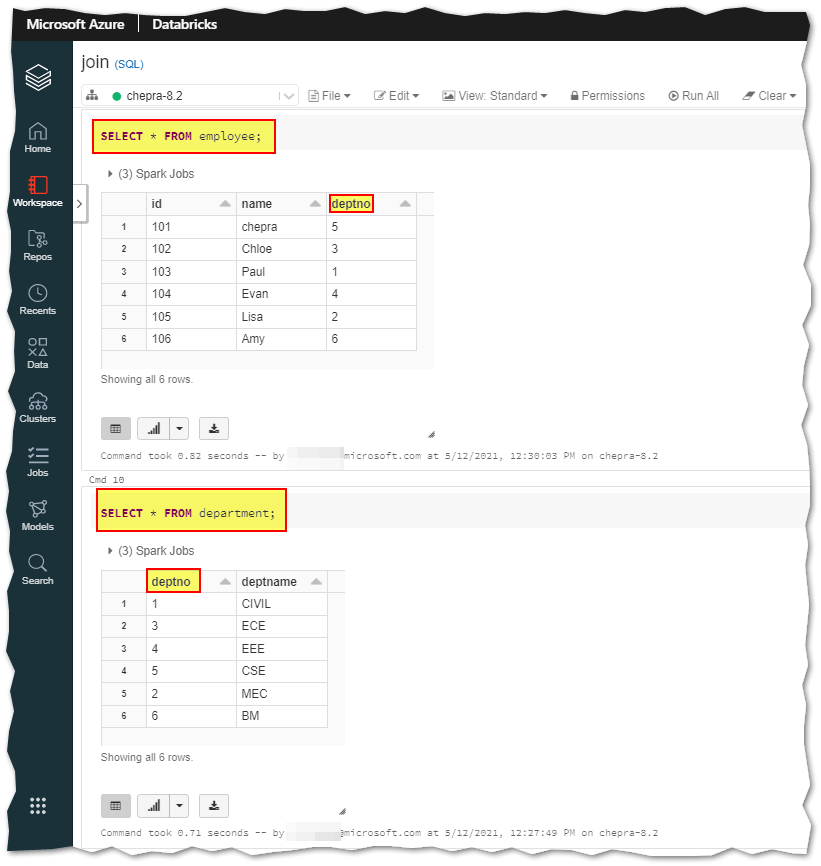
Result of the method1 are as shown below:
Note: When you the join statement it will return deptno from both the tables.
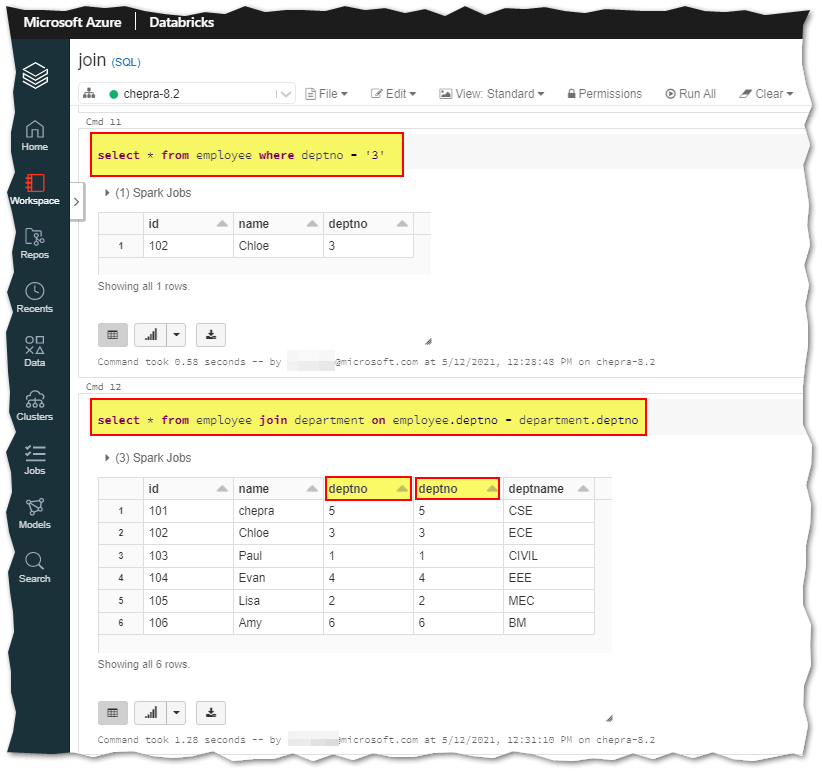
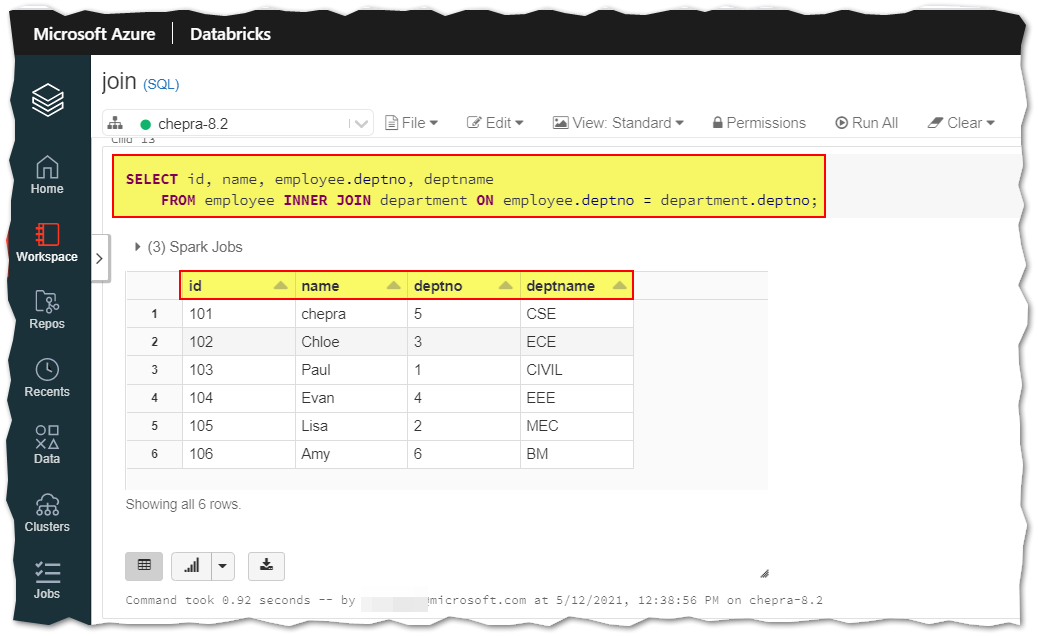
In order to avoid the
deptnofrom both the tables, you need to useInner Joinas shown below:
-- Use employee and department tables to demonstrate inner join.
SELECT id, name, employee.deptno, deptname
    FROM employee INNER JOIN department ON employee.deptno = department.deptno;
For more details, refer Azure Databricks - Joins examples.
Method2: Using dataframes, to explain you in detail, I had created two tables named
tableoneasemployee,tabletwoasdepartment, anditemcodeasdeptnowith the following data as shown below:
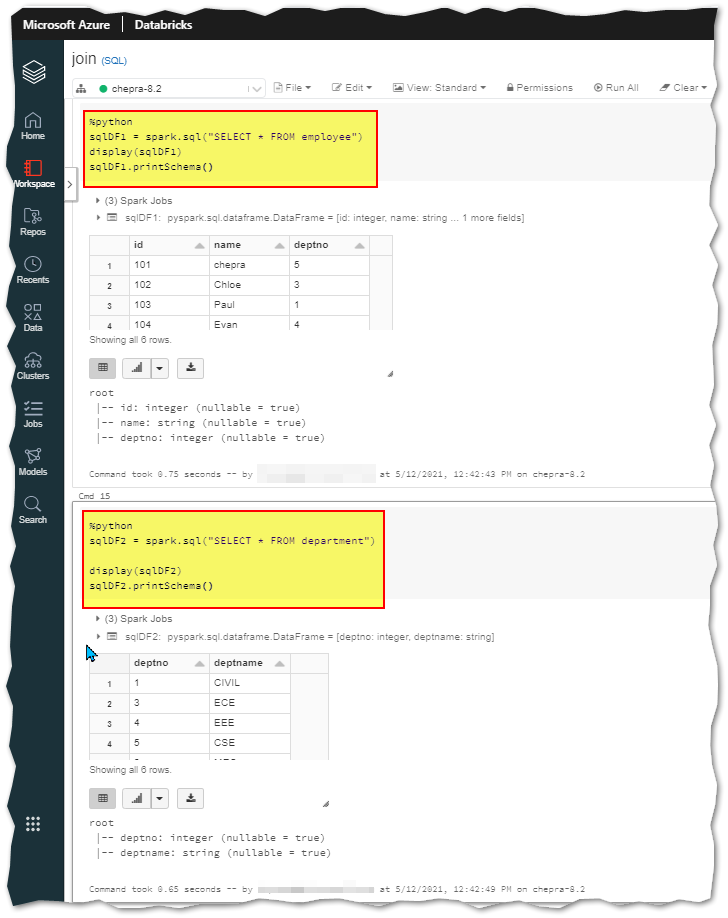
Result of the method2 are as shown below:
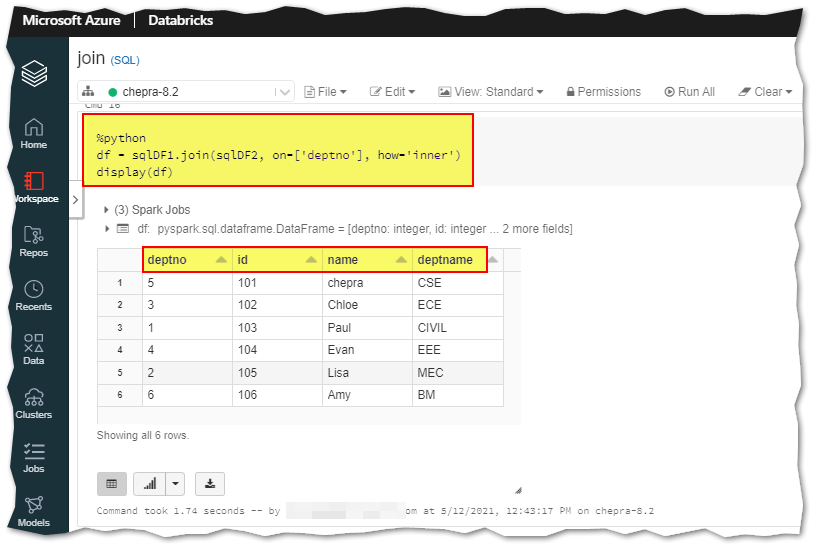
Hope this helps. Do let us know if you any further queries.
------------
Please don’t forget to Accept Answer and Up-Vote wherever the information provided helps you, this can be beneficial to other community members.
Hi Pradeep,
Thanks for the reply and uploading the pics. In fact I did follow the same steps as mentioned by you for both SQL & dataframes.
When joined it returns "no results" as shown below
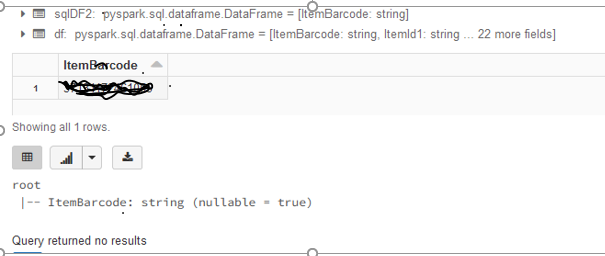
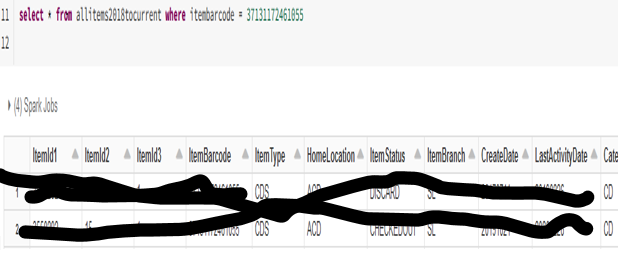
But when I try the same value against the table i get results as shown
Hello @Vivek Singh ,
Could you please you please share the code which you are running along with the clear screenshot?
Hello @Vivek Singh ,
Just checking in if you have had a chance to see the previous response. We need the following information to understand/investigate this issue further.