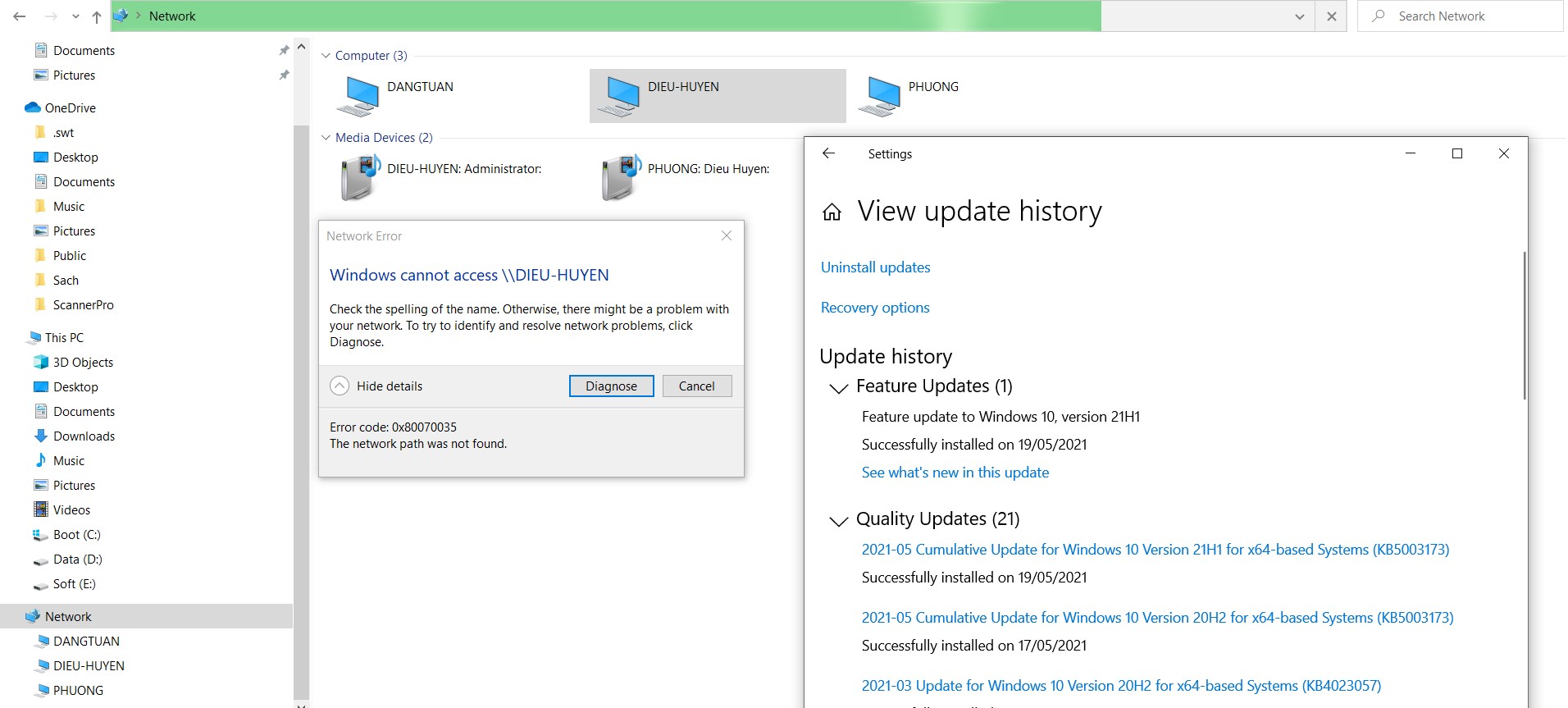
New Windows 10 May patchs problems

David Lessard 31 Reputation points
2021-05-12T16:17:03.197+00:00

Hello,

This morning the new Windows 10 May patch was installed. The new KB5003173 cause mapped drive to show but not be accessible after reboot. The sharing mapped drives I'm talking about are those using SMB 1.0 that you have to be enable using this PowerShell command:

Enable-WindowsOptionalFeature -Online -FeatureName "SMB1Protocol" -All

I also notice that SKYPE connection is not working very well (freezing video and audio) even after removing patch KB5003173 in the May patches. I can't remove the servicing stack recently installed or patch KB5001391 to see which one is causing me the trouble.

It's worth more investigation from my part but something is not right because everything was ok before those patchs installation.

Thank you for your support.

Windows for business | Windows Client for IT Pros | Networking | Network connectivity and file sharing

Answer accepted by question author
Anonymous
2021-05-26T07:47:58.04+00:00

Hi,

Glad to hear that our issue has been resolved successfully.

You could accept the useful reply as answer if you want to end this thread up. If there is anything else we can do for you, please feel free to post in the forum.

Best Regards,
Sunny

----------

If the Answer is helpful, please click "Accept Answer" and upvote it.

Note: Please follow the steps in our documentation to enable e-mail notifications if you want to receive the related email notification for this thread.

Was this answer helpful?

0 comments No comments

8 additional answers

Sort by: Most helpful
  1. David Lessard 31 Reputation points
    2021-05-13T11:50:13.55+00:00

    Yes, by removing the patch KB5003137 it solved everything for the mapped drives. I have before try executing the PowerShell command, with the new patch installed, but it didn't change anything. It reported active for the SMB 1.0 but the mapped drives wasn't accessible. It's the patch the problem. Everything works fine before the May patches.

    The two other patchs installed in May can't be uninstalled (Service Stack and another KB that I don't remember). The only way to remove them is by a restore points because I try to uninstall them and see if this also solve my SKYPE problems of freezing audio-video that was also fine before May patches. Thank you for the link for Skype problems by the way. It was just a remark on my part about SKYPE.

    Thank you for the support.

    Was this answer helpful?

    1 person found this answer helpful.
    0 comments No comments

  2. RalWil 1 Reputation point
    2021-05-24T22:25:27.237+00:00

    Wireshark and Google led to this:

    guest-access-in-smb2-is-disabled-by-default

    Changing the group policy as described in this article solved the Problem for me, I am running some Windows 10 Pro and Enterprise machines so I was affected.

    @David Lessard Does your connection process to the SMB share at some point uses the guest account and are you running an affected Windows Version by chance ?

    Was this answer helpful?

    0 comments No comments

  3. RalWil 1 Reputation point
    2021-05-13T19:42:39.59+00:00

    I don't know if it is related but I am too having problems connecting to a network share with Windows 10.

    After the installation of KB5003173 I cannot connect to a QNAP NAS by typing \NasName in the explorer address bar.

    Normally it would show me the shared folders of the NAS, which does not require credentials, but now I get the error message "Windows can't find \NasName. Check the spelling and try again.". Meanwhile the NAS shows quite a lot of failed login attempts per connect try with my Windows username as user, IP and the error message "Failed to log in". The NAS requires a different username and password. The QNAP NAS is running QTS 4.5.2.1594 from March this year.

    Under "Turn Windows features on or off" "SMB 1.0/CIFS file Sharing Support" is disabled but turning it on does not resolve the problem. I also don't think the NAS is a legacy device yet.

    Uninstalling KB5003173 resolves the problem but I would like to have an up to date Windows system.

    Best

    RalWil

    Was this answer helpful?


  4. Anonymous
    2021-05-13T07:18:11.523+00:00

    Hi,

    Thanks for posting in Q&A platform.

    May I know if uninstall KB5003137, will we access the mapped drive successfully?

    Or you may try enable SMB 1 by running the following command in PowerShell with Admin privilege.

    Get-WindowsOptionalFeature -Online -FeatureName smb1protocol

    Please understand that our network forum doesn't focus on skype related issue, I would suggest you could post a new thread in the following forum with tag office-skype-business-online-itpro. Then you will get further help form Skype support engineer.

    https://learn.microsoft.com/en-us/answers/topics/office-skype-business-online-itpro.html

    Best Regards,
    Sunny

    ----------

    If the Answer is helpful, please click "Accept Answer" and upvote it.

    Note: Please follow the steps in our documentation to enable e-mail notifications if you want to receive the related email notification for this thread.

    Was this answer helpful?

    0 comments No comments

Your answer

Answers can be marked as 'Accepted' by the question author and 'Recommended' by moderators, which helps users know the answer solved the author's problem.