Microsoft Security | Intune | Application management
Managing apps and software deployment through Microsoft Intune

This browser is no longer supported.
Upgrade to Microsoft Edge to take advantage of the latest features, security updates, and technical support.
' cx='32' cy='32' r='32' /%3E%3Ctext x='50%25' y='55%25' dominant-baseline='middle' text-anchor='middle' fill='%23FFF' %3ETC%3C/text%3E%3C/svg%3E)
"https://learn.microsoft.com/en-us/azure/active-directory/conditional-access/concept-conditional-access-grant#require-approved-client-app"
----- If a broker app is not installed -------
I am using iphone. I don't have the broker app "Microsoft Authenticator" installed.
But, I don't gets redirected to the appropriate app store to install the required broker app. And I can access o365 service by "Require approved client app" or "Require app protection policy".
What information does the broker app "Microsoft Authenticator" pass to azure ad?
Managing apps and software deployment through Microsoft Intune
Other Intune-related topics, including unsupported scenarios and platform-specific behaviors

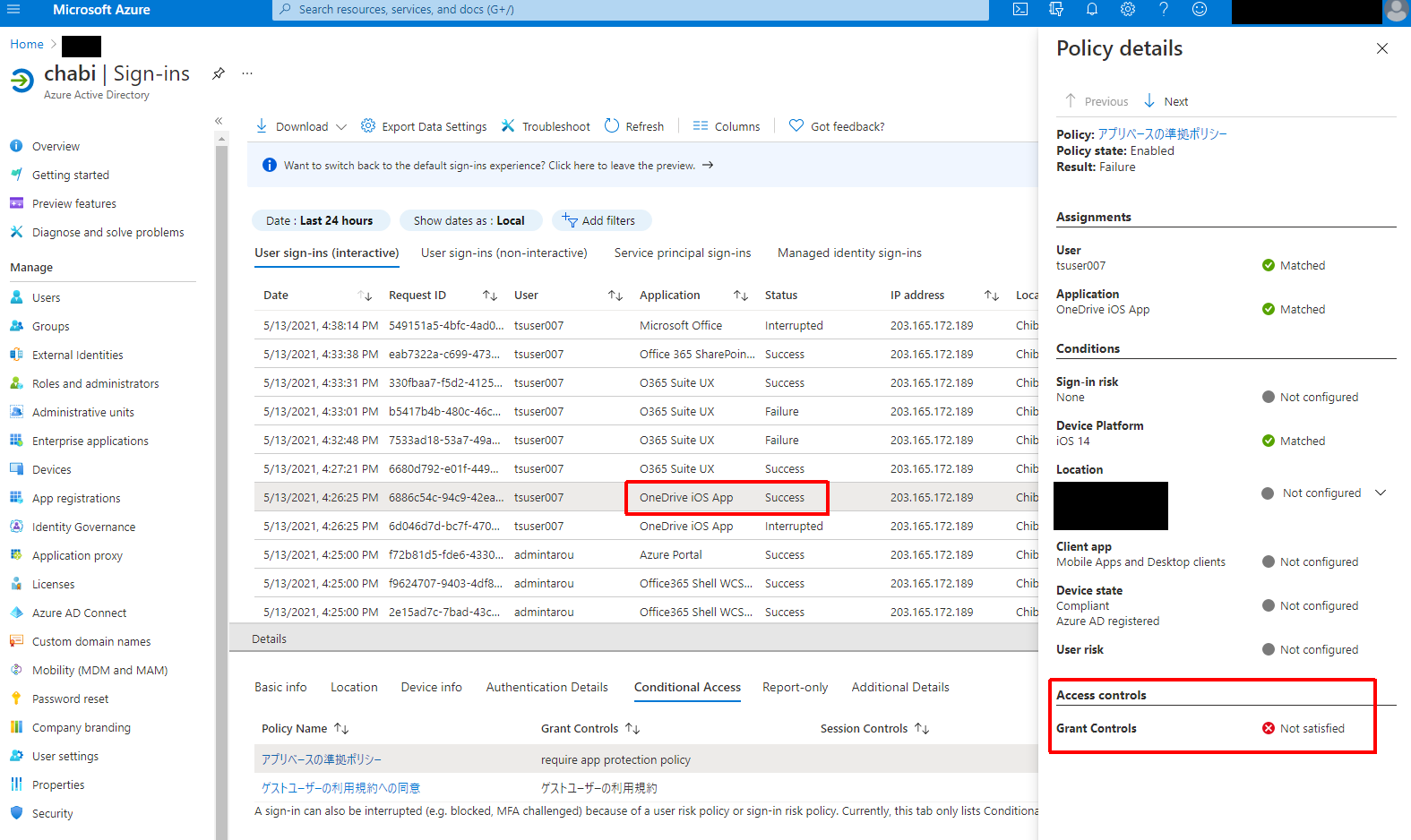
@tarou chabi For the screen shot that you provided, it shows that the conditional access policy isn't deployed successfully. So, you can use the app without being affected by conditional access policy.
Our first priority is to successfully deploy the conditional access policy. Please understand that conditional access is a feature in Azure AD. Given this situation, it is suggested to contact Azure AD support to get more accurate help. Here is the online support link:
https://learn.microsoft.com/en-us/azure/active-directory/fundamentals/active-directory-troubleshooting-support-howto
Hope this issue will be solved as soon as possible.
If the response is helpful, please click "Accept Answer" and upvote it.
I asked MS to investigate. I will contact you if you find out anything.
@tarou chabi Thanks for your kindness. Hope we will get the answer.
Thanks again and have a nice day. : )
@tarou chabi Thanks for posting in our Q&A.
For this issue that didn't get redirected to install the "Microsoft Authenticator" app, we appreciate your help to collect some information:
1.Please check if the conditional access policy hit the user in intune portal's Users > Sign-ins > select the user account that you use to access o365.
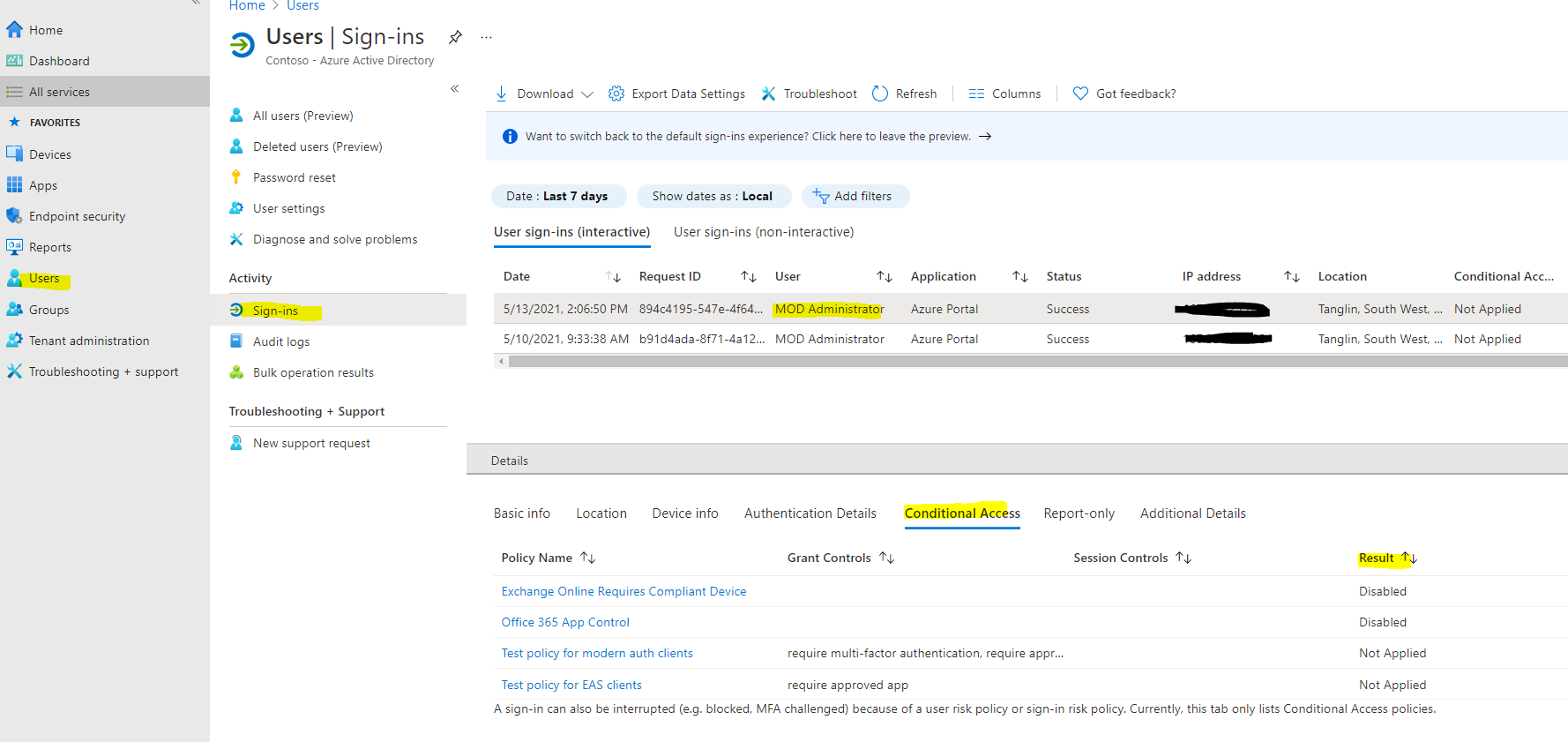
Note: Please override private information
2.Please sign out the account and sign in again to see if it can get redirected to install the "Microsoft Authenticator" app.
If there is anything update, feel free to let us know.
If the response is helpful, please click "Accept Answer" and upvote it.
Note: Please follow the steps in our documentation to enable e-mail notifications if you want to receive the related email notification for this thread.
I can use onedrive, exo, edge even though CA is failing. wwww
And I tried signing in again several times and the situation hasn't changed. Yes, I don't gets redirected to the appropriate app store to install the required broker app.