Developer technologies | VB
An object-oriented programming language developed by Microsoft that can be used in .NET.
This browser is no longer supported.
Upgrade to Microsoft Edge to take advantage of the latest features, security updates, and technical support.
' cx='32' cy='32' r='32' /%3E%3Ctext x='50%25' y='55%25' dominant-baseline='middle' text-anchor='middle' fill='%23FFF' %3EO%3C/text%3E%3C/svg%3E)
Hey,
I can simply Start and Stop a service using:
Dim MyService As New ServiceController("defragsvc")
MyService.Start / Stop
However, didn't find a way to set its Startup Type to Disabled or Delayed-Auto (.NET 4.0 can't upgrade to newer)
If there's some command I don't know please advise, if no, can use MyService.ExecuteCommand to achieve this task? How?
Thanks in advance :)

To delay a service use RequestAdditionalTime(nnnn); in the start method of the service where nnnn is milliseconds. Disable would be to stop the service.
Whatever you need to do should be wrapped in a class e.g.
Option Infer On

Imports System.ServiceProcess

Public Class WindowsServices

    Public Sub StopService(pServiceName As String)

        Dim sc = ServiceController.GetServices().
                FirstOrDefault(Function(serviceController) serviceController.ServiceName = pServiceName)

        If sc Is Nothing Then
            Return
        End If

        If sc.Status = ServiceControllerStatus.Running Then
            Try
                sc.Stop()
                sc.WaitForStatus(ServiceControllerStatus.Stopped)
            Catch e1 As InvalidOperationException
                ' TODO
            End Try
        End If
    End Sub
    Public Sub StartService(pServiceName As String)

        Dim sc = ServiceController.GetServices().
                FirstOrDefault(Function(serviceController) serviceController.ServiceName = pServiceName)

        If sc Is Nothing Then
            Return
        End If

        sc.ServiceName = pServiceName

        If sc.Status = ServiceControllerStatus.Stopped Then
            Try
                sc.Start()
                sc.WaitForStatus(ServiceControllerStatus.Running)
            Catch e1 As InvalidOperationException
                ' here for debug purposes
            End Try
        End If

    End Sub
    ''' <summary>
    ''' Determine if service is currently installed
    ''' </summary>
    ''' <param name="pServiceName"></param>
    ''' <returns></returns>
    Public Function IsInstalled(pServiceName As String) As Boolean

        Dim sc = ServiceController.GetServices().
                FirstOrDefault(Function(service) service.ServiceName = pServiceName)

        Return (sc IsNot Nothing)

    End Function
    ''' <summary>
    ''' provides the service status by string
    ''' </summary>
    ''' <param name="pServiceName"></param>
    ''' <returns></returns>
    ''' <remarks>
    ''' Example usage, set the text of a text box
    ''' in a form status-bar.
    ''' </remarks>
    Public Function Status(pServiceName As String) As String

        Dim serviceStatus = "Not installed"

        Dim sc = ServiceController.GetServices().
                FirstOrDefault(Function(serviceController) serviceController.ServiceName = pServiceName)

        If sc Is Nothing Then
            Return serviceStatus
        End If

        Select Case sc.Status
            Case ServiceControllerStatus.Running
                serviceStatus = "Running"
            Case ServiceControllerStatus.Stopped
                serviceStatus = "Stopped"
            Case ServiceControllerStatus.Paused
                serviceStatus = "Paused"
            Case ServiceControllerStatus.StopPending
                serviceStatus = "Stopping"
            Case ServiceControllerStatus.StartPending
                serviceStatus = "Starting"
            Case Else
                serviceStatus = "Status Changing"
        End Select

        Return serviceStatus

    End Function
End Class
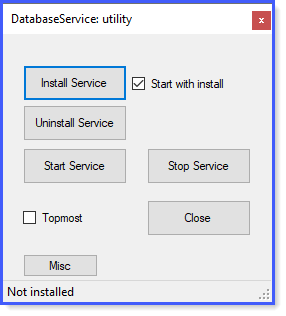
What I've done is package everything into a utility app (done in C#)
Thanks dear Karen ^_^