
Hello @philips9179 ,
How are things going there on this issue?
Please let me know if you would like further assistance.
This browser is no longer supported.
Upgrade to Microsoft Edge to take advantage of the latest features, security updates, and technical support.
' cx='32' cy='32' r='32' /%3E%3Ctext x='50%25' y='55%25' dominant-baseline='middle' text-anchor='middle' fill='%23FFF' %3EP%3C/text%3E%3C/svg%3E)
Hello
I am using microsoft remote desktop client app on my ipad. But as soon i remotely log on to a computer remotely, the computer i am trying to remotely support instantly logs off, making it impossible to remotely support someone eg a family member, and they cannot show me what they are doing wrong, and i cannot show them what they are doing wrong!
please could you update the ios rd client app, so it doesnt log you off the computer if another user logs on to it using the app???
THANK YOU!!!
' cx='32' cy='32' r='32' /%3E%3Ctext x='50%25' y='55%25' dominant-baseline='middle' text-anchor='middle' fill='%23FFF' %3ELK%3C/text%3E%3C/svg%3E)
Hello @philips9179 ,
How are things going there on this issue?
Please let me know if you would like further assistance.
Hello @philips9179 ,
1.Can you check the Windows version and OS Build Number of the remote computer by entering "winver" in search bar? e.g. Windows Version 20H2 (OS Build 19042.867)
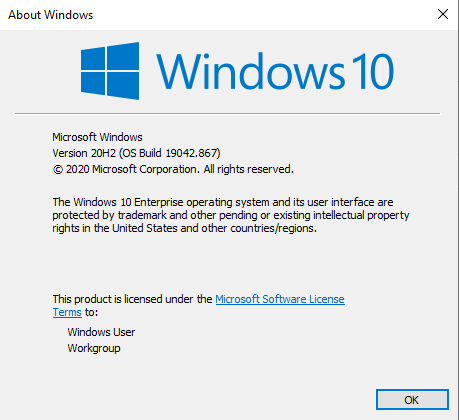
2.Generally, Microsoft Remote Desktop App can only remote to one computer and create one session at the same time. If your remote computer is Win 10 Pro/ Enterprise, rather than multi session, then there's by default only one session, local session or remote session.
Hello @philips9179 ,
What's the version of your iOS client?
Would you like concurrent/ multi session for remote desktop client app?
What's new in the iOS client: https://learn.microsoft.com/en-us/windows-server/remote/remote-desktop-services/clients/ios-whatsnew
Best regards,
Leila
----------
If the Answer is helpful, please click "Accept Answer" and upvote it.
Note: Please follow the steps in our documentation to enable e-mail notifications if you want to receive the related email notification for this thread.