This question has been asked here before with no solutions. The threads I found are all locked, so I could not respond directly (e.g. 15 Feb 2023, 17 Mar 2022, 25 Dec 2022).
Other threads with similar questions offer solutions that only work for laptops. (e.g. 31 Jan 2023, 3 Sep 2019, 3 Aug 2015).
I had the same issue and I found a good solution, so I wanted to post it here.
The Issue
I have a desktop PC running Windows 11 (note: this should apply to Windows 10 as well). I have connected an Arteck HB305-4B Bluetooth keyboard to my PC (note: this should apply to any external touchpad, whether integrated into a keyboard or not, and whether connected via Bluetooth, 2.4 GHz wireless, USB, etc.). My keyboard has an integrated touchpad:

I want to reverse the direction of scrolling when I move two fingers up or down on the touchpad.
If I had a laptop, then there would be an option to change the scrolling direction in the Touchpad Settings, as shown below:
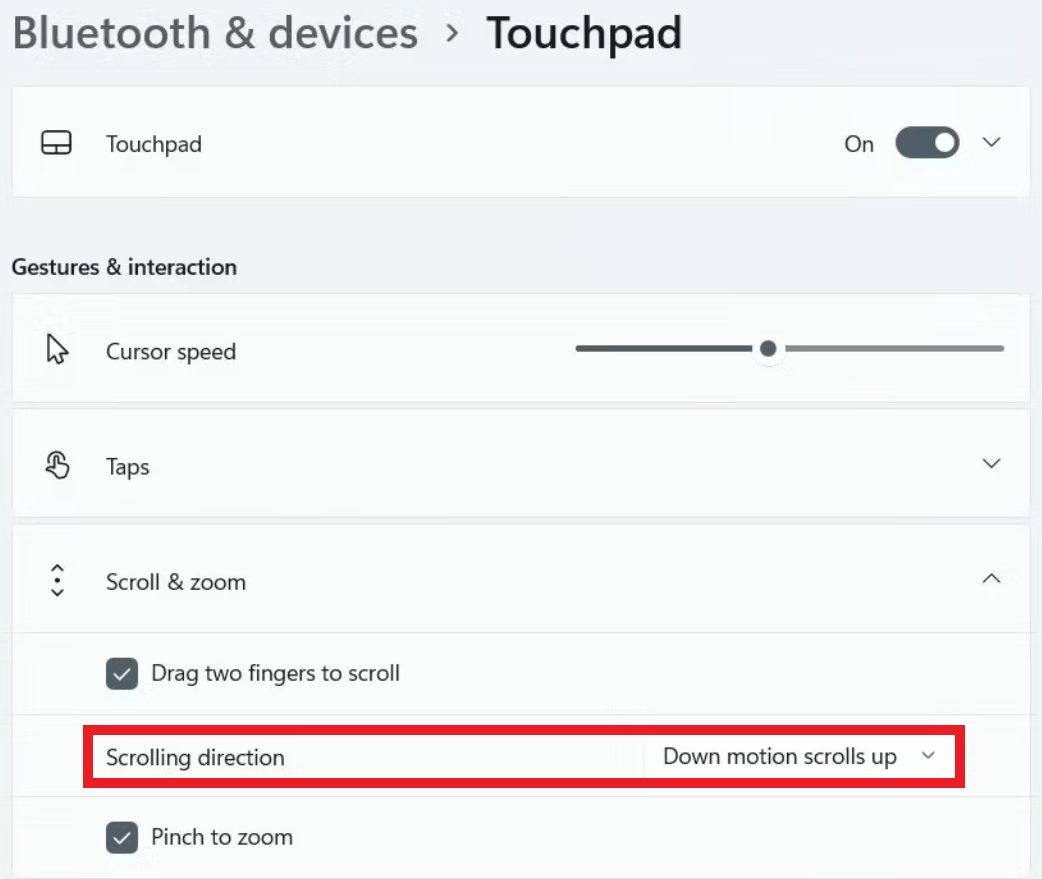
However, on a desktop PC, this option is missing. I suspect this is because Windows detects my touchpad as a HID-compliant mouse instead of a touchpad:

The Solution
I didn't come up with this solution, so I am not taking credit for it. I just wanted to post a link here to help anyone else with the same issue:
https://www.windowscentral.com/how-enable-reverse-mouse-and-touchpad-scrolling-windows-11
Note: this method allows you to change the scrolling direction independently for each device. So, if you have a laptop in a dock and you want to use an external keyboard with an integrated touchpad, you can reverse the scrolling direction only on the external keyboard. This is useful if your laptop's touchpad scrolls one way, while the external touchpad scrolls the other way. If you use the standard Windows Touchpad Settings, then you will end up reversing the scrolling direction on both devices, which you probably don't want.
I hope this helps anyone facing the same issue!
' cx='32' cy='32' r='32' /%3E%3Ctext x='50%25' y='55%25' dominant-baseline='middle' text-anchor='middle' fill='%23FFF' %3EA%3C/text%3E%3C/svg%3E)
