Microsoft Security | Microsoft Entra | Microsoft Entra ID
A cloud-based identity and access management service for securing user authentication and resource access

This browser is no longer supported.
Upgrade to Microsoft Edge to take advantage of the latest features, security updates, and technical support.
' cx='32' cy='32' r='32' /%3E%3Ctext x='50%25' y='55%25' dominant-baseline='middle' text-anchor='middle' fill='%23FFF' %3ET%3C/text%3E%3C/svg%3E)
I have a basic architecture question about "Web Account Manager" of windows 10 built into the OS
Hello,
As we know any desktop app can use WAM to get the necessary access-token from Azure-AD and then invoke the API
So when the app-code is updated with WAM-api and request the token,
Would WAM implementation work in browser-context in the event when WAM wants to collect credential from the user ?
OR
whatever popups are opened by app or WAM are totally native forms ?
Thanks.

Hi @testuser7 · Thank you for reaching out.
WAM uses browser context and is not a native form. If you try using a system without a web browser, such as Windows Server Core, WAM will fail to launch.
-----------------------------------------------------------------------------------------------------------
Please "Accept the answer" if the information helped you. This will help us and others in the community as well.
Excellent @AmanpreetSingh-MSFT as it is aligned with my understanding !!!
So all calls that are going out to AAD are in browser-context and when AAD is ready to send out the intermediate-code, it uses redirect-URI of WAM
(something like ms-appx-web://microsoft.aad.brokerplugin/{client_id})
That means, my credential are not reaching in the code of WAM
It is just between browser and AAD
And as we know, WAM also manages to get the PRT
So we can assume that this calls that WAM made to AAD could be slightly different from the standard authorization-cod-grant flow of OIDC (may be with some more payload etc) so that AAD delivers PRT baking the device-id in it.
Am I correct in my understanding ?
Thanks.
Hi @testuser7 · Yes, the calls and process to get PRT are different than standard OIDC calls. PRT is issued at windows sign-in and device key and transport keys are exchanged to get a PRT. When users try to access applications, the Azure AD WAM plugin uses the PRT to enable SSO on Windows 10.
Thanks @AmanpreetSingh-MSFT
You are right and I am onboard with you. Just was looking a little more detail, though.
Hi @testuser7 · Just checking if you have any further question.
@ thanks @AmanpreetSingh-MSFT
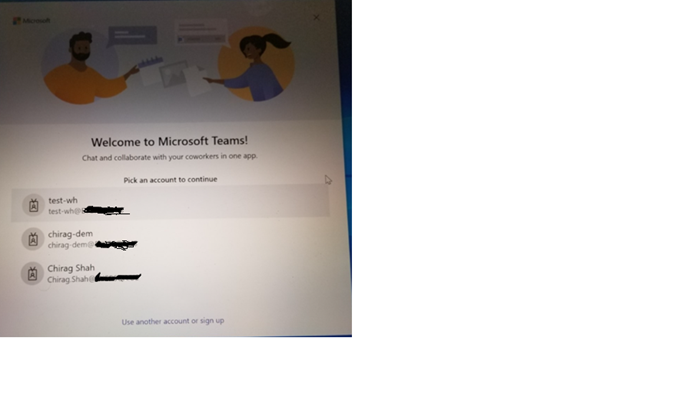
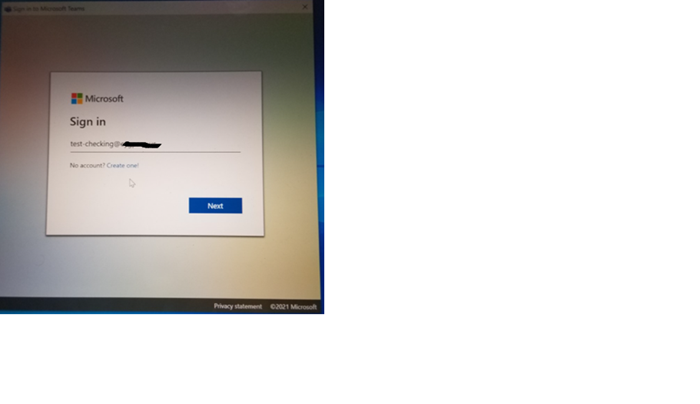

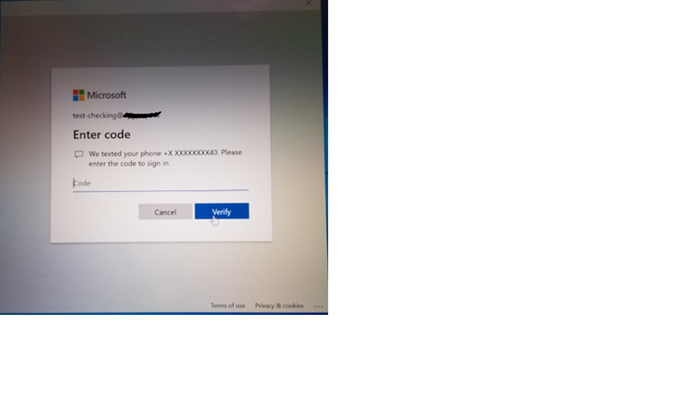
I have put 4 screens while I open the Teams app on my AAD joined Win10 laptop.
If you focus on the first screen, I can use any of the 3 accounts that are displayed.
Those are all Windows account meaning there is PRT in the system.
However, I decided to use different account
So I hit "use another account or sign up" link available at the bottom of the screen.
I was taken to the next screen to put my UPN as I have attached here in second screen
After completing the full authentication, I am on Teams app with this new account
by the way, all these screens that we I have attached where user is putting his credentials are in browser context. Right ?
as you can see in first screenshot, there are already 3 PRTs available in this windows-session.
Since that is the maximum number of PRTs possible in one windows-session, I will not be shown the screen “stay signed into all your apps” at the end after user finished authentication of new account as shown in the last 3 screenshots
So when app makes a call like
var pca = PublicClientApplicationBuilder.Create("client_id")
.WithExperimentalFeatures() // in public preview
.WithBroker()
.Build();
My question is, what is the purpose of involving the broker i.e., WAM when we already reached the maximum number of PRT possible.
What difference would it make if the app had used MSAL without WAM ?
My understanding since we are using WAM
the temp-oauth-code will go to WAM redirect-uri and WAM will collect refresh-token and hand it over to the app.
Thanks.