Developer technologies | Windows Presentation Foundation
A part of the .NET Framework that provides a unified programming model for building line-of-business desktop applications on Windows.
This browser is no longer supported.
Upgrade to Microsoft Edge to take advantage of the latest features, security updates, and technical support.
' cx='32' cy='32' r='32' /%3E%3Ctext x='50%25' y='55%25' dominant-baseline='middle' text-anchor='middle' fill='%23FFF' %3EM%3C/text%3E%3C/svg%3E)
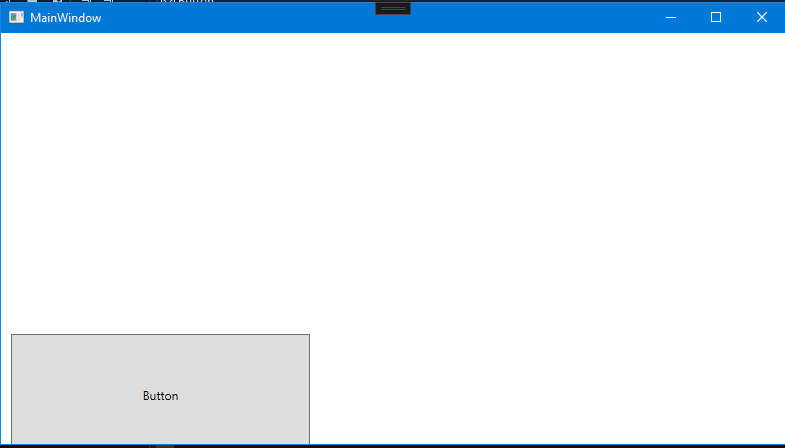
So essentialy the buttons i place just are in a different position at runtime
How its supposed to look like: 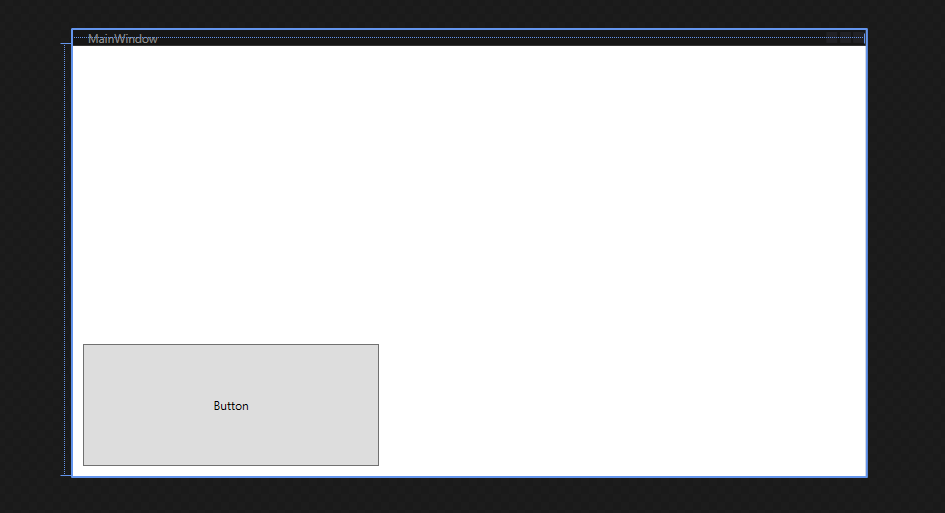
How it looks like:
A part of the .NET Framework that provides a unified programming model for building line-of-business desktop applications on Windows.
A language based on Extensible Markup Language (XML) that enables developers to specify a hierarchy of objects with a set of properties and logic.

@Marcelsky
This situation should be caused by setting the Margin of the Button. Control's position is affected by Margin, HorizontalAlignment, VerticalAlignment, <object margin="left,top,right,bottom" /> gets or sets the outer Margin of an element.

Switch to XAML view and try the next example:
<Window . . . Height="450" Width="800">
    <Grid>
        <Button Content="Button" HorizontalAlignment="Left" Margin="50,0,0,50"
                      Width="150" Height="50" VerticalAlignment="Bottom"/>
    </Grid>
</Window>
where “...” is something that is already added by system and you should not change.
Show your XAML too.