Device: Acer Aspire A715-74G
OS: Windows 10 Home (v10.0.19045 Build 19045)
Until recently, I was able to right-click on an image file and select 'Edit with Paint 3D' which would open the image file in the Paint 3D program.
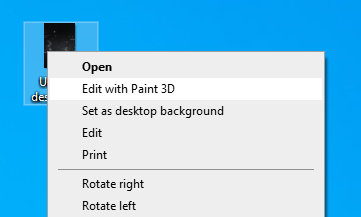
This no longer works. Now, when I right-click and select 'Edit with Paint 3D' from the drop-down menu that appears, I get a popup box.
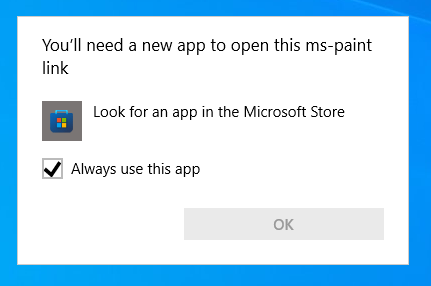
Normally, there would be a list of apps and I could select the one I wanted to use for the action I'm trying to perform. This isn't the case. When I choose to look for an app in the Microsoft Store, the Paint 3D program appears and I have the option to Open the program. When I do, the program opens and I am able to select and open the image file I was originally trying to open.
I have tried:
- System restore
- Uninstall/reinstall
- Re-registering the app via Powershell as admin
- Setting Paint 3D as a default for image files (although this isn't exactly what the issue is, but I tried it anyway)
Any ideas how to solve this issue? I use Paint 3D pretty regularly as I like the UI for basic actions like image resizing, cropping, etc.
' cx='32' cy='32' r='32' /%3E%3Ctext x='50%25' y='55%25' dominant-baseline='middle' text-anchor='middle' fill='%23FFF' %3EA%3C/text%3E%3C/svg%3E)

