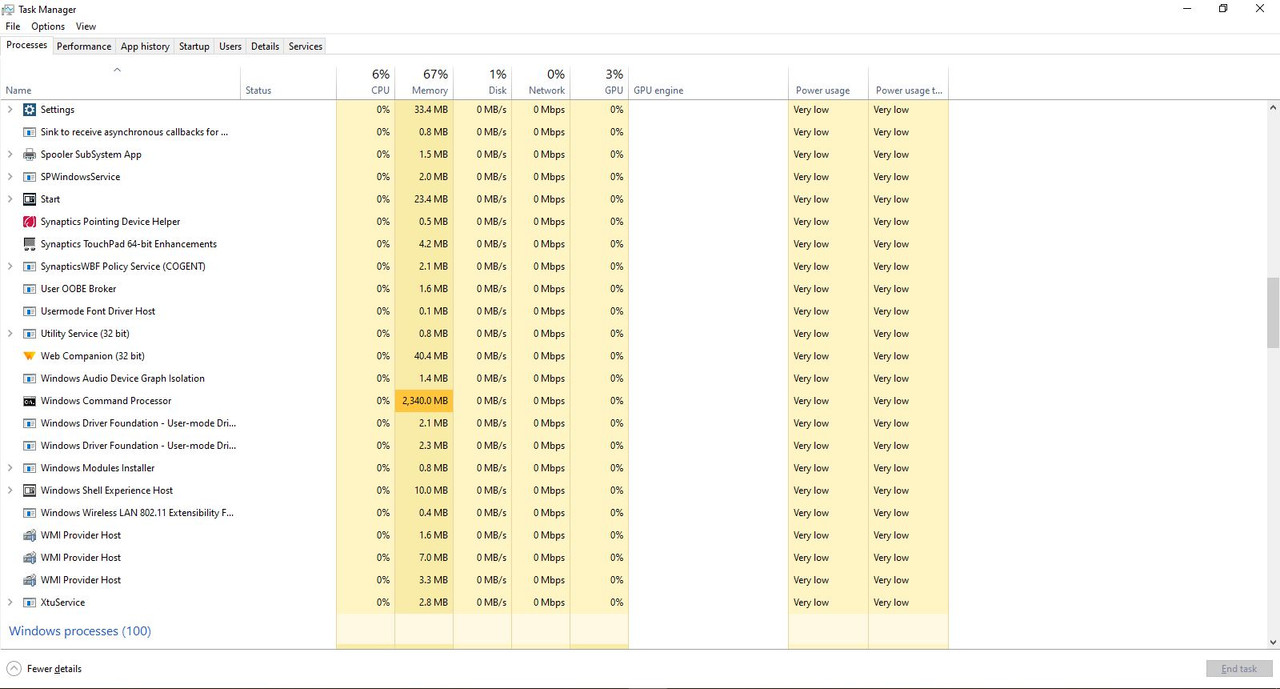
Windows Command Processor is taking up 2GB memory while idle. What do I do?

Anonymous
2024-05-18T06:08:17+00:00

This is my issue.

Whenever I try running a game, it suddenly crashes. I looked at Task Manager and saw that Windows Command Processor is taking up 2 GB of memory while I have no applications open. I have looked at threads by people with the same problem (namely this one), but I have not been able to fix this. I have FRST installed and I have generated 2 log files. But I am unsure what to do next. The Fixlist.txt file that was provided in the thread that I mentioned was not available.

Windows for home | Windows 10 | Performance and system failures

Locked Question. This question was migrated from the Microsoft Support Community. You can vote on whether it's helpful, but you can't add comments or replies or follow the question.

0 comments No comments
{count} votes
Answer accepted by question author
  1. DaveM121 811.9K Reputation points Independent Advisor
    2024-05-18T06:43:31+00:00

    Hi, I am Dave, I will help you with this.

    1

    Download the Microsoft Safety Scanner and run a full scan with that.

    https://learn.microsoft.com/en-us/defender-endp...

    When that scan completes, download the free version of Malwarebytes and run a full scan with that.

    3

    If that does not resolve the problem after you restart your PC:

    Click the link below to download a small free utility that does not require installation.

    https://download.sysinternals.com/files/Autorun...

    When the file downloads, unzip it.

    Run Autoruns64 as Administrator

    A

    Select the Logon tab at the top of Autoruns.

    Please provide a screenshot of all entries on that Logon tab.

    B

    Select the Scheduled Tasks tab at the top of Autoruns.

    Please provide a screenshot of all entries on that Scheduled Tasks tab.

    1 person found this answer helpful.
    0 comments No comments

1 additional answer

Sort by: Most helpful
  1. Anonymous
    2024-05-18T08:28:26+00:00

    Thank you very much! The first part fixed this problem.

    0 comments No comments