Hello I've ran into an issue while trying to install an update on my pc. Firstly my pc went into blue screen needing a restart so after that I checked if maybe it needs an update so i tried to install it but it was quite literally taking forever (3hrs +) so i turned it off mid update although I know I shouldn't have. However it didn't turn off and just showed the screen with something along the lines "your computer is updating don't turn it off" so i just left it at that. After a little bit it seemed back to normal, homescreen and all so i checked if the update had completed but it had failed and after trying to install it again this message appeared.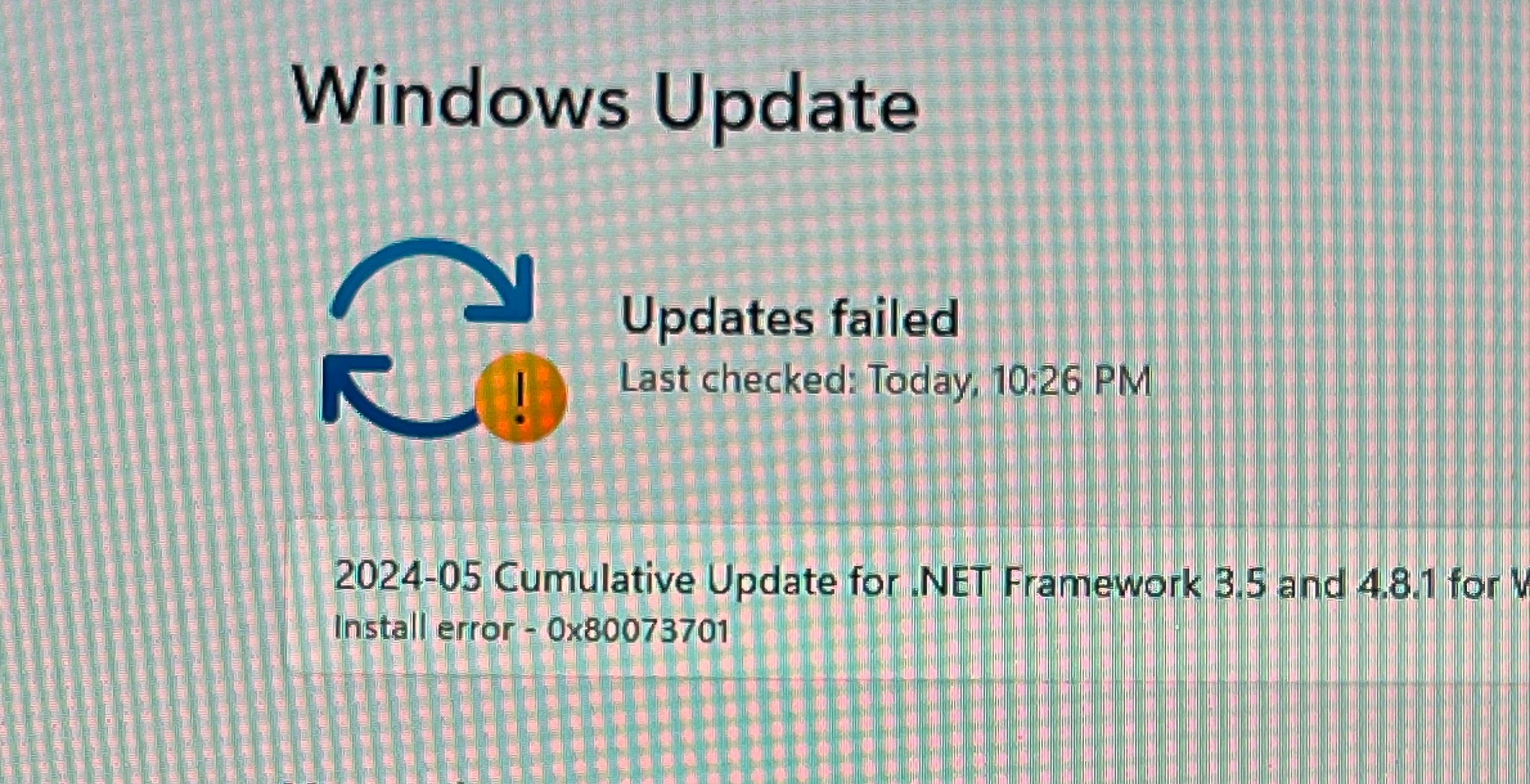 I've tried the update troubleshoot, cleaning up the WinSxS folder, tried to run SFC and DISM to check for any system errors and corrupted files and all that did was remove this message when powering it off/ restarting it
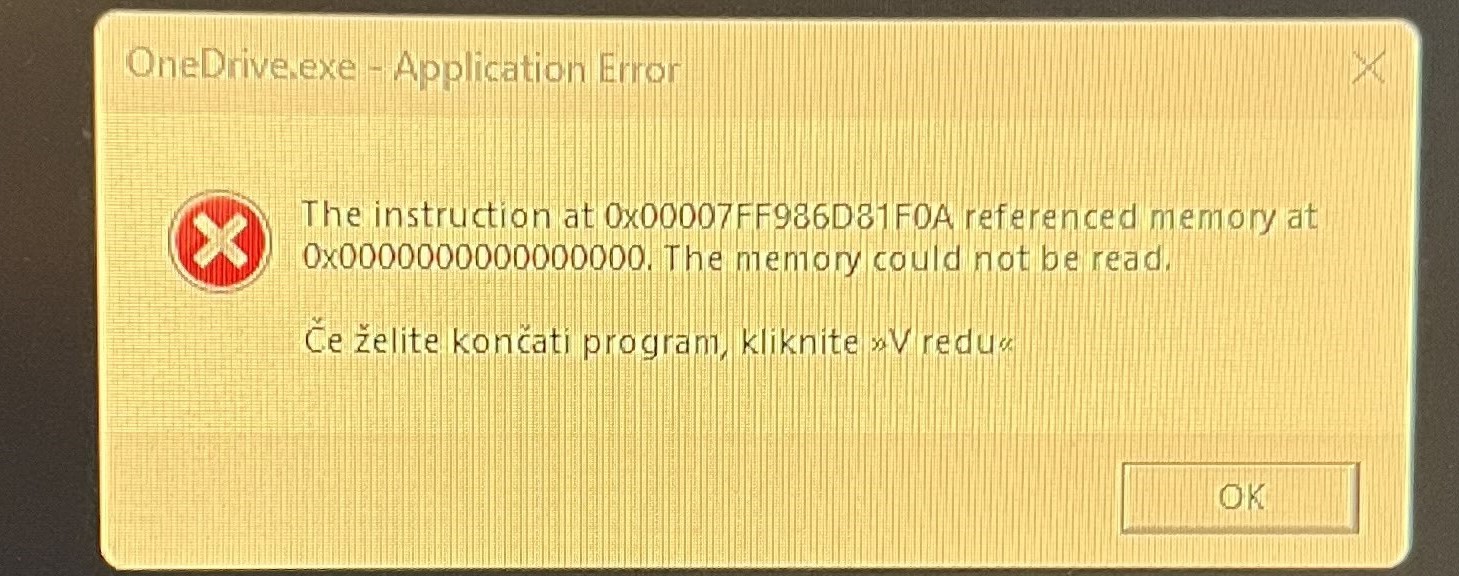 (this had appeared before multiple times however i did not htink much of it). I saw somewere that it might be a RAM issue but honestly i have no clue hoping its not a big issue and is fixable.
Thanks in advance for any answers.
' cx='32' cy='32' r='32' /%3E%3Ctext x='50%25' y='55%25' dominant-baseline='middle' text-anchor='middle' fill='%23FFF' %3EA%3C/text%3E%3C/svg%3E)

' cx='32' cy='32' r='32' /%3E%3Ctext x='50%25' y='55%25' dominant-baseline='middle' text-anchor='middle' fill='%23FFF' %3EIL%3C/text%3E%3C/svg%3E)