Hi Jan Kozerski,
Welcome to Microsoft Community.
Everything working fine in safe mode means that the situation is similar to what you speculated and the problem may be related to some applications.
In this case, what is most likely relevant is TransculentTB itself.
There have been similar cases related to third-party UI tools before.
Third-party UI customization apps might prevent the Start menu from opening
If you need to further narrow down the analysis, you may need to reset/uninstall the application itself or use some special mode, such as a clean boot that is somewhat similar to safe mode.
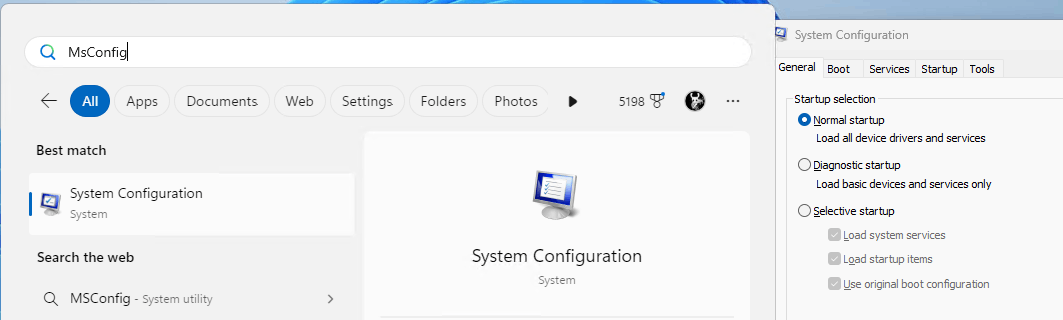
- Clean Boot starts Windows with a minimal set of drivers and startup programs. It can be used to determine whether a background service or program is interfering or causing a problem. These steps of "clean boot" might look complicated at first glance. However, to avoid any trouble for you, please follow them in order and step-by-step. Please be careful not to disable any services related to security credentials or security authentication, such as TPM, Security, Credential.
Or you may need to configure a new local account through Command Prompt under Windows Recovery Environment.
New local accounts have new profiles and only keep a few applications.
The game's crashes are not necessarily directly related to the app, but there is still the possibility of a potential connection.
To further examine some information related to the game crash event, you may want to check the event log.
If I misunderstand your situation, feel free to correct me and share the information.
Best Regards,
Kyo - MSFT | Microsoft Community Technical Support
' cx='32' cy='32' r='32' /%3E%3Ctext x='50%25' y='55%25' dominant-baseline='middle' text-anchor='middle' fill='%23FFF' %3EA%3C/text%3E%3C/svg%3E)
